
Can International iPhones Use eSIM? How to Check in Just 2 Minutes

Whether international iPhones can use eSIM is a common question for many users who want to switch to an electronic SIM for greater convenience at work or while traveling. In reality, not every international iPhone can automatically activate eSIM if it does not yet meet the required conditions. The article below will help users check their device accurately, while also guiding them through setup and suggesting compatible eSIM providers.
Can an international iPhone use eSIM?
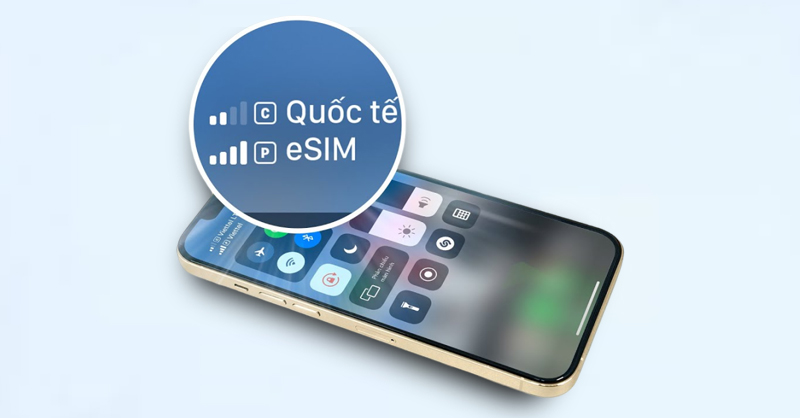
The answer is YES, but not in every case. eSIM is a digital SIM technology built directly into the device hardware and has become a recent trend thanks to its convenience and flexibility, making it especially suitable for international travel. Starting with the iPhone XR generation, Apple has also integrated eSIM on many models, allowing users to use a physical SIM and eSIM side by side.
However, whether an international iPhone can use eSIM also depends on many other factors such as hardware specifications, technical standards, and carrier policies. Therefore, to determine accurately whether an international iPhone can use eSIM, users need to check the device model, operating system, and carrier conditions rather than relying only on the idea of an “international phone”.
Conditions for an international iPhone to use eSIM
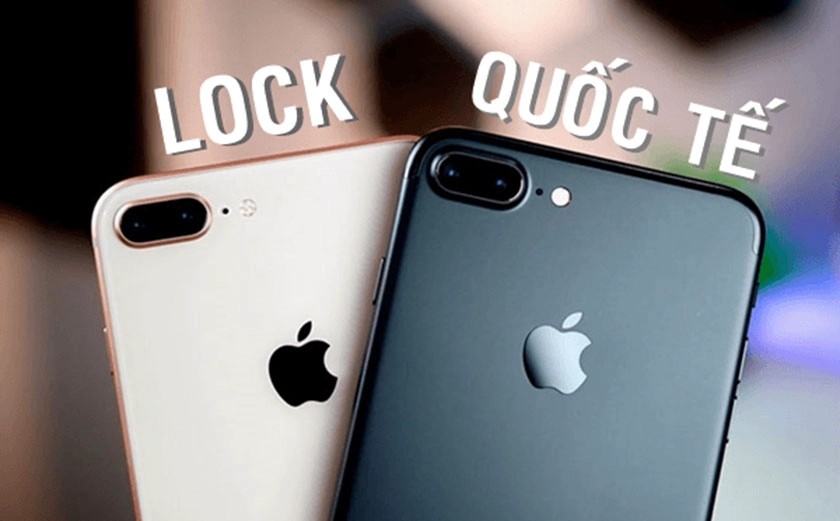
Not every international iPhone can automatically use eSIM. In fact, to activate and use eSIM stably, the device must meet certain technical and carrier requirements. Below are the important factors users need to check before registering for an eSIM:
- The device must be equipped by Apple with eSIM support: eSIM is technology built into the hardware. If the phone does not have an eSIM chip, users will not be able to install it even if it is an international iPhone. Therefore, first users need to confirm whether the phone belongs to the group of models that support eSIM.
- The iPhone must be an unlocked international version, not carrier locked: Even if it is an international phone, users still need to check the device’s carrier lock status. If the phone is still carrier locked, activating an eSIM from another network provider may be restricted or not possible.
- The device is running a compatible iOS version: Older iOS versions lack the eSIM manager, causing the phone not to recognize, configure, or activate the carrier plan. Therefore, Apple requires the device to be updated to a sufficiently new iOS version to activate and use eSIM.
- The carrier must support eSIM: Not all carriers offer eSIM service. Therefore, even if the device fully meets the technical requirements, users still need to carefully check plan information before registering. In Vietnam, most major carriers already support a wide variety of eSIM plans, suitable for most iPhone users.
- The device has not reached the eSIM storage limit: iPhone can store multiple different eSIM profiles but can only activate a certain number at the same time. If the device has saved too many old configurations, users need to delete some to add a new eSIM plan.
So, to know exactly whether an international iPhone can use eSIM, users need to make sure the device meets both hardware and software requirements. Then, activating eSIM on an international iPhone will be easy, fast, and stable.
List of international iPhones that support eSIM
After understanding the basic conditions for an international iPhone to use eSIM, users need to check whether their model is among those that support eSIM. Below is the list of international iPhones equipped by Apple with eSIM technology:
| iPhone generation | eSIM-supported models | Number of active eSIMs at the same time |
| iPhone SE | iPhone SE (2020), iPhone SE (2022) | 1 eSIM + 1 physical SIM |
| iPhone X series | iPhone XR, iPhone XS, iPhone XS Max | 1 eSIM + 1 physical SIM |
| iPhone 11 series | iPhone 11, iPhone 11 Pro, iPhone 11 Pro Max | 1 eSIM + 1 physical SIM |
| iPhone 12 series | iPhone 12 mini, iPhone 12, iPhone 12 Pro, iPhone 12 Pro Max | 1 eSIM + 1 physical SIM |
| iPhone 13 series | iPhone 13 mini, iPhone 13, iPhone 13 Pro, iPhone 13 Pro Max | 1 eSIM + 1 physical SIM |
| iPhone 14 series | iPhone 14, iPhone 14 Plus, iPhone 14 Pro, iPhone 14 Pro Max | 1 eSIM + 1 physical SIM (international version) / 2 eSIM (U.S. version only) |
| iPhone 15 series | iPhone 15, iPhone 15 Plus, iPhone 15 Pro, iPhone 15 Pro Max | 1 eSIM + 1 physical SIM (international version) / 2 eSIM (U.S. version only) |
| iPhone 16 series | iPhone 16, iPhone 16 Pro, iPhone 16 Plus, iPhone 16 Pro Max | 1 eSIM + 1 physical SIM (international version) / 2 eSIM (U.S. version only) |
| iPhone 17 series | iPhone 17, iPhone 17 Plus, iPhone 17 Pro, iPhone 17 Pro Max | 1 eSIM + 1 physical SIM (international version) / 2 eSIM (U.S. version only) |
Note:
- Some iPhone versions made specifically for certain markets (for example, mainland China, Hong Kong, Macau, etc.) may not support eSIM even if they share the same model name.
- iPhone lines from XR and earlier (iPhone X, 8, 7…) do not have eSIM integrated.
- iPhone can store many eSIM profiles (usually from 5 – 8 profiles or more) but can only activate up to 2 SIMs at once.
- iPhone 14 series in the U.S. market uses only eSIM and does not have a physical SIM tray.
If the device is on the list above and meets all the mentioned conditions, users can absolutely use eSIM on an international iPhone normally.
See also: U.S. international iPhone cannot use eSIM: Causes and how to fix it
How to check whether an international iPhone can use eSIM
If users are still worried about whether their international iPhone supports eSIM, SimPM will guide them through the detailed check below. With just a few simple steps, users can check directly on the device without needing to install an app or bring the phone to a store.
Check eSIM directly in Settings
This is a direct, simple, easy-to-do method and gives the most accurate result for knowing whether an international iPhone can use eSIM. Users should follow each step below.
- Step 1: Go to Settings
- Step 2: Select Cellular (Cellular/Mobile Data).
- Step 3: If the option Add eSIM ( Add eSIM / Add Cellular Plan), appears, your iPhone supports eSIM. Otherwise, if you do not see the add eSIM option, the device may be incompatible or running an iOS version that is too old.
Check by iPhone model code
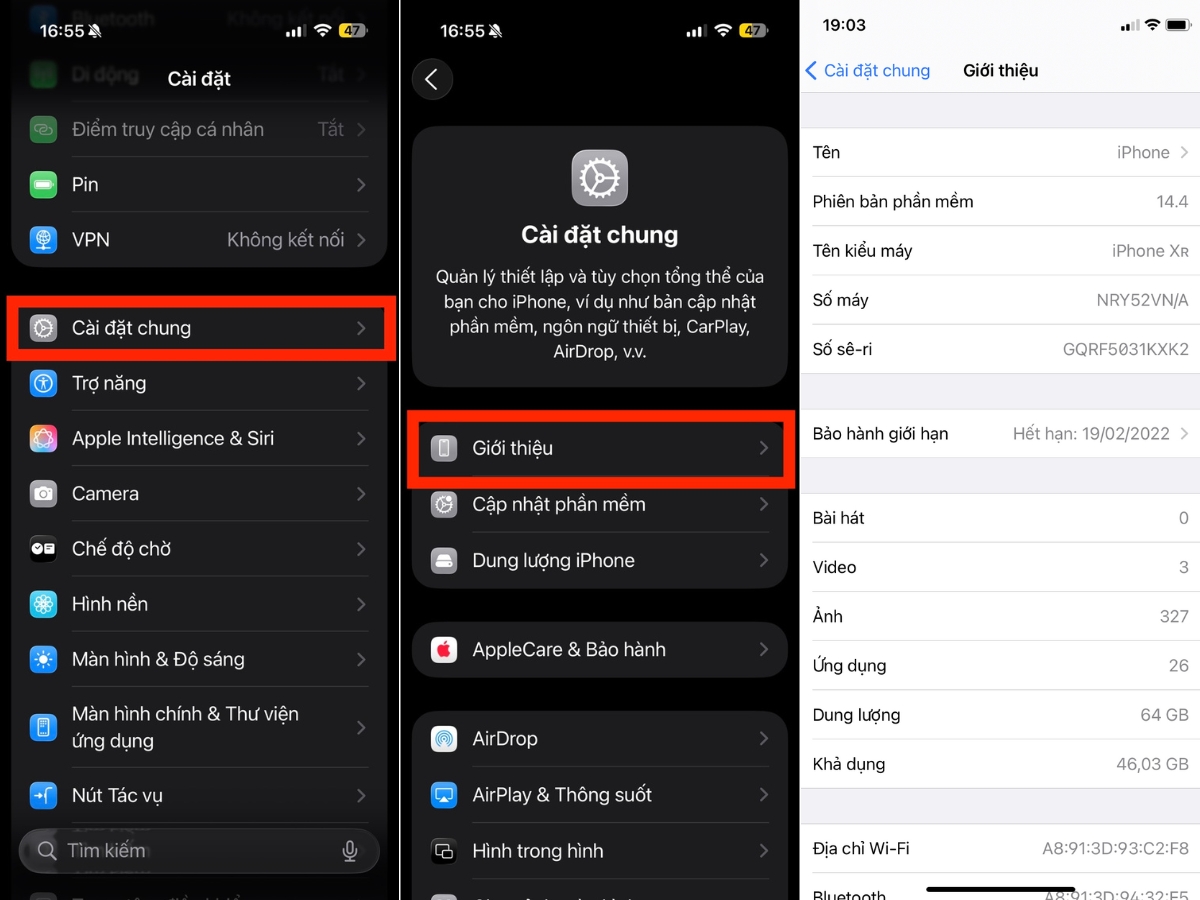
If the eSIM option does not appear, users should also check the model code. Below, SimPM will guide you through the steps in detail:
- Step 1: Go to Settings → General
- Step 2: Select About → Model Name or Model Number.
- Step 3: Devices from the iPhone XR generation and newer support eSIM, except for some special versions for the China, Hong Kong, and Macau markets (CH/A, ZP/A codes).
Check on the SimPM website
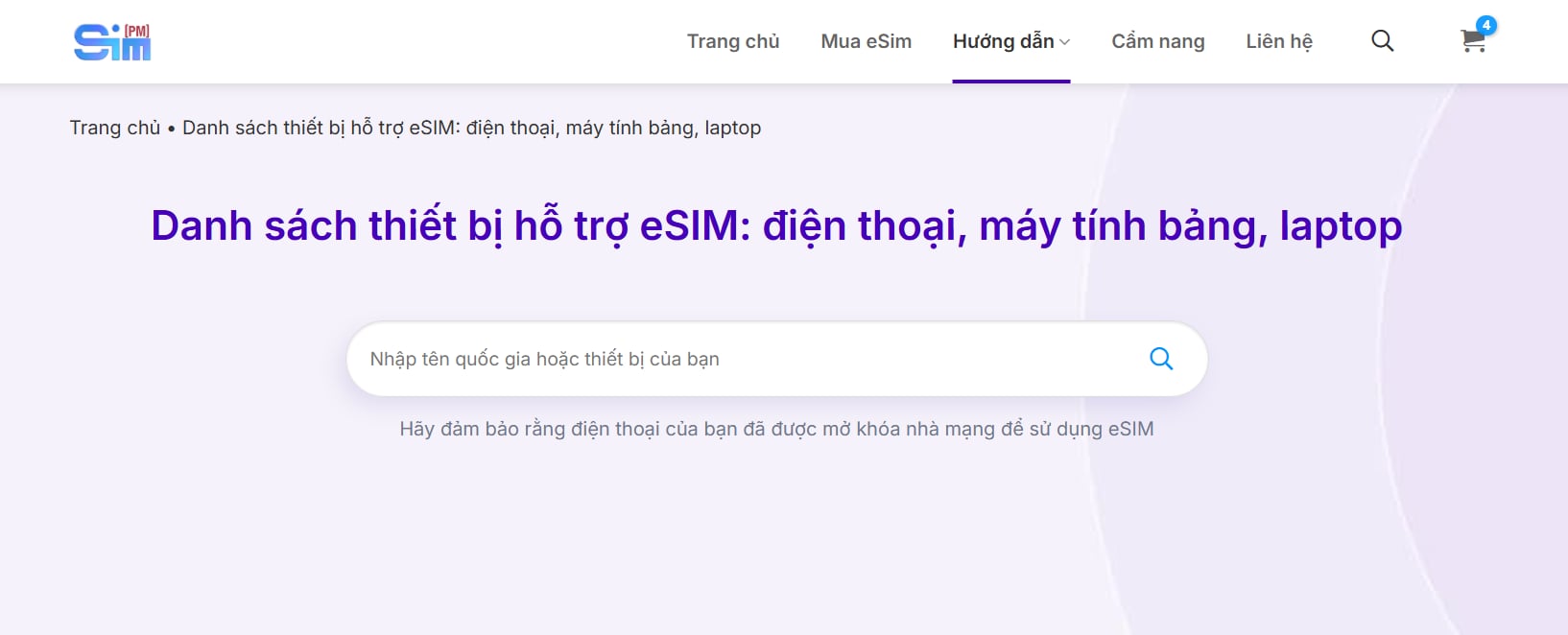
If it is inconvenient to check directly on the phone or you want to quickly look up multiple devices at once, users can check right on the SimPM website. The list of eSIM-supported devices is clearly compiled by model, making it easy to determine whether an international iPhone can use eSIM before purchasing and activation.
In addition to iPhone models, this list also fully updates Android phones that support eSIM as well as some other devices such as iPad, Apple Watch, and laptops. Thanks to that, users can check multiple devices in their ecosystem at the same time, ensuring they choose the right compatible eSIM plan and avoid installation errors.
Check carrier lock status
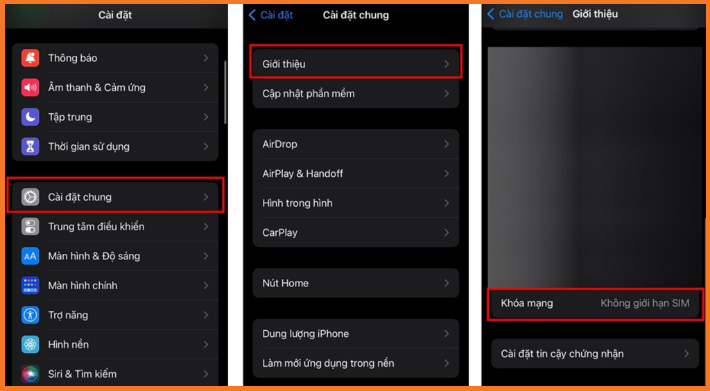
In some cases, an iPhone may support eSIM but still cannot be activated if it is carrier locked. To check, users should follow these instructions:
- Step 1: Go to Settings → General
- Step 2: Select About → Carrier Lock.
- Step 3: If it shows No SIM restrictions, this is an international phone and can use eSIM from any other carrier.
How to use eSIM on an international iPhone
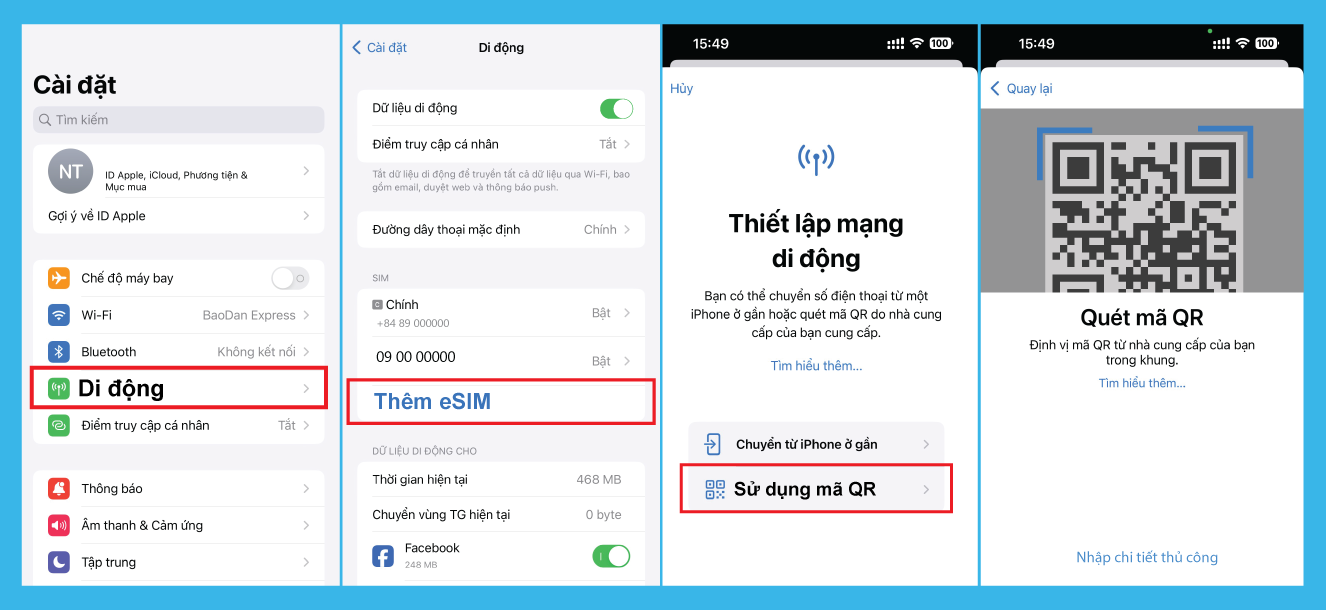
Once the device is confirmed to be eligible, using eSIM on an international iPhone is quite simple and is done directly on the phone. To install eSIM, users only need to go to Settings → Cellular → Add eSIM, then scan the QR code or manually enter the carrier information to install the profile. This process usually only takes a few minutes if the internet connection is stable, making it very convenient, compact, and fast.
After installation is complete, users can name the eSIM for easier management, choose it as the primary data SIM, and turn on mobile data to start using it. Once the device automatically connects successfully, users can use it for texting, calls, searching, or browsing social media. Overall, using eSIM on an international iPhone does not require complicated technical skills, making it suitable for both first-time users and those who are not tech-savvy.
See also: Is eSIM the primary or secondary SIM? How to set it up correctly
Common errors that prevent an international iPhone from using eSIM
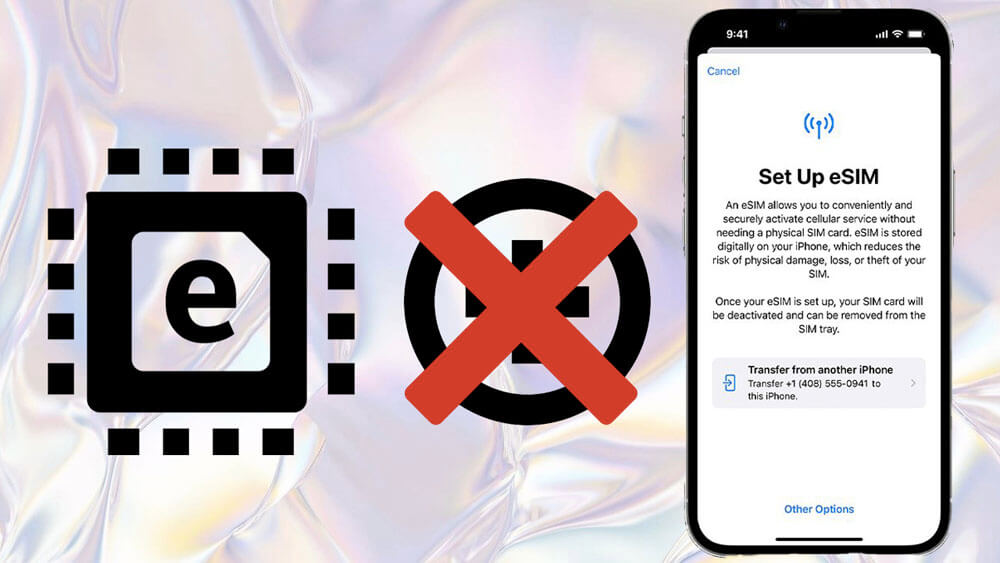
Even though international iPhones support eSIM, during installation or use some errors may still occur that cause the device not to connect to the network or not to activate the plan. Below are common situations and suggested fixes:
- The “Add eSIM” option does not appear in Settings: The cause is an iOS version that is too old or the device is not in the eSIM-supported lineup. Users need to check and update the iPhone to the latest iOS version. If this option still does not appear, the phone model should be rechecked to confirm eSIM support.
- Scanning the QR code but unable to add the plan: This may be because the QR code has expired, has been used before, or the internet connection is unstable. Users need to make sure the device is connected to stable WiFi and the QR code is clear.
- Installation successful but no signal: This may be because the eSIM has not been fully activated or mobile data has not been turned on for the eSIM. To fix this, go to Settings → Cellular and check whether the eSIM is enabled. Users can also try turning Airplane Mode on/off or restarting the device to refresh the connection.
- The error “Not supported” or “Unable to activate”: The eSIM plan is not compatible with the usage region because some eSIMs only work in certain countries. To fix this, check the eSIM plan information again to ensure compatibility. If needed, users can contact the eSIM provider to confirm or request a replacement plan that fits.
- Cannot access mobile data even though there is signal: The cause is not selecting the correct eSIM as the primary data source or not enabling data roaming for the international eSIM. Users need to go to Settings → Cellular → Mobile Data and select the correct eSIM. If using a travel eSIM, data roaming must be turned on as instructed.
Most errors that prevent an international iPhone from using eSIM come from configuration, iOS version, or initial setup steps. By carefully checking each step, users can completely fix the issue quickly without complicated technical intervention.
Where to buy eSIM that is compatible with an international iPhone?
After confirming that an international iPhone can use eSIM, choosing the right eSIM provider will determine whether the experience is truly stable and convenient. SimPM is a reputable provider with five years of experience, specializing in international eSIMs with a fully online purchase process, optimized for iPhone users.
At SimPM, the eSIM plans are optimized to work stably on international iPhones and are compatible with iPhone models that support eSIM according to Apple’s standards. Plan details for data allowance, validity period, and coverage area are transparent and clear, helping users easily choose the right plan for their needs without worrying about hidden costs.
In addition to compatibility, SimPM also focuses on convenience and ease of use. The installation guide is presented clearly step by step, suitable even for first-time eSIM users. After payment, the QR code is sent quickly via email, allowing users to add the eSIM directly in the iPhone Settings menu within minutes without removing or inserting a physical SIM.
When users encounter any errors during use, the technical support team will respond quickly to handle the issue and minimize the risk of connection interruptions. Thanks to its fast process, attentive service, and strong compatibility with international iPhones, international eSIM at SimPM is a suitable choice for users who want to use eSIM proactively, conveniently, and with peace of mind.
Overall, most international iPhone models can use eSIM, but users need to carefully check the minimum conditions to ensure eSIM compatibility and successful activation. In the context of frequent travel or overseas trips, eSIM is a smart, convenient, flexible, and easy-to-use connectivity solution. If you are planning your upcoming journey, preparing an eSIM at SimPM is the first step to staying connected and enjoying a seamless experience.









