Does the iPhone XS Support eSIM? What to Know Before Installing

The iPhone XS is one of the first iPhone models that Apple supports with eSIM, but many people still wonder whether the iPhone XS supports eSIM and how to use it correctly. The article below will help you understand everything you need to know, such as the number of supported SIMs, installation requirements, and the important things to keep in mind before installing an eSIM on the iPhone XS.
Does the iPhone XS support eSIM?
Yes, the iPhone XS supports eSIM, and it is one of the first iPhone models to be equipped by Apple with this technology, allowing you to use 1 eSIM alongside 1 physical SIM on the same device.
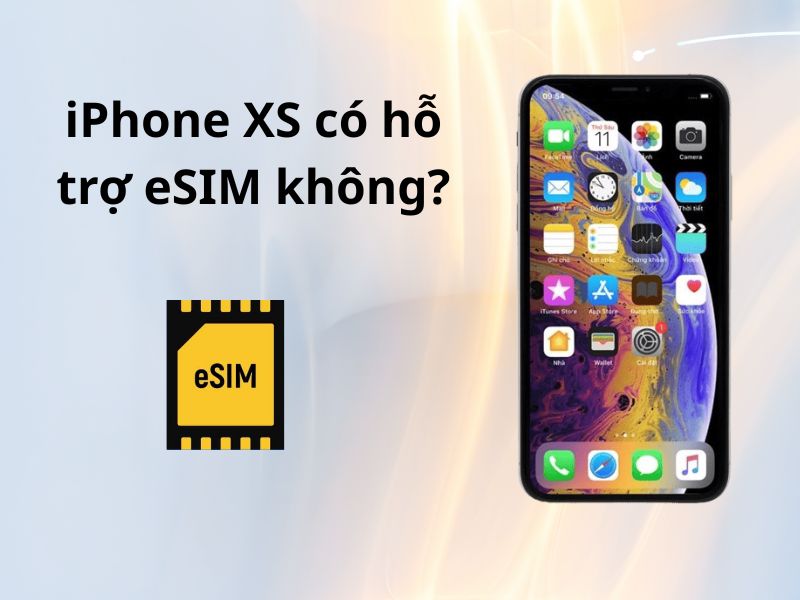
Specifically, from the iPhone XR, iPhone XS, and iPhone XS Max onward, Apple integrates Dual SIM capability including 1 physical nano-SIM and 1 digital eSIM if the carrier supports this feature. This allows you to use one number for work and another for data or while traveling without having to remove and insert SIM cards repeatedly.
However, please note that in some regions or special device versions (such as models made for mainland China and Hong Kong), the iPhone XS may not support eSIM due to policy reasons or region-specific hardware configurations.
How many SIMs does the iPhone XS support? How do you use eSIM?
Apple equipped the iPhone XS with the ability to use two SIMs at the same time, also known as Dual SIM, but the implementation is different from many Android phones. Specifically, the iPhone XS supports up to 2 SIMs, including:
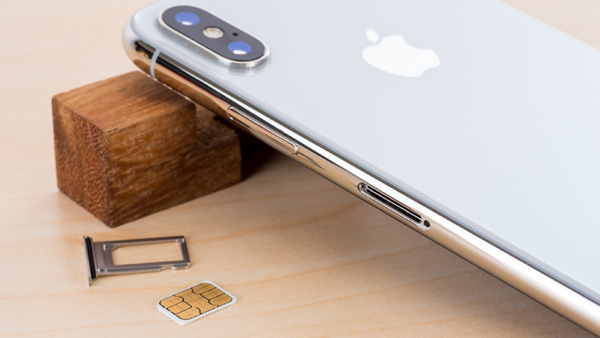
- 1 physical SIM (nano-SIM)
- 1 eSIM (electronic SIM)
This allows users to use two phone numbers on the same device without needing to install two physical SIM cards. One number is managed through the traditional physical SIM, while the other works through the built-in eSIM in the device.
How is eSIM used on the iPhone XS?
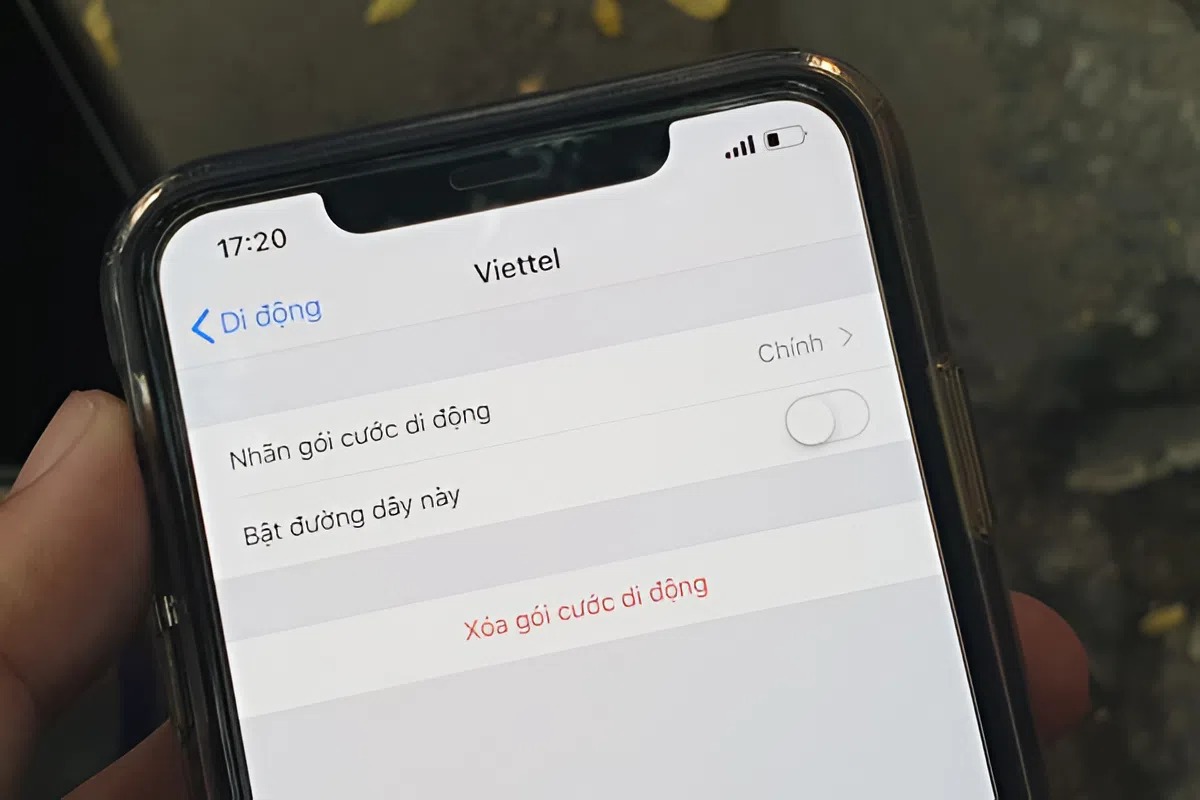
On the iPhone XS, eSIM is not located in the SIM tray but is managed entirely through software. After installing the eSIM (usually by scanning the QR code provided by the carrier), the eSIM will appear in Settings > Cellular as a separate SIM.
Here, you can:
- Turn each SIM on or off as needed
- Choose the default SIM for calls, messages, or mobile data
- Switch flexibly between the physical SIM and eSIM without removing or inserting cards
Thanks to this design, the iPhone XS is a great fit for people who need to use two phone numbers at the same time, such as separating personal and work numbers, or keeping a domestic SIM and using an eSIM while traveling abroad.
See more: Can an eSIM share WiFi? Answers and a detailed guide
Requirements for using eSIM on the iPhone XS
Although the iPhone XS supports eSIM, you can only install and use an eSIM when the device meets certain requirements. Checking these factors in advance will help the eSIM activation process go smoothly and avoid unnecessary errors:
- Compatible iOS version: The iPhone XS needs to be updated to iOS 12 or later to fully support eSIM features. It is recommended to use a newer iOS version to ensure compatibility and stability.
- The device is not carrier-locked: The iPhone XS must be an international model or be officially unlocked. On a locked device, eSIM will not work if it is still tied to a carrier.
- Compatible eSIM provider: The eSIM you buy must support the iPhone XS and provide clear installation instructions, usually through a QR code or direct device setup.
- Stable internet connection during installation: The iPhone XS needs Wi-Fi or mobile data to download the eSIM profile to the device during activation.
- The device still has room for eSIM profiles: The iPhone XS has a limit on the number of eSIM profiles that can be stored (usually about 5-10 eSIMs), but only 1 eSIM can be active at a time. If you have installed and deleted many eSIMs before, you should check the eSIM list again in Settings > Cellular before adding a new eSIM.
How to add an eSIM to the iPhone XS easily, without inserting a SIM card
Apple designed adding an eSIM to the iPhone XS to be minimal and straightforward, so users can set it up at home in just a few minutes. You do not need to remove the physical SIM or use the SIM tray; the entire process is done directly on the phone.
Step 1: Prepare before installation
- Make sure the iPhone XS is connected to a stable Wi-Fi network
- The battery has enough charge or is charging
- Have the eSIM QR code or activation information from the eSIM provider ready
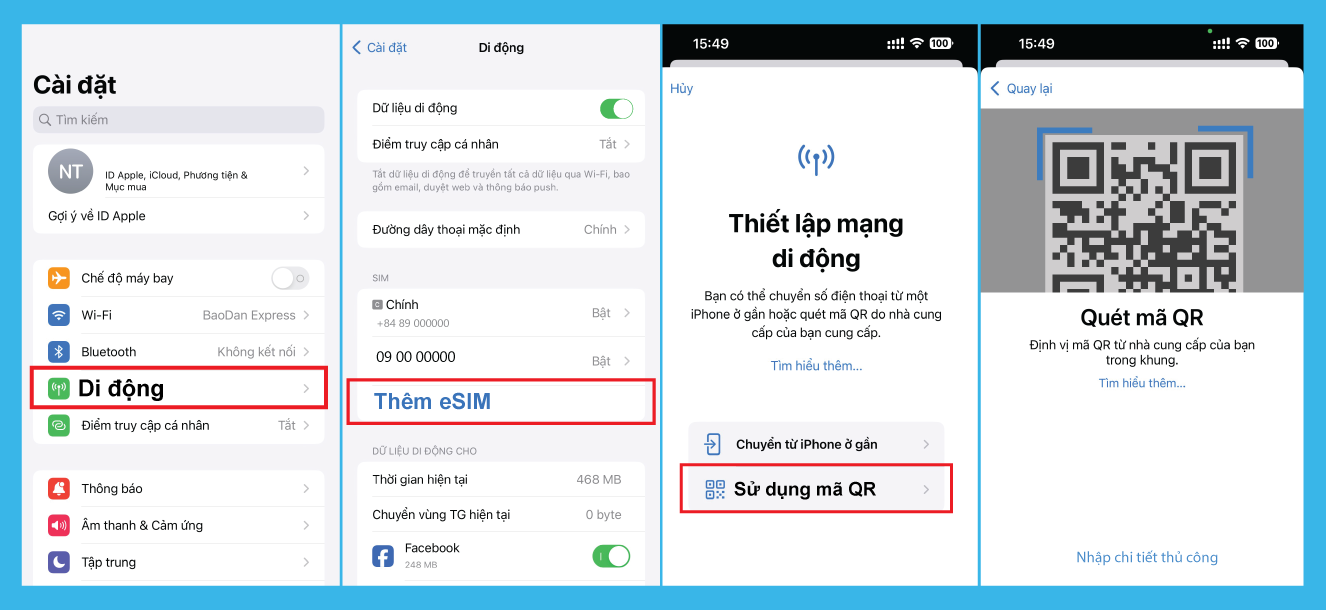
Step 2: Access eSIM settings
- Go to Settings
- Select Cellular
- Tap Add Cellular Plan
Step 3: Scan the eSIM QR code
- Use the iPhone camera to scan the QR code provided by the eSIM provider
- Wait for the system to recognize and download the eSIM profile to the device
Step 4: Confirm and complete installation
- Follow the on-screen instructions
- Give the eSIM a name (for example: Personal, Work, Travel) so it is easier to manage
- Choose the eSIM as the data or calling SIM if needed
Step 5: Check that the eSIM is active
After a successful installation, you do not have to turn on the eSIM immediately. With many eSIM plans, especially travel eSIMs, the validity period only starts when the eSIM is turned on and connects to the network for the first time.
If you do not need to use it right away, you can leave the eSIM turned off and only enable it when the right time comes.
When you need to use it, turn on the eSIM and check that it works:
- For data-only eSIMs, try accessing the internet to check the connection.
- For eSIMs with calling, you can try making a call or sending a message.
Note: Turning on the eSIM and connecting earlier than expected may cause the plan validity to start right away, which can lead to wasted time if you are not actually using it yet.
Is the iPhone XS suitable for travel eSIM use?
The iPhone XS is one of the iPhone models well suited for using a travel eSIM, especially for people who travel abroad often or want internet access as soon as they arrive at their destination. Thanks to built-in eSIM support, users can install a travel eSIM plan in advance and simply turn it on when needed, without having to buy or replace a physical SIM at the airport.
With the iPhone XS, eSIM works alongside the physical SIM, allowing you to keep your main phone number for calls and OTPs while using the eSIM for mobile data abroad. This is a major advantage of eSIM over removing a traditional SIM, because it helps avoid dropping or losing the small SIM card, forgetting to reinsert the main SIM after the trip, and reduces unnecessary SIM swapping while traveling.
In addition, a travel eSIM on the iPhone XS can be installed quickly using a QR code, without depending on a store or technical staff. You can also manage the eSIM directly in Settings, turning it on or off flexibly according to your travel schedule.
However, for the best experience, you should choose a travel eSIM that is compatible with the iPhone XS, check the coverage in the country you are about to visit, and only activate the eSIM at the right time to avoid wasting usage time. When these conditions are met, the iPhone XS fully meets your travel eSIM needs in both convenience and efficiency.
Where is the easiest place to buy an eSIM for the iPhone XS?
Because the iPhone XS works well with travel eSIMs, choosing the right eSIM plan will help you make the most of the device’s convenience without running into problems during use. Instead of buying a physical SIM at the airport or a local store, many iPhone XS users now prefer to buy a travel eSIM online and set it up before the trip to be more proactive about timing and connectivity.
Among the current options, travel eSIM at SimPM is especially suitable for the iPhone XS thanks to its simple use and flexible control for travelers:
- Quick setup directly on the iPhone XS: After purchase, you receive a QR code to scan and add the eSIM right in Settings, with no need to remove the physical SIM or perform complicated steps.
- Flexible use for international trips: The eSIM can be installed in advance and only turned on when you arrive, helping you control usage time and avoid wasting your plan.
- Keep your main SIM while traveling: When using the eSIM from SimPM for data, you can still keep the physical SIM to receive calls, messages, and OTPs on the iPhone XS.
- Convenient payment: SimPM supports payment via VNPAYQR scanning, ATM cards, domestic bank accounts, or international payment cards, suitable for many types of users.
Thanks to this convenience, iPhone XS users can get online whenever they need to, avoid spending time looking for a new SIM, and still maintain connectivity throughout their travel journey.
See more: How to activate a travel eSIM: A detailed guide for beginners
Frequently asked questions about eSIM on the iPhone XS
Throughout the research and usage process, many people still have questions related to eSIM on the iPhone XS. Below is a summary of the most frequently asked questions to help you quickly find clear answers before using eSIM on the iPhone XS.
Can the iPhone XS use 2 eSIMs at the same time?
No. The iPhone XS can only use 1 eSIM at a time. However, the device can store multiple eSIM profiles and allow you to switch between eSIMs when needed. The iPhone XS supports using 1 eSIM and 1 physical SIM in parallel.
Can a locked iPhone XS use eSIM?
A locked iPhone XS can only use eSIM when the device has been properly unlocked from the network. If it is still carrier-locked, the eSIM will not work or cannot be installed.
Will resetting the iPhone XS delete the eSIM?
It depends on how you reset the device:
- If you reset only the settings, the eSIM is usually kept.
- If you choose Erase All Content and Settings, the eSIM may be deleted from the device and will need to be reinstalled from scratch using the QR code.
What iOS version does the iPhone XS need to use eSIM?
The iPhone XS needs iOS 12 or later to use eSIM. For a smoother installation and usage experience, you should update to newer iOS versions if possible.
Does using eSIM on the iPhone XS use more battery?
Using eSIM does not significantly drain more battery than a physical SIM. Battery consumption mainly depends on data usage intensity, signal strength, and background apps, not whether you use eSIM or a physical SIM.
Can a travel eSIM on the iPhone XS make calls?
Most travel eSIMs only support mobile data and do not include calls or text messaging. In this case, you can still use the physical SIM to receive calls, messages, and OTPs, while the eSIM is used to access the internet.
Hopefully the information above has helped you clearly understand whether the iPhone XS supports eSIM, how to use eSIM correctly, and the important things to note before installation. Once you understand the requirements and how to use it, you can use eSIM on the iPhone XS in the most convenient and efficient way.
If you are looking for an easy-to-install travel eSIM solution with flexible usage timing and compatibility with the iPhone XS, you can explore the eSIM plans at SimPM to get your connection ready for your trip.