Common eSIM Problems: 10 Issues and Step-by-Step Fixes

You’ve just scanned a QR code to activate a new eSIM. After 2 minutes, then 5 minutes, and even after 10 minutes, the signal bars still don’t appear. Sometimes it’s even more frustrating: the eSIM stays stuck in “Activating,” leaving you unsure whether to keep waiting, delete and reinstall it, or call customer support.
The good news is that most eSIM issues usually come down to 10 fairly clear causes. Many of them can be fixed in about 5 to 10 minutes without contacting the carrier. This article will compile the 10 most common eSIM problems in Vietnam, how to identify them, their causes, and step-by-step fixes.
Before fixing an eSIM issue, check 3 basic things
Before getting into each specific issue, you should quickly check 3 fundamental factors. From SimPM’s support experience, SimPMmany cases that seem like an “eSIM issue” actually come from very basic things such as the phone not supporting eSIM, an unstable network, or incomplete verification.
- First, check whether your device supports eSIM. You can open the dialer app and enter *#06#. If the screen shows an EID code with 32 characters, usually starting with 89, the device supports eSIM. If you only see IMEI and no EID, the phone may not support eSIM.
- Second, make sure WiFi or mobile data is working stably. eSIM needs internet to download the subscription profile from the carrier’s SM-DP+ server. If the connection drops during download, activation is very likely to fail.
- Third, for users in Vietnam, check whether eKYC through VNeID has been completed. Starting from 24/12/2024, Decree 163/2024 requires VNeID verification before activating a SIM or eSIM in Vietnam.
If all 3 factors above are fine but the eSIM still doesn’t work, only then should you continue checking the 10 groups of issues below. Understanding how eSIM works will help you troubleshoot faster; you can also refer to the article “How does eSIM work” to understand the 4 core steps.
10 most common eSIM issues and a quick way to classify them
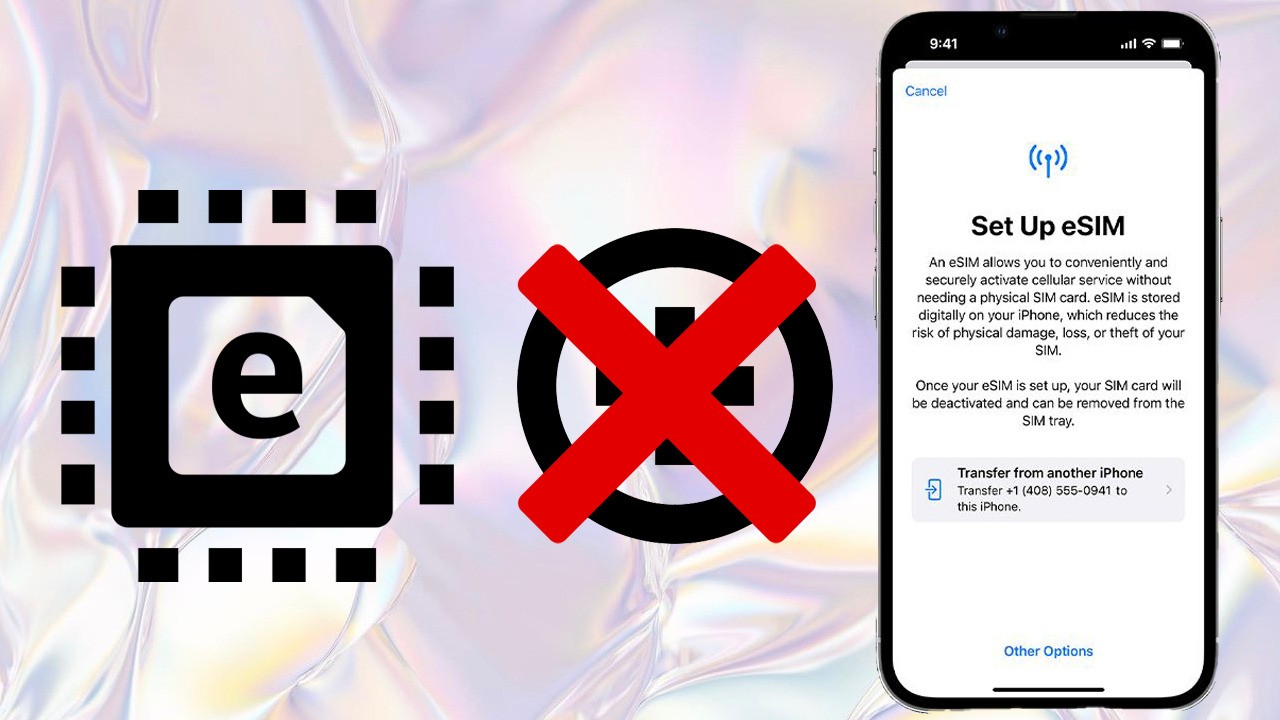
Most eSIM problems can be divided into two groups: issues on the user’s device and issues in the carrier’s system. If the problem comes from the phone, you can usually fix it yourself within a few minutes. If the problem is in the carrier backend, calling customer support will be faster and more effective than trying many methods on your own.
| # | Common issue | Main cause | Frequency | Resolution time |
|---|---|---|---|---|
| 1 | QR code has already been used | Accidentally scanning the QR code a second time | Very high | About 5 minutes if you request a new QR code |
| 2 | No WiFi or mobile data | Connection lost while downloading the profile | Cao | About 2 minutes if you turn WiFi back on |
| 3 | Carrier backend has not activated it yet | SM-DP+ is processing slowly | Cao | About 10 to 30 minutes |
| 4 | Device is not compatible with eSIM | No eUICC chip | Medium | Need to change devices |
| 5 | eKYC not completed | Not verified through VNeID | Very high in Vietnam | About 10 minutes via the carrier app |
| 6 | eSIM treo “Activating” | Old profile cache or slow backend | Medium | About 5 minutes if you restart and reinstall |
| 7 | Lost signal after changing phones | Old profile not deactivated | Medium | About 15 minutes if you call the carrier |
| 8 | eSIM locked after roaming | Travel profile is taking over active service | High for travelers | About 1 minutes if you turn the main line back on |
| 9 | Lost eSIM when switching to a new phone | eSIM not transferred before resetting the old phone | Medium | About 15 to 30 minutes |
| 10 | Accidentally deleted the eSIM | Tapped “Delete” instead of “Turn Off” | Medium | Need to request a new QR code |
You can remember a simple rule: issues on the device, including issue numbers 1, 2, 4, 6 and 10, can usually be fixed in 5 to 10 minutes. Carrier-related issues, including issue numbers 3, 5, 7, 8 and 9, should be handled by calling support for faster help.
Issue 1: eSIM QR code has already been used or cannot be scanned
This is the most common eSIM issue. You scan the QR code but the phone shows “QR code already used,” “Unable to scan QR code,” or simply fails to recognize the code. The main reason is that each eSIM QR code usually can only be activated once.
After the eSIM profile is downloaded to the device, the profile becomes linked to a specific phone through the EID. Therefore, if you scan that QR code again a second time, use it on another phone, or the carrier has deactivated the code, activation will fail.
The fix is to contact the carrier and request a new eSIM QR code. Reference hotlines include Viettel 198, VinaPhone 18001091, MobiFone 18001090 and Vietnamobile 789. For some travel eSIM providers such as Ubigi, there may be an exception allowing reinstallation up to 5 times, but you need to read each provider’s terms carefully.
To avoid this issue next time, take a screenshot of the QR code as soon as you receive it from the carrier and save it in a separate album before scanning. This makes it easier to look up the information later if needed, although in most cases the old QR code still cannot be reused once it has been successfully activated.
Issue 2: No WiFi or mobile data when activating eSIM
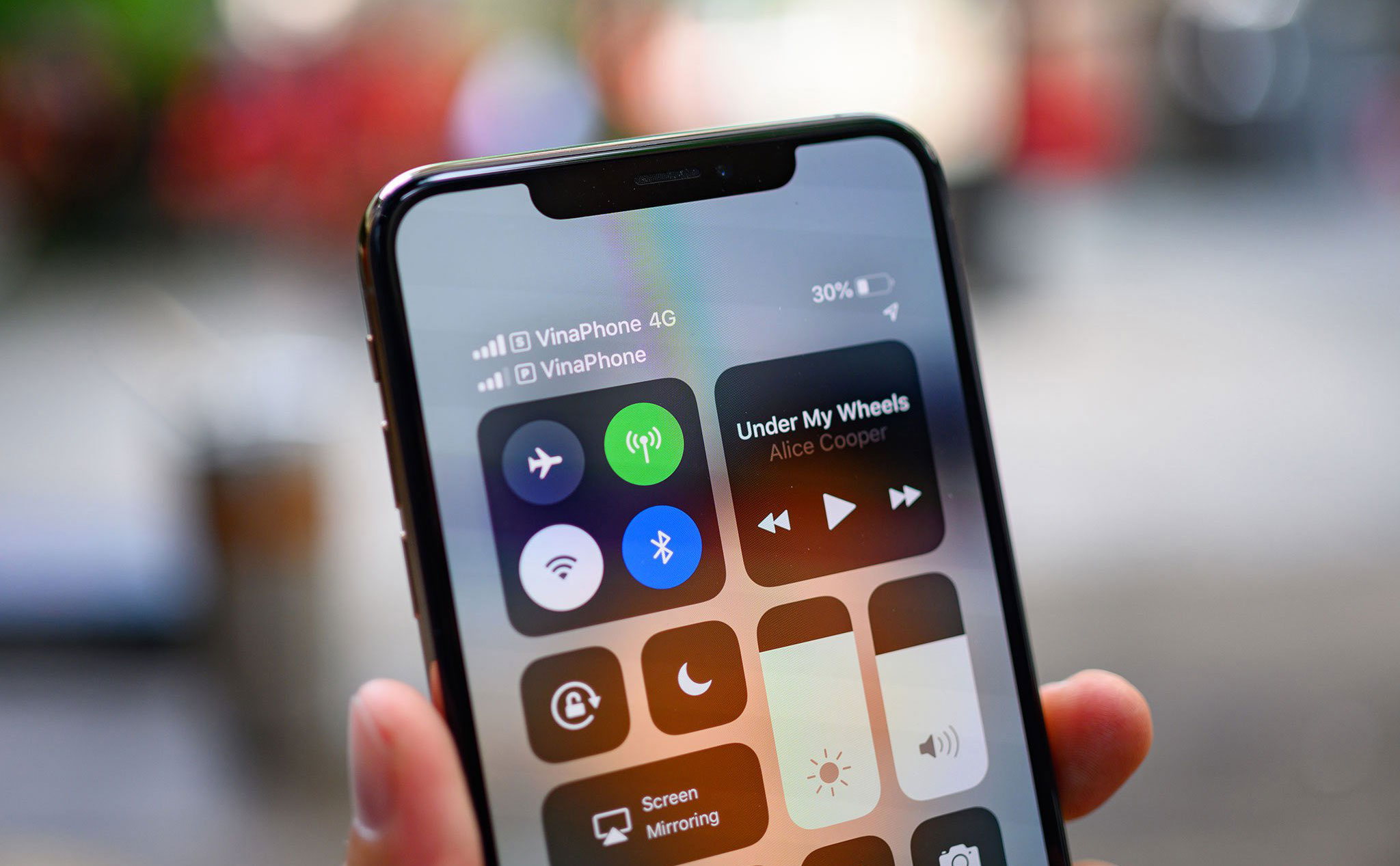
This issue often happens when users buy a carrier-locked iPhone or switch from a physical SIM to an eSIM. Many people remove the old SIM before scanning the new eSIM QR code without realizing that the phone then no longer has mobile data to connect to the internet.
Meanwhile, the new eSIM has not yet been activated, so it cannot provide network access to the device. As a result, the phone cannot contact the SM-DP+ server to download the eSIM profile, causing activation to hang or fail.
Common symptoms include the phone showing “Cannot Add Cellular Plan” or “Unable to Complete Cellular Plan Change.” The reason is that downloading the profile requires stable WiFi or mobile data; if the connection drops midway, activation may fail.
The fix is quite simple: connect to a stable home WiFi network, then go to Settings > Cellular > Add eSIM and scan the QR code again. If possible, use fixed WiFi instead of mobile data from the old eSIM, because the old eSIM may already have had its profile removed or may no longer be working stably.
Issue 3: Carrier backend has not activated the profile
There are cases where you have done all the steps correctly, the QR code scans successfully, but the eSIM still does not get signal. In that case, the problem may not be on your device but in the carrier backend, specifically because the SM-DP+ server has not yet pushed the profile down to the device.
This issue often happens during peak hours, when the carrier system is handling many requests at once or is under maintenance. A common symptom is the eSIM staying stuck on “Activating” or showing “No Service” for a long time even though the QR code was scanned successfully.
The most reasonable fix is to wait about 10 to 30 minutes. During this time, do not keep deleting and re-adding the eSIM because it may make the profile status even more confused. If after 1 g hours the eSIM still has no signal, call customer support to check whether the profile is stuck in the system.
From SimPM’s support experience, if the eSIM still does not work after 1 g hours, the chance that the issue is in the carrier system is quite high. In that case, contacting support will save more time than continuing to troubleshoot on the device.
Issue 4: Device is not compatible with eSIM
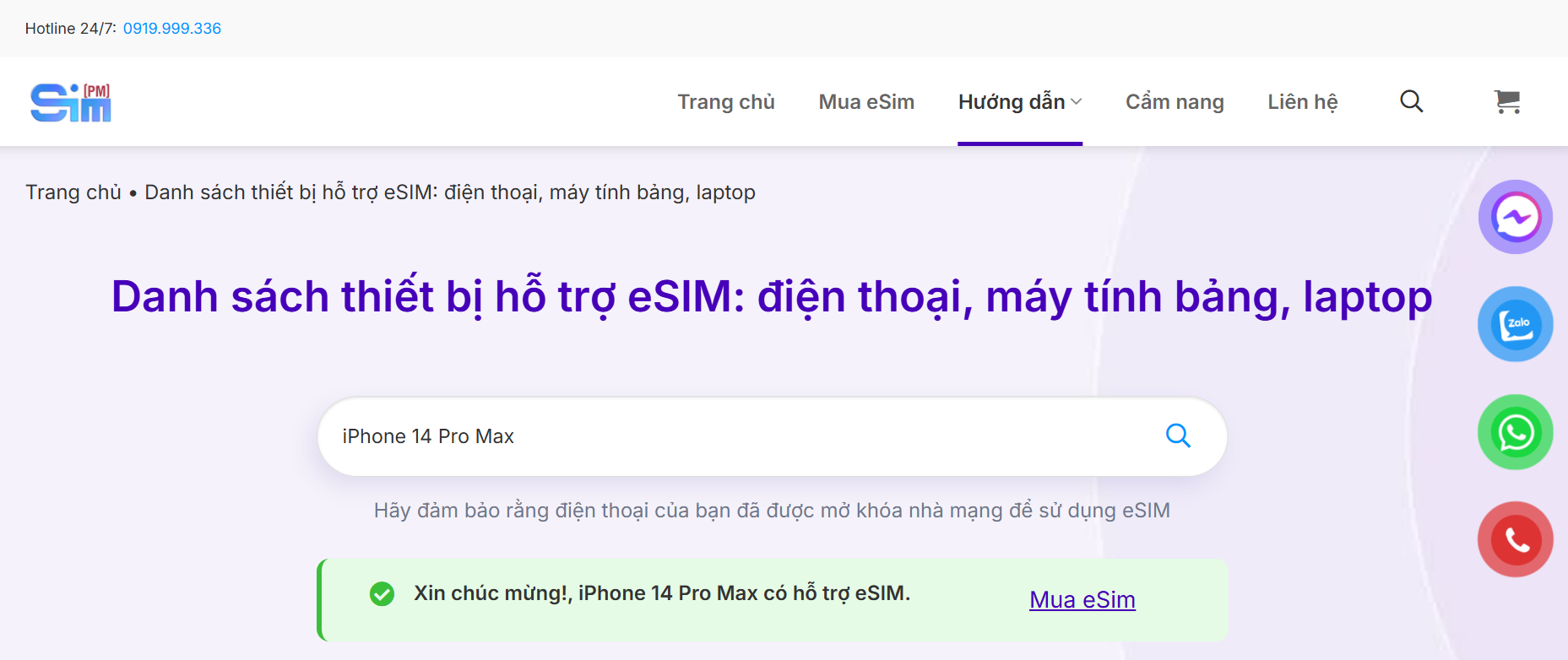
Not every phone supports eSIM. Many people only find out after buying the phone that it does not have the option to add an eSIM, especially older devices, low-cost phones, or certain market versions with limited features.
A clear symptom is that when you go to Settings > Cellular, you do not see the “Add eSIM” option. The usual reason is that the device does not have an eUICC chip, such as iPhone X and earlier, Samsung S20 FE, some budget Android phones, or domestic versions that do not support eSIM.
The fastest way to check is to dial *#06# to see whether the phone has an EID code. If there is no EID, the device most likely does not support eSIM. You can also compare it with the list of phones that support eSIM 2026 to be more certain.
An important warning for people buying imported iPhones is that the Hong Kong iPhone model, code ZA/A, is usually a dual physical Nano-SIM version and does not have eSIM. This is a very common trap, because many people assume “dual SIM iPhone” means it has eSIM.
Issue 5: eKYC through VNeID not completed in Vietnam
This is a Vietnam-specific issue. Starting from 24/12/2024, Decree 163/2024 requires all SIM and eSIM registrations in Vietnam to be verified through VNeID. If this step is not completed, the carrier may refuse activation even if the eSIM QR code is completely correct.
A common symptom is that the carrier does not allow eSIM activation, or the phone shows “Activation failed” after the profile is downloaded. The reason is that the subscription information has not been eKYC-verified through VNeID as required.
The fix is to open the My Viettel, My VNPT, My MobiFone, or My Vietnamobile app, then verify your chip-based citizen ID, scan VNeID, and complete eKYC. After verification is successful, you should return to the eSIM activation step.
According to the latest update in the article, starting from 15/4/2026 under Circular 08/2026/TT-BKHCN, users can self-verify through VNeID 100% online without needing to visit a store. This is more convenient for users when registering or transferring an eSIM.
Issue 6: eSIM stuck on “Activating”
If the eSIM shows the “Activating” status for more than 5 minutes without any change, the device may be stuck in the middle of activation. Most cases come from the carrier backend processing slowly, similar to issue number 3. In some other cases, an old profile cache on the phone causes a conflict.
With this issue, you should not rush to delete the eSIM right away. Handle it in order to avoid making the profile error worse.
First, turn on Airplane Mode for about 30 g seconds, then turn it off. After that, check whether the eSIM receives signal. If it still does not work, restart the device to refresh the network connection and SIM status.
If the eSIM still remains stuck, you can delete the profile and add it again. However, only do this if you are sure you still have a valid QR code or the carrier has confirmed that a new code can be issued. If you need to reset network settings, on iPhone go to Settings > General > Transfer or Reset iPhone > Reset > Reset Network Settings. On Samsung, go to Settings > General Management > Reset > Reset Network Settings.
The important note is to only reset network settings, not factory reset the entire phone. Restoring factory settings can erase data or create more issues that you will need to resolve.
Issue 7: Sudden loss of signal after changing phones or switching carriers
There are cases where the eSIM is working normally, but after changing phones or switching carriers, it suddenly loses signal. The reason is usually that the old profile on the SM-DP+ system has not been fully deactivated, causing a conflict with the new profile.
The symptom is that the eSIM used to work stably, but after changing devices or moving to another carrier, it no longer has signal. In that case, the device may not be the main cause. The issue is usually the profile status on the carrier system.
The fix is to call the old carrier and request deactivation of the old profile. After the old profile is properly removed, you should then activate the new eSIM on your current device.
To prevent this issue when switching phones, use eSIM Quick Transfer on iPhone 13 and later or Smart Switch on Samsung before resetting the old phone. Transferring the eSIM correctly will reduce conflicts between old and new profiles.
Issue 8: eSIM is locked or has no signal after international roaming
This is a fairly common issue for travel eSIM users. After using a travel eSIM in South Korea, Japan, or Europe, you return to Vietnam but your Vietnamese carrier eSIM does not get signal.
The reason is usually that the device still keeps the travel eSIM profile active, while the Vietnamese eSIM profile was turned off or automatically disabled while you were abroad. As a result, when you return home, the phone still prioritizes the travel line or does not automatically turn the main line back on.
The fix is very quick: go to Settings > Cellular, select the Vietnamese eSIM profile, then turn on “Turn On This Line.” After that, wait about 30 g seconds for the device to search for the carrier signal again.
To prevent this, before the plane lands back in Vietnam, you should turn off the travel eSIM and turn the Vietnamese eSIM back on. You can do this right on the plane before disembarking, so your phone is ready to receive signal when you return.
Issue 9: Lost eSIM when switching to a new phone without transferring it
This is one of the most frustrating issues. You switch to a new iPhone or Samsung, reset the old phone to sell or give it away, and only later realize that the old eSIM did not automatically move to the new device.
The reason is that the eSIM is tied to the old phone’s eUICC chip and does not automatically follow your Apple ID or Samsung account. When you reset the old phone before transferring, the eSIM profile can be deleted from the device and there is no direct way to recover it.
The fix is to contact the carrier and request a new eSIM QR code. The fee usually ranges from 25.000 to 30.000 VND depending on the carrier. With iPhone 13 and later and a carrier that supports it, you can use eSIM Quick Transfer to move the eSIM to the new phone more conveniently.
The best prevention is always to transfer the eSIM before resetting the old phone. On iPhone running iOS 16 and later, use eSIM Quick Transfer if both phones support it. On Samsung, check the Transfer SIM feature or back up the eSIM separately before erasing the old device’s data.
Issue 10: Accidentally deleted the eSIM in settings
In Settings > Cellular, there are two very easy-to-confuse options: “Turn Off This Line” and “Delete eSIM.” The first option only temporarily turns off the eSIM line, and you can turn it back on at any time. The second option permanently deletes the profile from the eUICC chip.
If you accidentally tap “Delete eSIM,” the profile will be removed from the device and cannot simply be turned back on as before. In that case, you need to contact the carrier to request a new QR code. The reissue fee is usually around 25.000 to 30.000 VND depending on the carrier.
To avoid this issue, if you only want to temporarily stop using the eSIM, choose “Turn Off This Line.” Do not tap “Delete eSIM” unless you are sure you want to completely remove the profile from the phone.
How to prevent eSIM issues before they happen
After understanding the 10 common issues, the best approach is still to reduce risks from the start. A few simple habits can help you avoid most problems when activating, changing phones, or using a travel eSIM.
First, take a screenshot of the QR code as soon as you receive it from the carrier. Although many QR codes can only be used once, saving it still gives you something to reference when you need support or when the carrier asks for details.
Next, complete eKYC through VNeID before scanning the QR code. This is especially important in Vietnam because if verification has not been completed, the eSIM activation process may be rejected even if the device and QR code are both valid.
When activating an eSIM, use stable home WiFi rather than an unstable connection. This helps reduce the risk of losing connection halfway while the device is downloading the profile from the carrier’s server.
Before switching phones, use eSIM Quick Transfer or request a new QR code first, then reset the old phone. This is a very important habit because if you reset before transferring the eSIM, you may lose the profile and have to contact the carrier to reissue it.
For travel eSIM users, before returning to Vietnam after an overseas trip, turn off the travel eSIM and turn the Vietnamese eSIM back on while still on the plane. This helps reduce the chance of arriving home and finding that the main line does not automatically receive signal.
If you are concerned about security issues during troubleshooting, you can also read the article “Is eSIM secure and safe?” to better understand the risks and how to prevent them.
See also: Can you use eSIM and physical SIM together on iPhone?
How to back up and transfer eSIM when switching phones
This is a very important but often overlooked step. Before factory resetting your old phone to sell it, give it away, or trade it in for a new one, you need to transfer the eSIM to the new device first. If you do it in the wrong order, you can easily lose the eSIM and have to request a new QR code.
On iPhone XS, XR and later, and when both devices are running iOS 16+, you can use eSIM Quick Transfer. On the new iPhone, go to Settings > Cellular > Add eSIM > Transfer from Nearby iPhone. Then the two devices will connect via Bluetooth and WiFi to transfer the profile directly, without needing a new QR code. Note that the carrier must also support this feature.
On Samsung devices running One UI 5.1 or later, such as Galaxy S22 or S23, you can use the device-to-device eSIM transfer feature. The steps are Settings > Connections > SIM Manager > Transfer SIM. With One UI 5.0 and earlier, this feature is not available, so users need to request a new QR code from the carrier.
If the device does not support Quick Transfer or Transfer SIM, please contact the carrier to request a new eSIM QR code. The reference fee is usually around15.000to30.000VND, depending on the carrier, with Viettel around25.000VND, VinaPhone approximately25.000d, MobiFone approximately15.000d, and Vietnamobile needs to contact the store to confirm.
The most important note is not to factory reset the old phone before the transfer is complete. If you reset it first, the profile may be deleted from the eUICC and you cannot recover it yourself; the only option is to request a new QR code from the carrier.
When should you call the carrier?
Not every eSIM problem needs a call to customer support, but you also should not spend too long trying to fix issues yourself when the problem is in the carrier’s system. The simple rule is: if the issue is on the device, try to fix it yourself within 5 to 10 minutes; if it involves the carrier backend, calling customer support will be faster.
Situations where you should contact the carrier include the profile not being activated, eKYC failure, the old profile not being deactivated, loss of signal after changing phones, or the eSIM being affected after international roaming. These are issues you are unlikely to be able to fully resolve on the device by yourself.
| Carrier | Main hotline | Call from another network | Fee | Operating hours |
|---|---|---|---|---|
| Viettel | 198 | 19008198 | Free from Viettel phones | 24/7 |
| VinaPhone | 18001091 | Same number | Free nationwide | 24/7 for basic technical support, advanced support branch from 7h to 21h |
| MobiFone | 18001090 | Same number | Free nationwide | 24/7 |
| Vietnamobile | 789 | 0922.789.789 | Free from Vietnamobile phones | During business hours |
One important note is that MobiFone has discontinued the prefixes 9090, 9237 and 9393 since 20/3/2025. If you see these numbers in older guides, do not continue using them. The current official hotline is 18001090.
Before calling customer support, prepare 4 pieces of information in advance, including the phone number registered for the eSIM, the device’s EID code obtained by dialing *#06#, the device model and operating system version, along with a specific description of the issue you are facing. Preparing in advance will help support staff check faster and more accurately.
See also: eSIM vs Physical SIM 2026: Comparison of 12 criteria for Vietnamese users
Frequently asked questions about eSIM errors
Why won’t the eSIM activate?
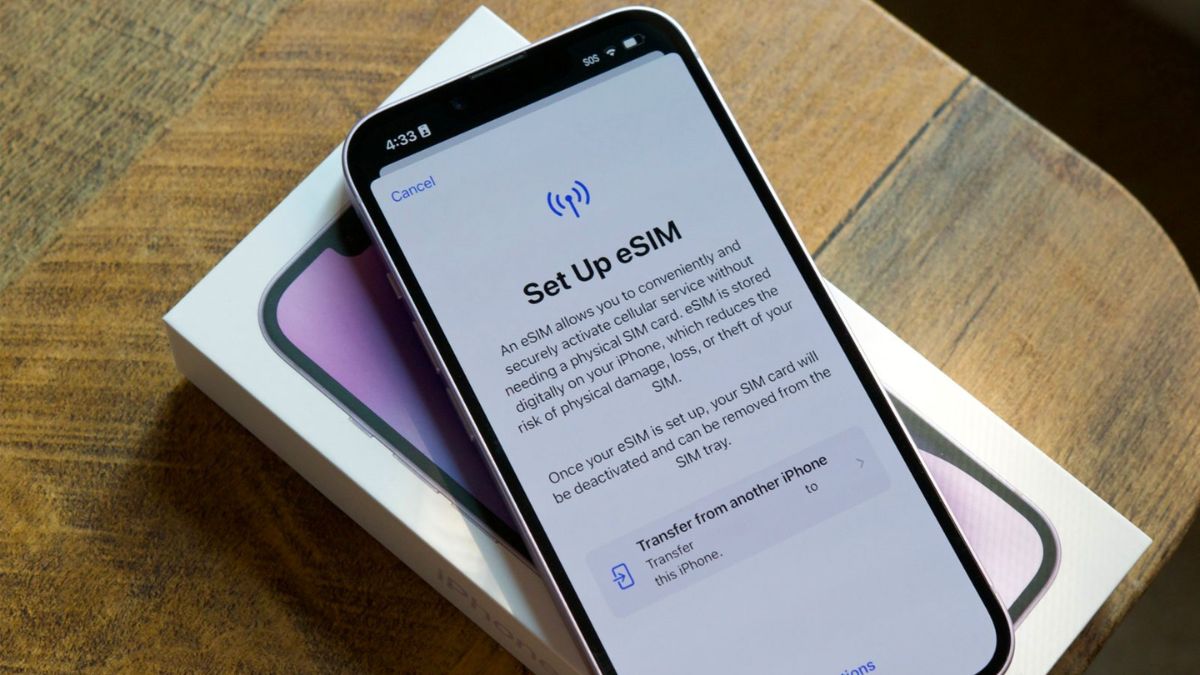
An eSIM that won’t activate is usually caused by 5 main reasons: the QR code has already been used, the device has no WiFi or mobile data during activation, the carrier backend has not yet pushed the profile down, the phone is not eSIM compatible, or the eKYC via VNeID has not been completed. Most issues can be resolved yourself in 5 to 10 minutes if the cause is on the device.
What should I do if the eSIM QR code has already been used?
If the eSIM QR code has already been used, you need to contact the carrier to request a new QR code. Each eSIM QR code is usually activated only once and cannot be scanned again. Reference hotlines include Viettel 198, VinaPhone 18001091, MobiFone 18001090 and Vietnamobile 789.
Can an eSIM QR code be scanned twice?
Usually not. Most carriers allow only one activation per QR code. After the profile has been downloaded to the device, scanning it a second time will usually return an error or be rejected. Some travel eSIM providers such as Ubigi may allow reinstallation multiple times, but this is an exception and you need to check the separate terms.
Why does the eSIM stay stuck on “Activating”?
An eSIM stuck on “Activating” is usually caused by the carrier’s SM-DP+ backend processing slowly or by an old profile cache on the device causing a conflict. You should turn on Airplane Mode for about 30 g seconds, then turn it off and check again. If it still doesn’t work, restart the device; if it is still stuck, you can delete the profile and add it again if the QR code is still valid.
How do I restore an eSIM after changing phones if it loses signal?
An eSIM losing signal after changing phones is usually caused by the old profile not being deactivated on the SM-DP+ system. You should call the old carrier to request profile deactivation, then activate the new eSIM on the new phone. If you use iPhone 13 or later and the carrier supports it, eSIM Quick Transfer can help avoid this issue.
When should I contact the carrier because of an eSIM problem?
You should contact the carrier when the issue is related to the backend, such as the profile not being activated, eKYC failure, the old profile not being deactivated, or the eSIM being locked after roaming. The hotlines are Viettel 198, VinaPhone 18001091, MobiFone 18001090 and Vietnamobile 789. For MobiFone specifically, the old number 9090 was discontinued from 20/3/2025.
Can I back up the eSIM before changing phones?
Yes. On iPhone XS/XR and later running iOS 16+ on both devices, you can use eSIM Quick Transfer. On Samsung One UI 5.1+ devices such as Galaxy S22 or S23, you can use the Transfer SIM feature in Settings > Connections > SIM Manager. If the device does not support these features, you need to contact the carrier to request a new QR code.
If you are preparing to travel to Korea, Japan, Europe, or more than 100 other international destinations, a new travel eSIM can help you get connected as soon as you land. SimPM offers travel eSIM plans with a consulting team and activation support via Zalo and the website simpm.vn, helping you handle issues when needed without waiting for business hours. Just tell us your destination and travel date, and the team will recommend a plan that fits your itinerary.