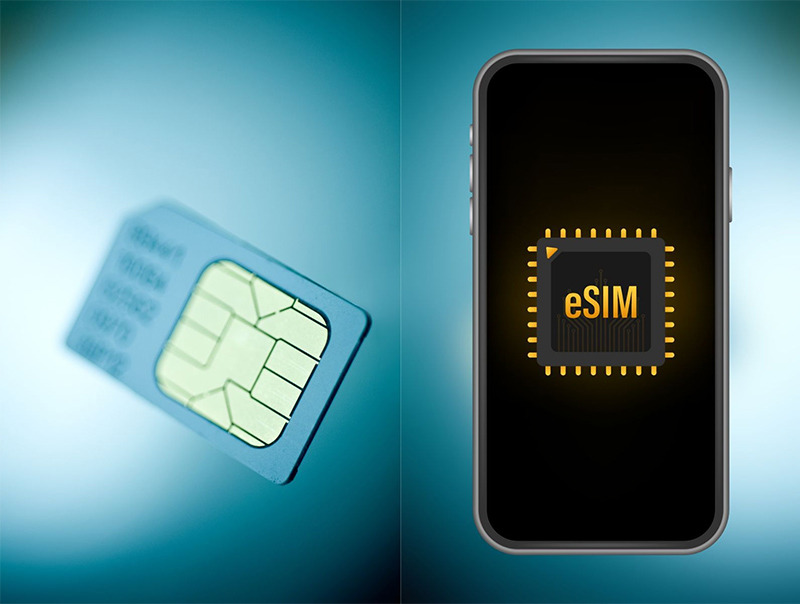
How Does eSIM Work? A Simple 4-Step Explanation

eSIM may sound new and a bit technical, but the way it works is not actually that hard to understand. When you register for an eSIM, the carrier creates a subscriber profile on the SM-DP+ server. You scan the QR code with your phone, the device contacts that server, downloads the profile to the eUICC chip already built into the device, then the network automatically registers and service starts. The whole process usually takes only about 2 to 5 minutes. This article explains each step in the easiest-to-visualize way and includes real activation instructions.
What is eSIM and why do you need to understand how it works?
eSIM is a tiny chip embedded on the motherboard of a phone, tablet, or smartwatch. You do not need to insert a SIM card, remove a SIM card, or replace a physical card like before.
Understanding how eSIM works helps you stay in control in three very practical situations. When buying a new device, you know whether it supports eSIM and what conditions need to be checked. When activating it for the first time, you understand why the device needs WiFi or available mobile data, and why you have to wait a few minutes before getting signal. When something goes wrong, you can also handle most common issues yourself before calling customer support.
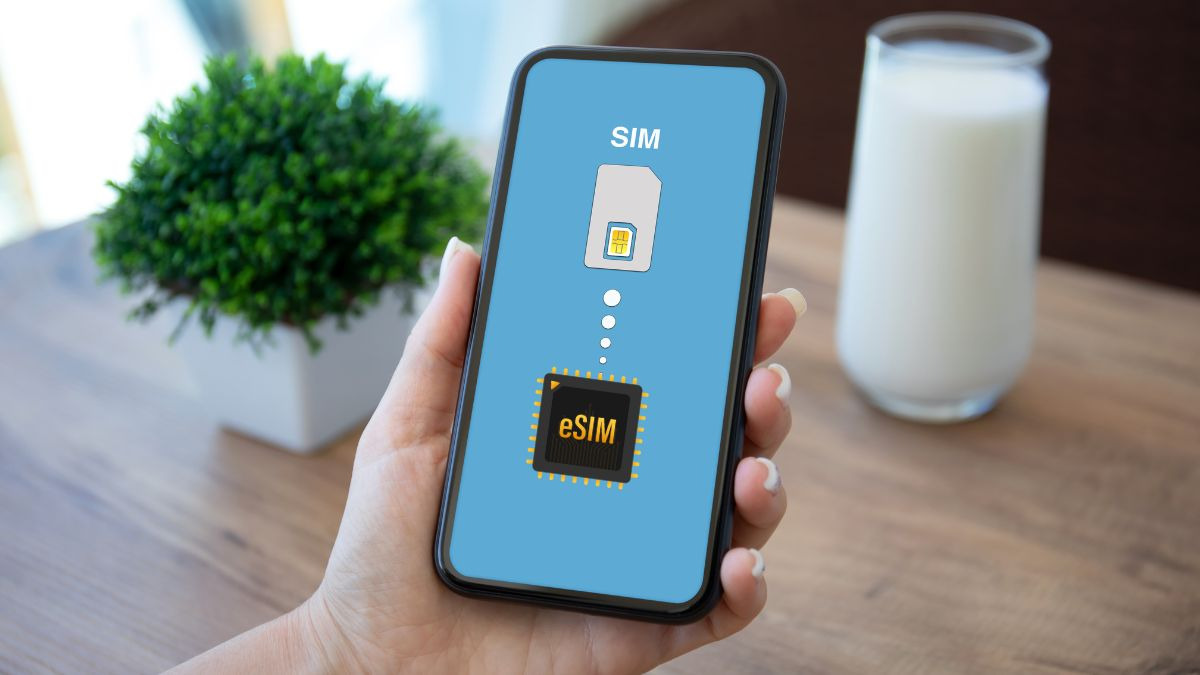
Before going into the 4-step process, there are three technical terms worth knowing briefly: eUICC, SM-DP+, and SM-DS. eUICC is the chip inside the device, SM-DP+ is the carrier server used to store and deliver eSIM profiles, and SM-DS is the orchestration server when multiple profiles exist at the same time. It may sound dry, but once placed in the real process, these components become much easier to understand.
eSIM works in 4 steps: From scanning the QR code to getting signal
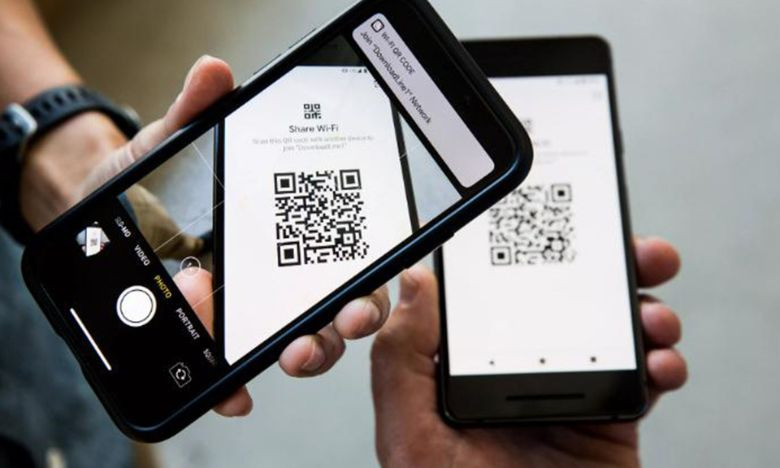
The eSIM working process can be summarized in 4 steps. The process starts when the carrier creates a subscriber profile for you and ends when the device successfully registers on the mobile network. Once you understand this flow, it becomes easier to identify which step is causing the issue if activation fails.
| Step | What happens? | Practical meaning |
|---|---|---|
| Step 1 | Carrier prepares the profile | Viettel, VinaPhone, MobiFone, or Vietnamobile creates a separate profile for the subscriber on the SM-DP+ server |
| Step 2 | User scans the QR code | The QR code or Activation Code tells the device where to find the profile |
| Step 3 | The device downloads the profile to the eUICC | The device connects to the SM-DP+ via WiFi or available 4G/5G, authenticates, and downloads the profile into the eUICC chip |
| Step 4 | The network registers | The eUICC activates the newly downloaded profile, the device registers with the mobile network, and signal appears |
- In the first step, when you register for an eSIM through an app or at a store, the carrier creates a separate profile for your subscription on the SM-DP+ server. This profile contains the phone number, authentication information, and the technical rules needed for the device to connect to the network.
- In the second step, the carrier sends you a QR code or a long Activation Code of 32 characters. When you go into the device settings and scan the QR code, the device can read the SM-DP+ server address as well as the authentication code needed to download the profile.
- In the third step, the device contacts the SM-DP+ via WiFi or available mobile data. This is why you need an initial internet connection when activating an eSIM. Since the new eSIM is not active yet, the device cannot use that eSIM itself to download the profile. After authentication succeeds, the profile is downloaded to the eUICC chip in the device.
- Finally, the eUICC activates the newly downloaded profile and the device registers with the mobile network. After about 30 g seconds to 2 minutes, the signal bars will appear. The total activation time usually ranges from 2 to 5 minutes. In some cases, the process may take 10 to 15 minutes if WiFi is weak or the carrier’s backend system is under heavy load.
3 main technical components: eUICC, SM-DP+, and SM-DS
To make it easier to visualize, you can think of eUICC, SM-DP+, and SM-DS as three roles in a small system. Each component has its own job, but they must work together for eSIM to activate successfully.
| Component | Role | Simple explanation |
|---|---|---|
| eUICC | Chip that stores the eSIM profile in the device | Like a small cabinet that can hold multiple profiles from different carriers |
| SM-DP+ | Server that creates, encrypts, stores, and sends profiles | Like a librarian who manages and sends the correct file when there is a valid request |
| SM-DS | Profile orchestration server | Like a switchboard that helps the device know which profile is on which server |
eUICC is a tiny chip only a few millimeters in size, embedded in the device by the manufacturer. This is where the eSIM profile is stored. Models such as iPhone XS and later or Samsung Galaxy S20 international versions and later all have eUICC to support eSIM.
SM-DP+ is the carrier server. This component is responsible for creating, encrypting, storing, and sending the profile to the device when the user activates it. In the SGP.22 Consumer standard, SM-DP+ combines the functions of the old SM-DP and SM-SR in the SGP.02 M2M standard into a single server.
SM-DS is the orchestration server. This component is useful when a device has multiple eSIM profiles from different carriers. It helps the device know which SM-DP+ server holds the Viettel profile, where the Korea eSIM profile is located, and which server to contact to get the correct information.
In a normal activation, the eUICC is already inside the device and waiting for a profile. The SM-DP+ prepares the profile as requested by the carrier. When you scan the QR code, the device reads the SM-DP+ address and authentication code, then contacts it automatically, authenticates, downloads the profile, and installs it into the eUICC. For most individual users who only have 1 to 2 profiles, SM-DS mostly runs in the background and you will not directly see this component.
Push model and pull model: Two ways eSIM works
Not every eSIM works the same way. GSMA divides eSIM into two main models: push model and pull model. The difference is whether the profile is “pushed” to the device or the device “pulls” the profile after the user acts.
| Criteria | Push model (SGP.02) | Pull model (SGP.22) |
|---|---|---|
| Target devices | M2M/IoT such as cars, smart meters, fleet tracking | Consumer devices such as smartphones, smartwatches, tablets |
| Mechanism | The server pushes a command to the device via SMS | The user scans a QR code, and the device contacts the server itself |
| User interaction level | Not required | Requires action, usually scanning a QR code |
| Release year | 2014 | 2015 – 2016, widely used in practice since 2017 with Apple Watch Series 3 |
Consumer eSIM on phones, smartwatches, and tablets usually uses the pull model because users need control. You choose which carrier, which plan, and when to activate, and scanning the QR code is your confirmation action.
By contrast, the push model is better suited to IoT or M2M devices. A module in a car, an outdoor electricity meter, or a fleet tracking device does not have someone sitting next to it to scan a QR code. Therefore, the server needs to proactively push the profile or configuration command to the device. GSMA’s full SGP standards are explained in more detail in the article “GSMA eSIM standard”, while the IoT side can be explored further in the article “What is IoT eSIM?”
See also: List of 30+ eSIM-compatible phones 2026 (iPhone, Samsung, Pixel, Xiaomi)
How to activate eSIM on iPhone, Samsung, and Apple Watch
This is the hands-on section that you can follow along on your device while reading. Before starting, prepare three things: a device that supports eSIM, a WiFi connection or available 4G/5G to download the profile, and the QR code or Activation Code provided by the carrier.
For iPhone, the device must be iPhone XS, XR or later and running iOS 12.1 or later. For Samsung, the most common supported models are Galaxy S20, S20+, S20 Ultra international versions or later, and One UI 5 or newer is recommended. Note that the Galaxy S20 FE and some US models did not support eSIM at launch.
Activate eSIM on iPhone
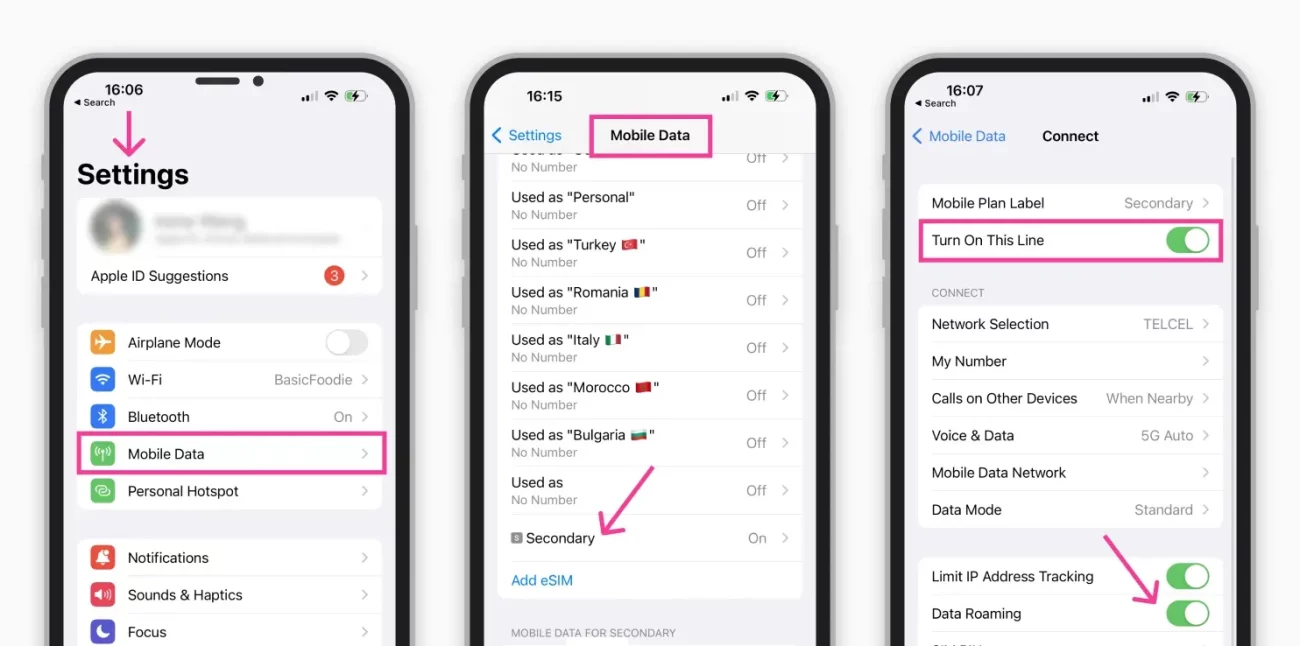
On iPhone, the activation process is quite straightforward. Open Settings, go to Cellular or Mobile Service on newer iOS versions, then choose Add eSIM or Set Up eSIM. Next, select Use QR Code to scan the QR code provided by the carrier. If you do not have a QR code, you can choose Enter Details Manually and enter the Activation Code by hand.
After scanning the code, the iPhone will download the profile to the device. Usually, you need to wait about 30 g seconds to 2 minutes for the eSIM to activate. Once finished, the device will let you name the profile, for example “Viettel”, “Work number”, or “Korea eSIM”, and choose the line to use for mobile data.
Activate eSIM on Samsung Galaxy
On Samsung Galaxy, menu names may vary slightly depending on the One UI version. With One UI 6 or later, open Settings, select Connections, then go to SIM manager. On some older One UI versions, this may be called SIM card manager.
In the eSIM section, choose Add eSIM, then select Scan QR code from service provider to scan the QR code provided by the carrier. If needed, you can enter the code manually. After the profile is downloaded successfully, name the profile and choose the SIM used for calls, messages, or mobile data as needed.
Activate eSIM on Apple Watch
Apple Watch Series 3 and later supports eSIM, but the activation process is not done directly on the watch; it is done through the paired iPhone. Open the Watch app on the iPhone, go to the My Watch tab at the bottom, select Cellular, then tap Set Up Cellular.
Then choose a carrier that supports Apple Watch in Vietnam such as Viettel, VinaPhone, MobiFone, or Vietnamobile, and follow the authentication instructions. Apple Watch uses a number sharing mechanism, meaning the watch shares the same phone number with the iPhone instead of needing a separate subscription.
After activation, check whether the signal bars have appeared. If you still do not see signal, you can restart the device once. One very important note is that you should not scan the same QR code multiple times. Most carriers only allow each QR code to be used once; if you scan it again, the profile may be marked invalid and you will need to request a new code. Some travel eSIM providers such as Ubigi may allow reinstallation a few times, but that is an exception.
See also: eSIM vs physical SIM 2026: Comparison across 12 criteria for Vietnamese users
How are eSIM and physical SIM different in the activation process?
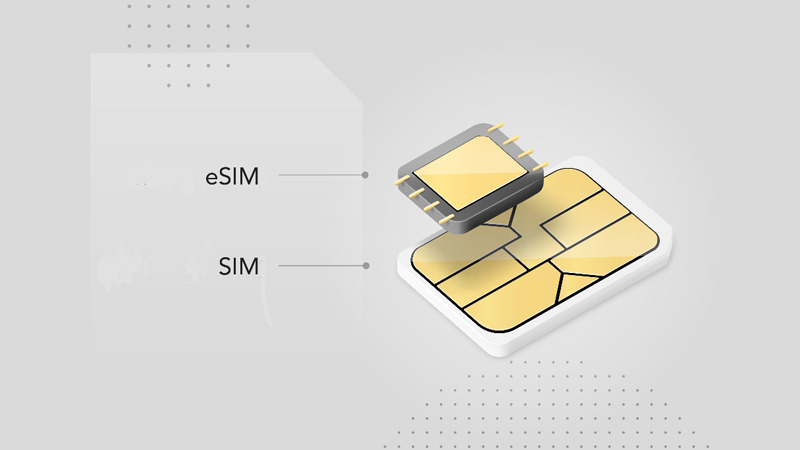
Many people feel eSIM is more complicated than a physical SIM because you have to scan a QR code, wait for the profile to download, and need an initial internet connection. In reality, the difference lies in how the two SIM types are activated and managed.
| Criteria | Physical SIM | eSIM |
|---|---|---|
| Required tool | SIM slot on the device | App or QR code |
| Initial internet | Not required | Required to download the profile |
| Activation time | Just insert and use, about 30 g seconds | Usually takes 2 to 5 minutes |
| Ability to store multiple profiles | 1 SIM corresponds to 1 profile | 1 eSIMs can store 5 to 10 profiles |
| Changing devices | Remove the SIM card and insert it into the new device | Sync via iCloud/Samsung Cloud or request a new QR code |
| Recovery if the device is lost | Need to go to a store to get a replacement SIM | Can log in to the account and request a new QR code online depending on the carrier |
A physical SIM is still more convenient in some situations. When buying a used phone at a phone market, you only need to insert the SIM to test signal right away. When you often switch devices and are not used to using cloud accounts for syncing, simply removing the SIM and inserting it into a new device is still very fast. In addition, in places where SM-DP+ infrastructure is not yet widespread or on cheap feature phones that do not support eSIM, a physical SIM is still the more practical choice.
On the other hand, eSIM has the advantage of storing multiple profiles, making it suitable for travelers, people using multiple numbers, or those who want to switch plans without replacing a card. The article “Pros and cons of eSIM” will analyze the balance between these two SIM types in more detail.
Why does eSIM sometimes not work?
In theory, activating eSIM only requires scanning the QR code and waiting for the device to download the profile. But in practice, there are still cases where you scan the code and the device does not get signal. Below are the 5 most common causes and their corresponding solutions.
| Cause | Common signs | How to fix |
|---|---|---|
| QR code has already been used | Scanning the code shows an error, profile cannot be downloaded | Contact the carrier to request a new QR code |
| The device has no WiFi or data during activation | The profile download process hangs or fails | Connect to stable WiFi and try again |
| The carrier has not activated the profile on SM-DP+ | Registration is complete but scanning the code still errors | Wait 10 to 30 minutes, and if it still fails, call customer support |
| The device is incompatible | Cannot see the Add eSIM option or there is no EID | Check the model, region, and software version before buy eSIM |
| eKYC in Vietnam has not been completed | Cannot activate because subscriber information has not been verified | Complete eKYC via the carrier app or VNeID before activating |
Frequently asked questions about how eSIM works
Through which steps does eSIM work?
eSIM works through 4 main steps: the carrier prepares the profile on the SM-DP+ server, the user scans the QR code on the device, the device downloads the profile to the eUICC chip, and then the network automatically registers the connection. For consumer eSIM on iPhone or Samsung, the whole process usually takes about 2 to 5 minutes.
Does eSIM need an internet connection when activating?
Yes. During the first activation, eSIM needs WiFi or available 4G/5G to download the profile from the SM-DP+ server to the eUICC chip inside the device. After activation, eSIM works independently like a regular SIM and does not need internet to maintain the mobile connection.
Can you use an eSIM immediately after scanning the QR code?
Not yet. Scanning the QR code is only the second step in the activation process. After that, the device still needs about 30 g seconds to 2 minutes to download the profile to the eUICC and register with the mobile network. When the signal bars appear, activation is complete.
How long does it take for eSIM to activate?
Typically, eSIM activates within 2 to 5 minutes on a smartphone. The actual time depends on the speed of the initial WiFi or mobile data connection, as well as the status of the carrier’s backend system at the time of activation.
Where is eSIM stored in the phone?
eSIM is stored on the eUICC chip, which stands for embedded Universal Integrated Circuit Card. This is the chip embedded on the device motherboard by the manufacturer. Unlike a physical SIM card, which is a removable card inserted into a SIM slot, the eUICC is fixed inside the device and can store multiple profiles at the same time.
How many eSIMs can one device use?
One device can store about 5 to 10 eSIM profiles, depending on the device. However, under the DSDS mechanism, most devices can use a maximum of 2 lines at the same time and only 1 mobile data line can be active at once. iPhone XS and later can store 8 eSIM profiles or more, while Samsung Galaxy S24 Ultra also supports multi-eSIM with configurations depending on the region.
Can you use eSIM without a carrier?
No. Every eSIM must be activated through a carrier or service provider with SM-DP+ infrastructure. There is no way to use an eSIM independently without being tied to a provider. In Vietnam, carriers that support eSIM include Viettel, VinaPhone, MobiFone, and Vietnamobile; for international travel needs, users can also consider providers such as Airalo, Holafly, or Nomad.
If, after understanding how eSIM works, you want to try using an eSIM for your upcoming trip, SimPM there are currently eSIM plans for more than 100 countries. Whether you are preparing for cherry blossom season in Korea, autumn maple leaves in Japan, or a short holiday in Southeast Asia, the SimPM team can advise the right plan based on your destination and length of stay. SimPM supports Zalo at 24/7 on the website simpm.vn. Compatible devices such as iPhone XS and later, Apple Watch Series 3 Cellular versions, and Samsung Galaxy S20 international versions and later are supported for activation and troubleshooting when needed.