
Does the iPhone 7 Support eSIM? How to Check if Your iPhone Supports eSIM

Many users wonder whether the iPhone 7 supports eSIM, as eSIM technology is becoming increasingly common on smartphones today. Understanding whether the iPhone 7 supports eSIM and whether your device is eSIM-compatible will help you choose the right mobile plan, especially when you need mobile data or are traveling abroad. In this article, let’s explore with SimPM whether the iPhone 7 supports eSIM, how to check if an iPhone supports eSIM, and which iPhone models Apple has equipped with eSIM technology today.
Does the iPhone 7 support eSIM?
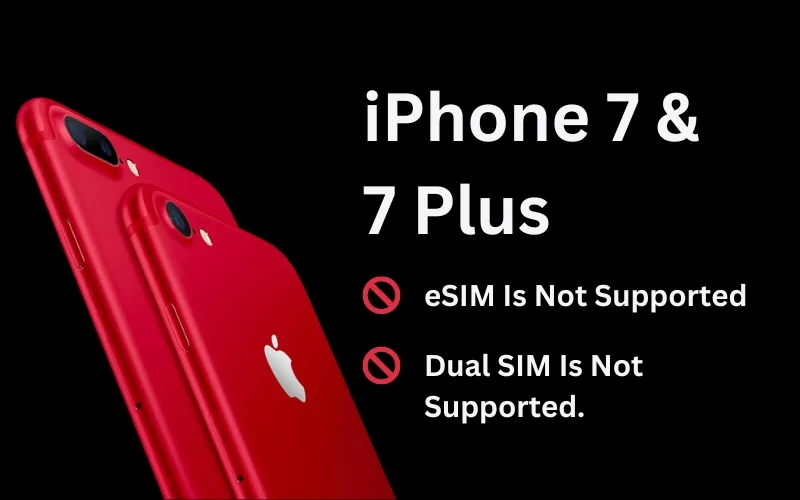
Unfortunately, the answer to the question of whether the iPhone 7 supports eSIM is NO, the iPhone 7 does not support eSIM. This device only uses a physical SIM (Nano SIM) to connect to mobile networks. If you are using an iPhone 7, you still need to insert a physical SIM to make calls, send messages, or access the Internet. Apple only introduced eSIM on later iPhone models.
Why doesn’t the iPhone 7 support eSIM?
There are many reasons why the iPhone 7 does not support eSIM, mainly related to its release time and device hardware technology. Apple released the iPhone 7 in 2016, at a time when eSIM technology had not yet been widely adopted on smartphones. Therefore, Apple had not integrated eSIM into this model, and most mobile devices at that time still used physical SIM cards.
In addition, the hardware of the iPhone 7 was not designed to support eSIM. eSIM technology requires compatible chips and software systems to manage carrier information directly on the device. Therefore, the iPhone 7 cannot be updated with software to add eSIM functionality and only supports physical SIM cards.
Which iPhone models support eSIM
Although the answer to whether the iPhone 7 supports eSIM is no, Apple began equipping later iPhone models with this technology. iPhone models that support eSIM include:
| iPhone generation | Supported eSIM models | Market notes |
| iPhone 17 Series | 17 Air, 17, 17 Pro, 17 Pro Max | Does not support eSIM on the mainland China version |
| iPhone 16 Series | 16, 16 Plus, 16 Pro, 16 Pro Max | Does not support eSIM on the mainland China version |
| iPhone 15 Series | 15, 15 Plus, 15 Pro 15 Pro Max | Does not support eSIM on the mainland China version |
| iPhone 14 Series | 14, 14 Plus, 14 Pro, 14 Pro Max | The U.S. version (LL/A) may be eSIM-only |
| iPhone 13 Series | 13 mini, 13, 13 Pro, 13 Pro Max | The 13 mini still supports eSIM in some special markets |
| iPhone 12 Series | 12 mini, 12, 12 Pro, 12 Pro Max | The 12 mini still supports eSIM in some special markets |
| iPhone 11 Series | 11, 11 Pro, 11 Pro Max | Does not support eSIM on the mainland China version |
| iPhone X Series | XR, XS, XS Max | The XS still supports eSIM in some special markets |
| iPhone SE | SE 2020, SE 2022 | The SE 2020 still supports eSIM in some special markets |
These devices allow users to activate eSIM directly on the phone without needing a physical SIM. As a result, switching carriers or registering a new data plan becomes faster and more convenient. So, if you are wondering whether the iPhone 7 supports eSIM, the answer is no. If you are using an iPhone 7 and want to experience eSIM, you may consider upgrading to iPhone models from iPhone XS onward.
Read more: List of eSIM-supported devices: phones, tablets, laptops
How to check whether an iPhone supports eSIM
Checking in advance will help ensure your phone is compatible with eSIM before you install it or buy an eSIM plan. In addition, this step also helps determine whether the device is an international version or carrier-locked. If you are using an iPhone and want to know whether your device supports eSIM, you can check it in a few simple ways below.
Read more: Guide to checking eSIM on iPhone in just 30 g seconds
Check in Settings:
- Go to Settings → Cellular, if you see the option Add eSIM then the iPhone supports eSIM.
- On the other hand, if you do not see this option, the device may not support eSIM, as in the case of the iPhone 7. It is also possible that your phone is a market-restricted version (for example, the China version) or that you need to update iOS to a newer version.
Check information on SimPM:
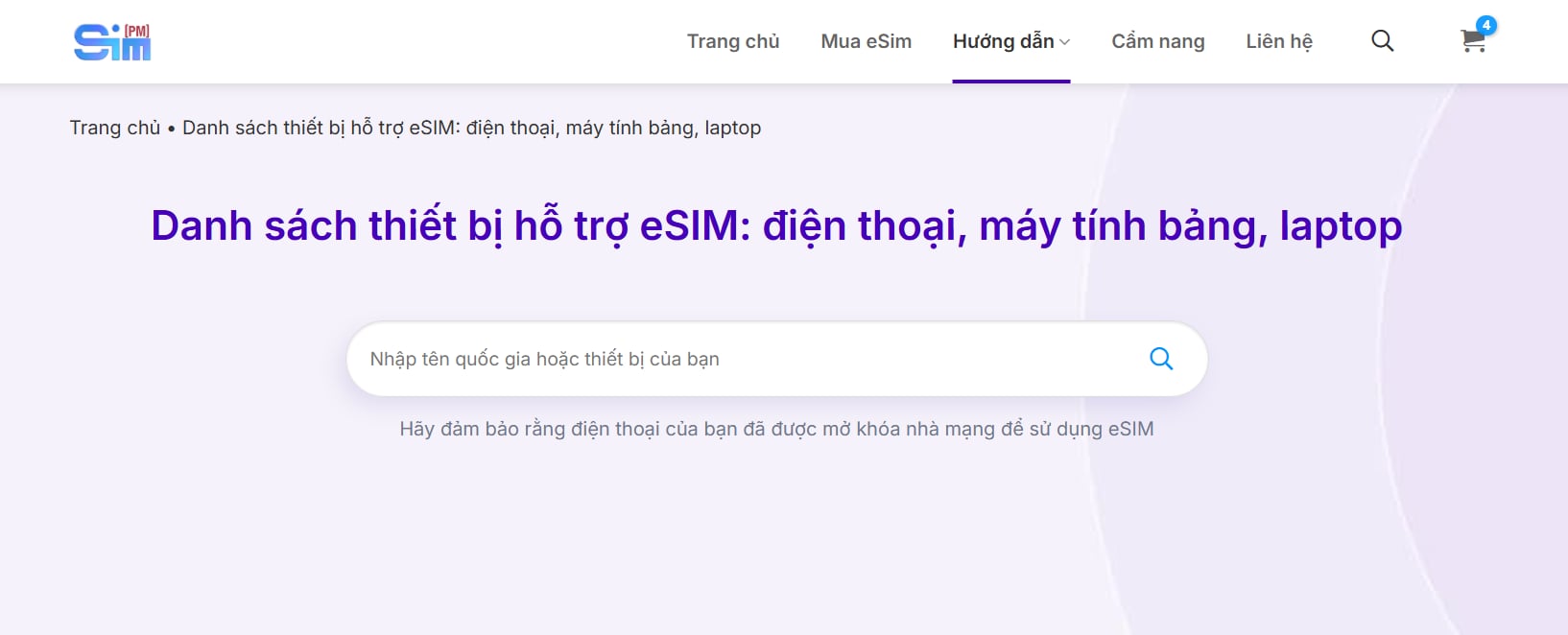
You can also check whether an iPhone supports eSIM by looking it up on the eSIM-supported device list page on SimPM. Just enter your device name, and the system will help you determine whether the device is eSIM-compatible and suggest suitable eSIM plans. This is quite convenient when you are preparing to buy an eSIM for use or travel.
Check by IMEI:
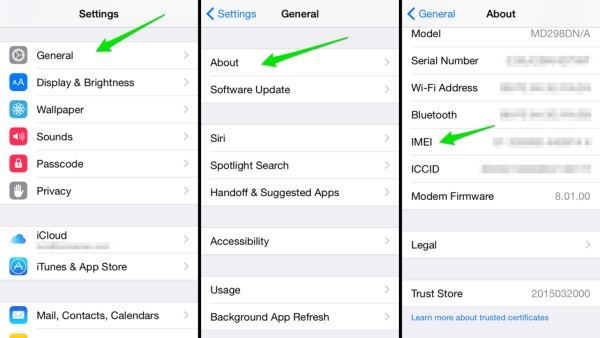
- Go to Settings → General → About, look for IMEI
- If the iPhone displays IMEI (Digital SIM) or multiple IMEI numbers, the device supports eSIM.
Check whether the iPhone is locked or not:
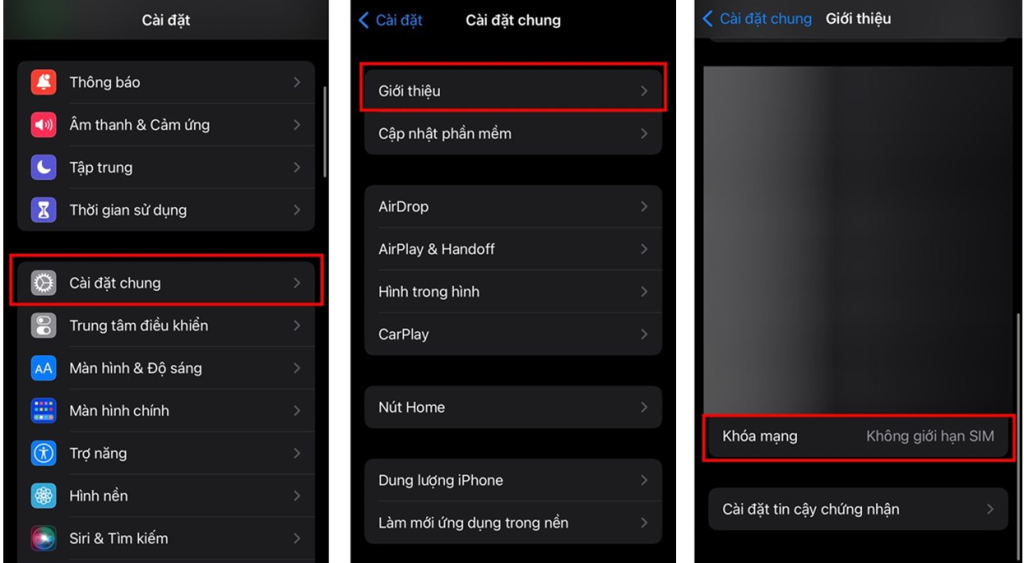
- Go to Settings → General → About, look for Carrier Lock
- If it shows No SIM restrictions, that means it is an international iPhone and can use eSIM from many different carriers.
Read more: How to activate eSim on iPhone: Detailed A-to-Z guide
Buy travel eSIM for iPhone quickly at SimPM
Today, eSIM is becoming a convenient solution for iPhone users when they need Internet access abroad. You can buy a travel eSIM to use mobile data without removing and reinserting a physical SIM. SimPM is a platform providing travel eSIMs for more than 200+ countries and territories, suitable for many needs such as travel, business trips, or studying abroad.

Users can quickly register to buy an eSIM through SimPM, the app on iOS and Android or the SimPM fanpage, which is very convenient for anyone using eSIM-enabled devices. Using eSIM makes network connectivity simple, saves time, and matches current smartphone technology trends. You can also explore popular travel eSIM plans such as Thailand eSIM, Japan eSIM, Korea eSIM or China eSIM to choose the plan that best fits your trip.

After registration, users will receive a QR code by email immediately after payment to install directly on the phone. The eSIM installation process is quite simple: just scan the QR code in the cellular settings on the iPhone to activate and use the Internet right away. This is a convenient solution for those using eSIM-supported iPhone models who need fast network connectivity when traveling abroad.









