eSIM Not Receiving Text Messages: 8 Causes & Fixes

eSIM not receiving text messages (especially bank SMS/OTP and social media verification codes) usually comes down to 3 main issues: travel eSIMs are data-only, the SIM settings on the phone are not configured correctly, or the primary SIM is not ready for roaming/receiving SMS while abroad. Below are 8 of the most common causes, along with specific fixes so you can restore message reception quickly and reliably.
8 causes of eSIM not receiving text messages
In most cases, the problem does not come from the eSIM being damaged, but from:
- Technical limitations of travel eSIMs
- SIM settings not configured correctly on the device
- Or the primary SIM not being ready to receive SMS abroad
Below are 8 of the most common reasons why eSIM is not receiving text messages, arranged by how often they occur, so you can easily identify the issue you are facing.
eSIM is data-only, no SMS/voice support
Most international travel eSIMs (Korea, Japan, the US, Europe, etc.) today only provide mobile data (4G/5G) for Internet access. These eSIMs are not assigned a phone number, so they do not support sending or receiving SMS text messages, and they also cannot make voice calls.
This is the most common reason users:
- Do not receive OTP codes from banks or social media platforms
- Do not receive text messages from Vietnamese carriers
Note that a data-only eSIM is not technically faulty; it simply does not have SMS functionality in the first place. In many cases, users mistakenly assume an eSIM can completely replace the primary SIM, leading them to turn off the physical SIM or set the eSIM as the default SIM for all functions. When that happens, the primary SIM is no longer connected to the mobile network, so all SMS messages sent to the Vietnamese number cannot be received.
eSIM not activated properly
An eSIM may not receive text messages or may not work stably if it has not been fully activated according to the correct procedure. Common issues include:
- QR code scan for the eSIM fails or is interrupted
- The eSIM has not been turned on in the Cellular / SIM settings on the phone
- Data Roaming has not been enabled for the eSIM
In addition, many travel eSIMs only start activation when:
- The device has arrived in the correct country of use
- The eSIM connects to the network for the first time in that country
If the eSIM has not been fully activated, the system may not grant connection permission or may not sync its status, causing users to think the eSIM is faulty or not receiving text messages.
The phone has not set the correct SIM for SMS
When using a physical SIM (Vietnamese number) and an eSIM at the same time, the phone must be configured correctly to determine which SIM is used to receive SMS messages. In many cases, the issue happens because:
- The SIM for SMS is not set as the primary SIM
- The physical SIM (Vietnamese number) is turned off
- The data-only eSIM is mistakenly set as the SMS-receiving SIM
On both iPhone and Android, SMS can only be received on the SIM that is active and connected to a mobile network. If the physical SIM is turned off or not prioritized for SMS, messages will not arrive even though the device still has Internet through the eSIM.
eSIM service limited by the provider
Some eSIM providers impose service limits right from the plan level, especially with low-cost travel eSIMs. Common restrictions include:
- Completely blocking international SMS
- Only allowing internal network SMS reception
- No SMS support in any form
These limitations depend on the provider’s infrastructure and policies, not on the phone’s settings. Therefore, users cannot fix them by changing device configuration. If you need to receive SMS, you must use the primary SIM or an eSIM that supports a phone number and SMS service.
Device incompatibility or software errors
Not every device fully and stably supports eSIM. In some cases, eSIM not receiving text messages is due to limitations of the device itself.
Common causes include:
- The phone does not support eSIM or does not support it fully
- The iOS or Android version is too old and not yet compatible with eSIM
- A conflict occurs between the physical SIM and eSIM when used together
- A system error occurs after restoring the device or transferring data to a new device
These errors can cause the eSIM or primary SIM to fail to perform its role properly, preventing SMS messages from reaching the device even though the Internet connection still works normally.
The issue is on the SMS sender’s side
In some cases, the reason eSIM is not receiving text messages is not the device or the eSIM, but the SMS sender.
Specifically, many banks and apps:
- Block OTPs from being sent to international phone numbers for security reasons
- Only send verification codes to Vietnamese SIMs
- Do not support sending OTPs to travel eSIMs
In that case, even though the phone still has Internet and the eSIM works normally, the OTP or verification message still will not be delivered, which can confuse users.
The home carrier does not have a roaming agreement in the destination country
The ability to receive SMS while abroad depends on the roaming agreement between:
- The Vietnamese carrier you are using (home SIM)
- The carrier in the country where you are staying
If there is no roaming agreement, the Vietnamese SIM will:
- Be unable to connect to a partner mobile network
- Not receive SMS or calls
This situation usually occurs when:
- Users are in less common countries or territories
- Using special-plan SIMs or business SIMs
- The SIM is restricted or international roaming has not been enabled
In these cases, not receiving text messages is due to network infrastructure, not an eSIM error.
Roaming is turned off on the primary SIM
Although receiving SMS while roaming is usually not charged, if users completely turn off the roaming feature, the primary SIM cannot register on a foreign mobile network.
Then:
- The primary SIM has no signal
- SMS messages cannot be delivered to the device
This is avery common when:
- error
- Users use an eSIM to access the Internet
But forget to turn on roaming for the physical SIM used to receive OTPs, messages from banks, or messages from the carrier
In this case, the eSIM still works normally for data, making users easily assume that the eSIM is causing the message-receiving problem. See also:
How to set up an eSIM? Easy installation and activation guide
How to fix it when eSIM is not receiving text messages
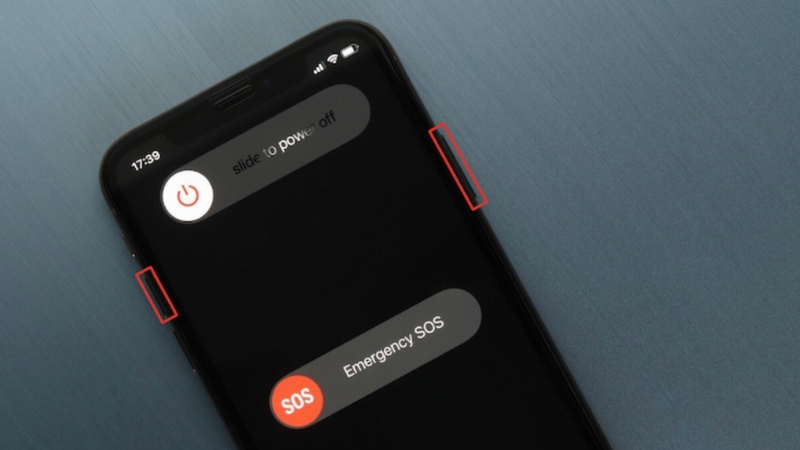
Practical solutions to restore SMS reception when using eSIM at home and abroad
Keep the Vietnamese physical SIM to receive SMS
In most cases, a travel eSIM should only be used for data, while SMS reception should be ensured by the Vietnamese physical SIM.
- To avoid missing messages:
- Do not turn off the primary SIM while using the eSIM
- Do not set the data-only eSIM as the default SIM for SMS
Make sure the physical SIM remains active and can connect to a mobile network
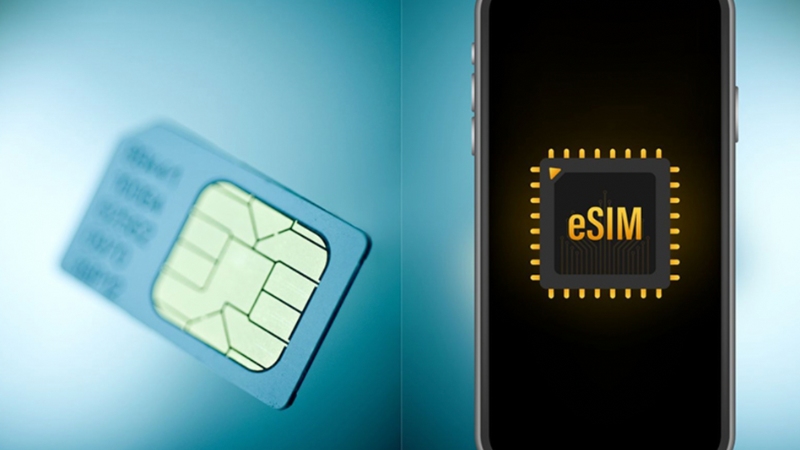
Basic solution to ensure you receive OTPs and important messages
Enable WiFi Calling on the home SIM
WiFi Calling allows the phone to receive and send SMS over an Internet connection instead of relying on traditional mobile signal. This is one of the most effective ways to ensure message reception while abroad.
- Benefits of WiFi Calling:
- Receive SMS even when roaming is off
- No charge for receiving messages
Works stably when you have WiFi or data from the eSIM
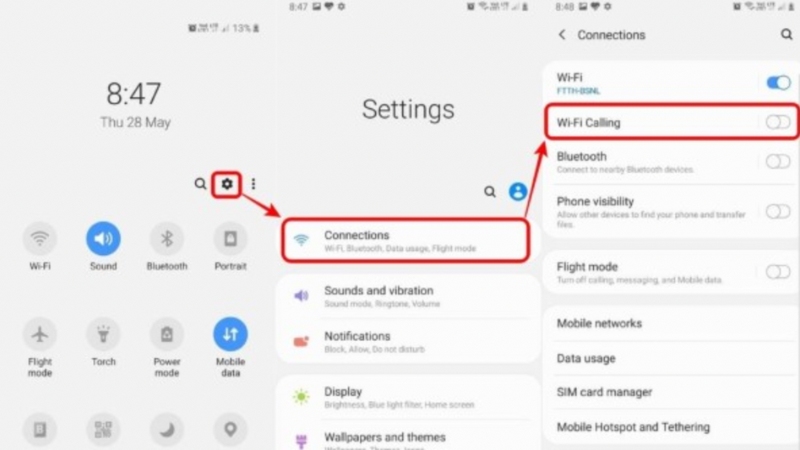
How to receive SMS over the Internet without depending on roaming
Turn on roaming only to receive SMS (turn off data)
If WiFi Calling cannot be used, users can enable roaming on the primary SIM solely for the purpose of receiving SMS, while turning off mobile data to avoid charges.
- In most cases:
- Receiving SMS while roaming is not charged
Charges mainly come from data roaming or calls
- The safe solution is:
- Enable roaming for the SIM receiving SMS
- Turn off mobile data on that SIM
Use the eSIM to access the Internet
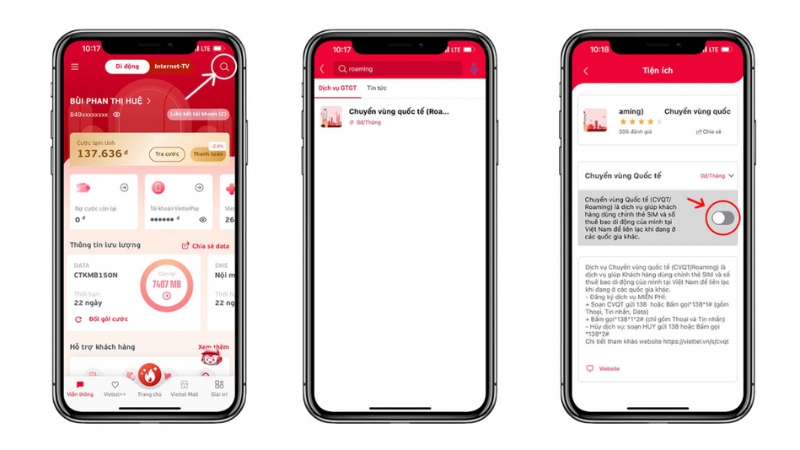
A safe option for receiving messages while still controlling costs
Check and activate the eSIM correctly
In some cases, the eSIM does not work stably because it has not been fully activated, leading to conflicts with the primary SIM or incorrect connection status.
- Users should check:
- The eSIM has been turned on in Cellular / SIM settings
- Data Roaming has been enabled for the eSIM
The device has been restarted after installing the eSIM
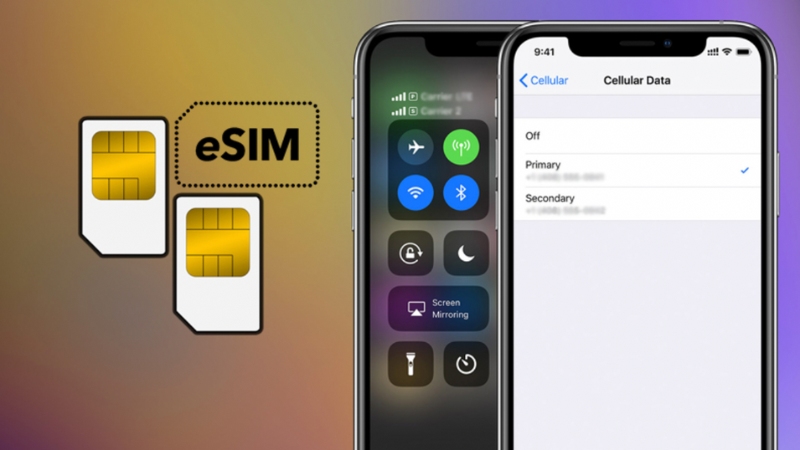
Make sure the eSIM is enabled and working in the correct role on the device
Set the correct default SIM for SMS
When using a physical SIM and an eSIM at the same time, the phone needs to be clearly configured as to which SIM is responsible for receiving SMS. If the settings are wrong, messages may not arrive even though both SIMs are turned on.
- The steps include:
- Set the Vietnamese physical SIM as the default SIM for receiving SMS
- Check the Dual SIM configuration again in Settings
Avoid setting the data-only eSIM as the message-receiving SIM
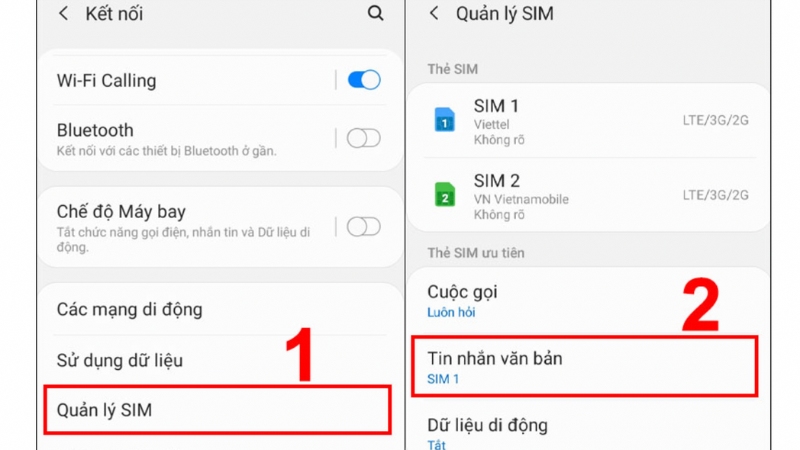
Avoid message-receiving errors caused by incorrect Dual SIM settings
Update software and check device compatibility
Some issues related to eSIM and SMS come from the operating system version or device compatibility. When the software is too old or unstable, the SIM management function may not work correctly.
- The steps include:
- Update the device to the latest iOS or Android version
- Check whether the device is on the eSIM support list
If the eSIM was installed earlier, consider deleting and reinstalling it according to the instructions
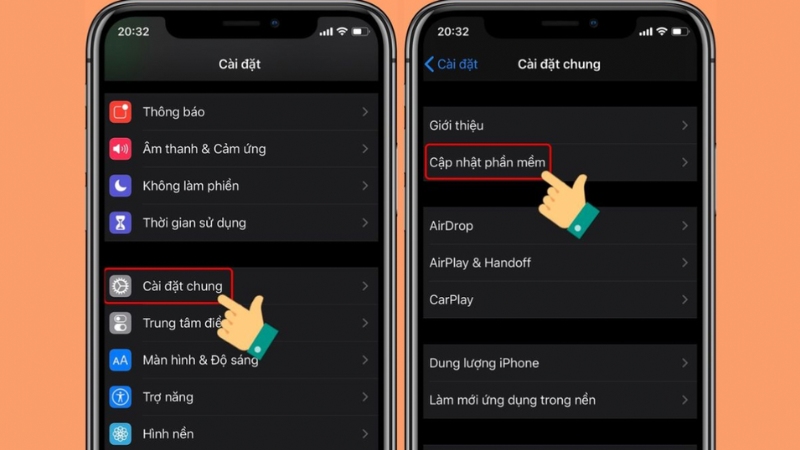
Fix eSIM errors by updating the operating system and refreshing the configuration
Enable OTP via email or an authenticator app
If you cannot ensure stable SMS reception, you should switch to a verification method that does not depend on the SIM. This is a safe and sustainable solution, especially if you travel internationally often.
- Common options include:
- Receive OTPs via email
Use an authenticator app such as Google Authenticator, Authy, or Microsoft Authenticator
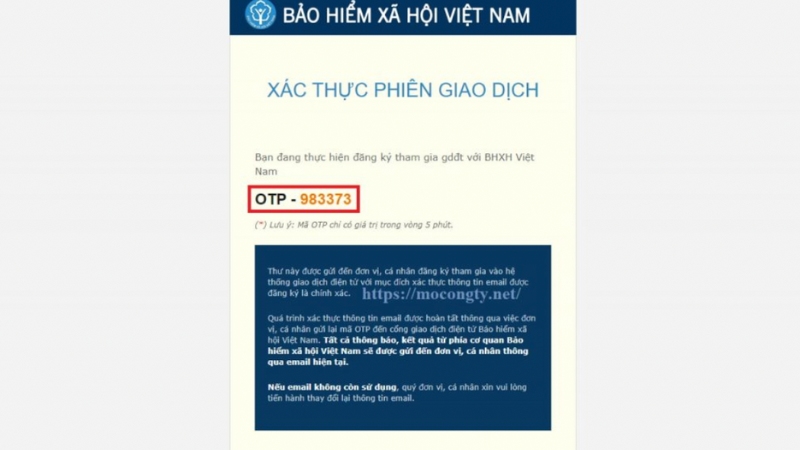
A SIM-independent verification solution for travel abroad
Rent a virtual phone number to receive SMS – a temporary solution
Renting a virtual phone number to receive SMS is a temporary solution, often used when you cannot receive messages through the primary SIM for a short period.
- This option is suitable when:
- Registering or verifying a secondary account
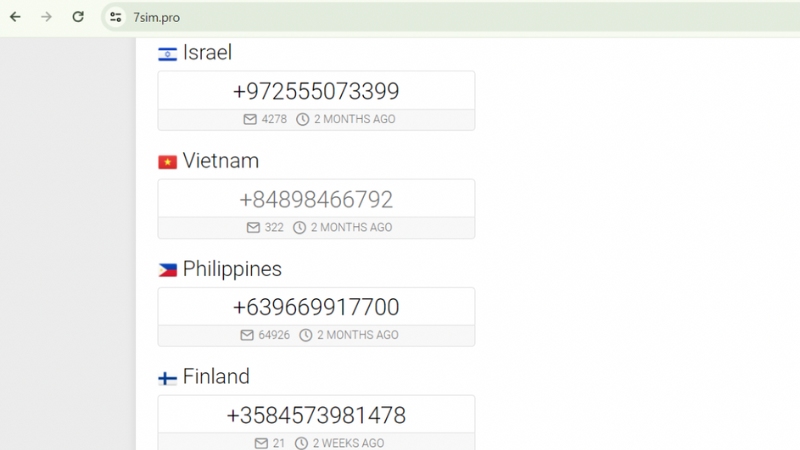
A short-term fix, not suitable for important accounts
See also: eSIM not compatible with iPhone: Causes and how to fix it
Frequently asked questions about eSIM not receiving text messages (FAQs)
Question 1: Why is Viettel eSIM not receiving text messages?
A common reason is that the Viettel SIM has not enabled roaming or has not activated WiFi Calling. When roaming is turned off, the SIM cannot connect to a partner network abroad to receive SMS. In addition, if you are using a data-only eSIM, messages will not be delivered to the eSIM.
Question 2: Why is MobiFone eSIM not receiving text messages?
MobiFone requires roaming signaling to receive SMS while abroad. If roaming is turned off or the SIM is restricted from international roaming, messages will not reach the device. Some MobiFone plans also do not support international OTP reception.
Question 3: What are common eSIM errors on iPhone?
Common errors include the eSIM not activating, not receiving SMS, the phone number not showing, or no network connection. Most of these issues are related to Dual SIM settings, device compatibility, or the iOS version being used.
Question 4: When is an eSIM not compatible with iPhone?
This happens when the iPhone does not support eSIM, is carrier-locked, is an imported phone with limited eSIM support, or is running an iOS version that is too low. Some devices managed by enterprise configuration (MDM) also cannot add an eSIM.
Question 5: Why can’t I add an eSIM on iPhone?
The common reasons are that the eSIM QR code has expired, has already been used, or the iPhone has not been updated to the latest iOS. In addition, device restrictions from the carrier or system configuration can also cause errors when adding an eSIM.
Question 6: How do you text with an eSIM on iPhone?
You can only text with an eSIM if that eSIM is assigned a phone number and the provider supports SMS service. Most travel eSIMs only support mobile data, so they cannot send or receive text messages.
Question 7: Why is my number not showing on the eSIM?
Most travel eSIMs are data-only eSIMs, so they do not have a phone number to display. iPhone still allows the eSIM to be installed, but the phone-number field will remain blank. This is normal and not a device error.
If you need a travel eSIM that is stable, easy to install, and ready to use as soon as you land, SimPM offers 4G/5G eSIM plans of quality for many countries, helping you stay connected to the Internet throughout your trip. Using SimPM eSIM for data and your Vietnamese SIM for SMS/OTP will be the safest, most flexible, and most effective way to use mobile service abroad.
eSIM not receiving text messages is a common situation, especially with travel eSIMs that are data-only or when the SIM settings on the device are not configured correctly. Most cases can be fully resolved if you identify the correct cause and apply the appropriate solution. To avoid communication interruptions, users should prepare SIM settings, roaming, and verification methods before going abroad.