How to Activate a Travel eSIM: A Detailed Beginner’s Guide

To get ready for your upcoming trip abroad, you’ve chosen eSIM as a smart, convenient, and fast internet connectivity solution, but are still unsure how to activate a travel eSIM correctly? Many people run into situations where the eSIM has no network or activation fails, causing their experience to be interrupted right after landing. Understanding those concerns, SimPM brings you a detailed step-by-step guide on how to activate a travel eSIM, along with notes and fixes for common errors, helping you stay connected with peace of mind and keep internet access throughout your journey.
What is a travel eSIM? Benefits of using a travel eSIM
A travel eSIM is a built-in electronic SIM card integrated into your phone, allowing travelers to activate and use international plans abroad to access the Internet without needing to buy a physical SIM card. This is the ideal global connectivity solution for every trip, especially suitable for travel enthusiasts and frequent business travelers thanks to its practical benefits.
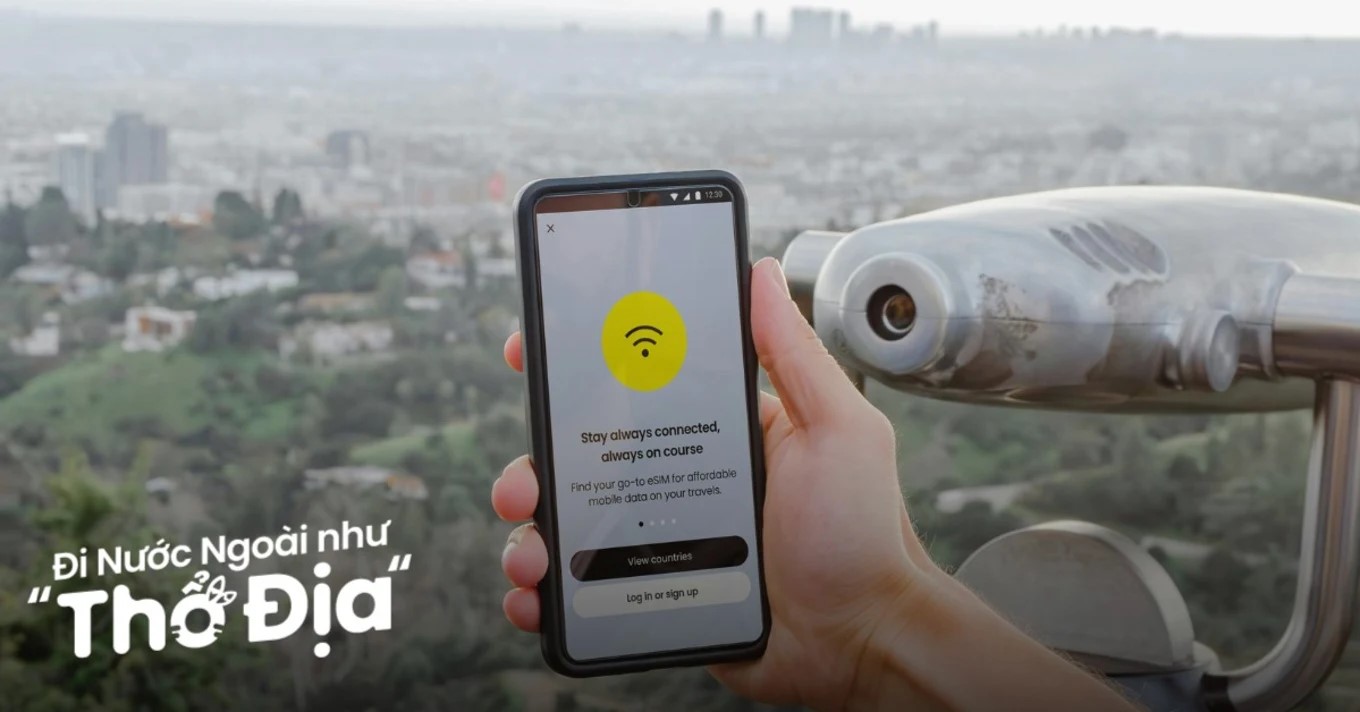
- Fast international connectivity: Users can pay online and receive the eSIM via email instantly. When they arrive at their destination, the device will automatically connect to the network and be ready to use the service.
- Cost savings: Travelers do not need to buy a new physical SIM card from a local carrier just for a short trip or use traditional international roaming services with high costs. Carriers now offer a wide variety of travel eSIM plans with transparent information on price and data allowance, removing concerns about hidden fees.
- Flexible plan switching: Some newer mobile devices use Dual eSIM technology, allowing users to use services from multiple network providers. For example, newer iPhone models (from iPhone XS/XR onward) can store up to 8 eSIM profiles. As a result, users can freely switch between carriers/plans without having to handle any complicated removal or insertion process.
- Stay connected: Users can keep their Vietnamese physical SIM and use it alongside a travel eSIM. That way, they can receive calls and text messages from their domestic number while also using 4G/5G data abroad to access social media, browse the web, or use translation, maps search, and ride-hailing apps.
- Reduced security and technical risks: Because the eSIM is tied to the device, users do not need to worry about losing their main SIM when removing and inserting an international physical SIM. In addition, if a travel eSIM has an issue, users can ask the network provider for remote support and troubleshooting, helping the trip remain seamless.
Requirements to activate a travel eSIM
Before learning how to activate a travel eSIM, users need to meet a few basic requirements so the installation and usage process goes smoothly and avoids errors during activation. Below are the important factors SimPM recommends users check carefully.
Check whether the device supports eSIM
This is the minimum requirement to activate and use a travel eSIM because not all devices have eSIM technology built in. Users can check their phone model in the list compiled by SimPM or open Settings > select About. If your phone supports eSIM, the eSIM IMEI information will be displayed here. Otherwise, your phone does not have built-in eSIM.
Check whether the device is unlocked
An unlocked device is one that allows users to use all SIM services from any carrier without restriction. By contrast, your device is locked if it was sold at a discounted price and came with a contract committing you to use only 1 carrier; iPhone Locked models are common in the market today.
If the device has eSIM built in but is not carrier-unlocked, users can still use that carrier’s eSIM but cannot use eSIMs from other providers, including international travel eSIMs.
Check network connectivity
The initial eSIM activation process requires a stable Internet connection to download the service provider profile and complete the connection setup. Therefore, to prevent disruptions during travel eSIM activation, users need to check and make sure the device is connected to Wi‑Fi or can use 4G/5G.
Check the activation information sent by the travel eSIM provider
Users need to check and confirm the important information including the QR code or SM-DP+ address, the Activation Code sent by the network provider via email. If the device cannot scan the QR code, users will need to enter the data fields manually. Without this information, users will not be able to activate the travel eSIM to use the international plan.
Detailed guide to activating a travel eSIM
In general, how to activate a travel eSIM on iPhone and Android is similar in many ways, but there are still some differences in the menu interface. Below, SimPM will provide a detailed guide on how to activate a travel eSIM on each device, helping users complete the activation easily and quickly.
Guide to activating a travel eSIM on iPhone
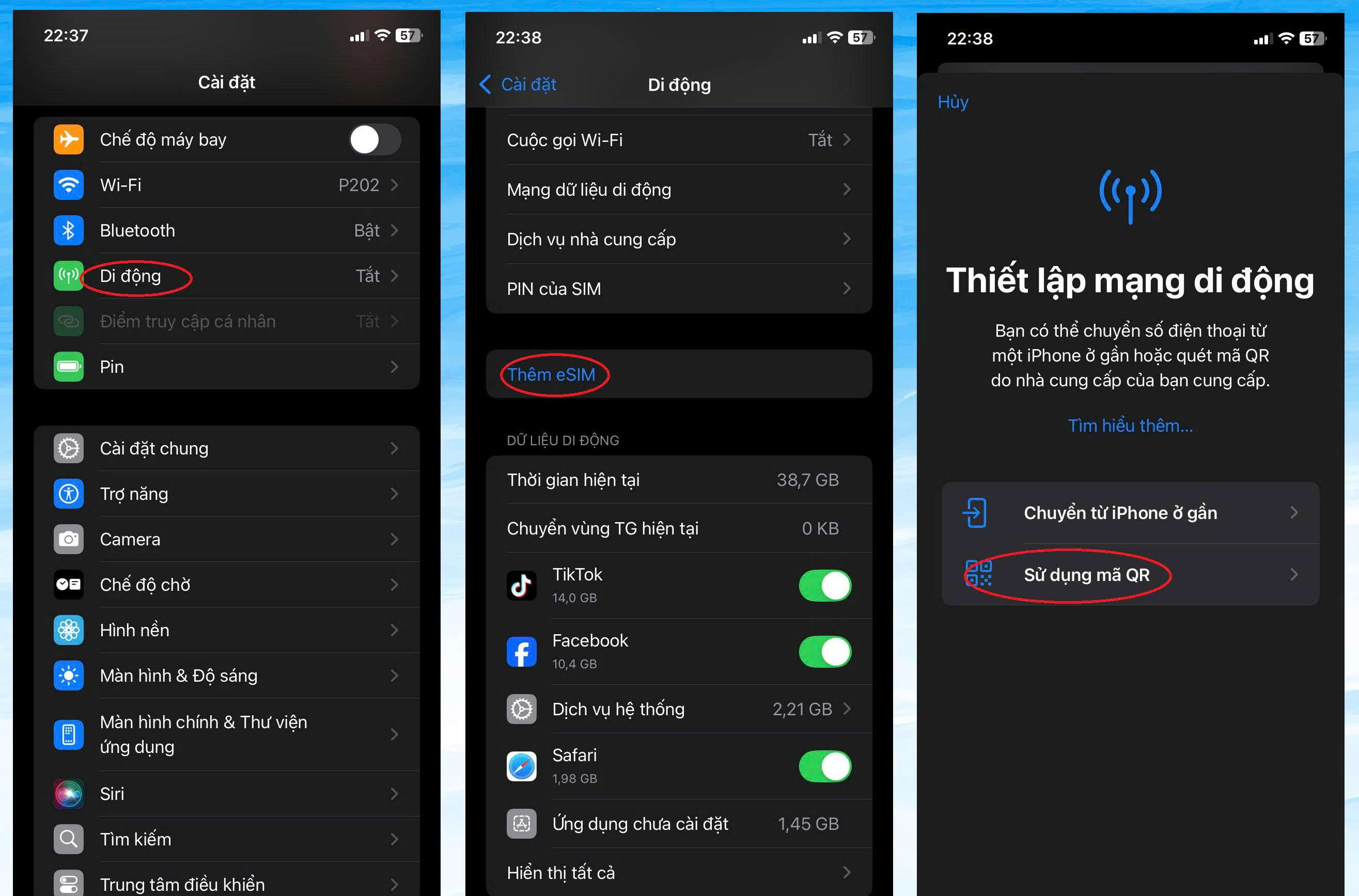
Step 1: Open the Settings app > Cellular.
Step 2: Select Add Cellular Plan/ Mobile Data Plan or Add eSIM.
Step 3: At this step, you can choose 1 in 2 ways:
- Method 1: Choose Use QR Code and use the phone camera to scan the provided QR code. In this step, you cannot choose to upload a QR code image from the gallery to scan; instead, you need to display the QR code on another device or print it on paper.
- Method 2: If you do not have a QR code, choose Enter details manually (Enter details manually) and enter the information including the SM-DP+ Address and Activation Code.
Step 4: Select Continue.
Step 5: When Cellular Setup Complete appears → tap Done.
Step 6: Then you can name the eSIM (for example, “SimPM travel” to make it easier to distinguish between eSIMs).
Guide to activating a travel eSIM on Android
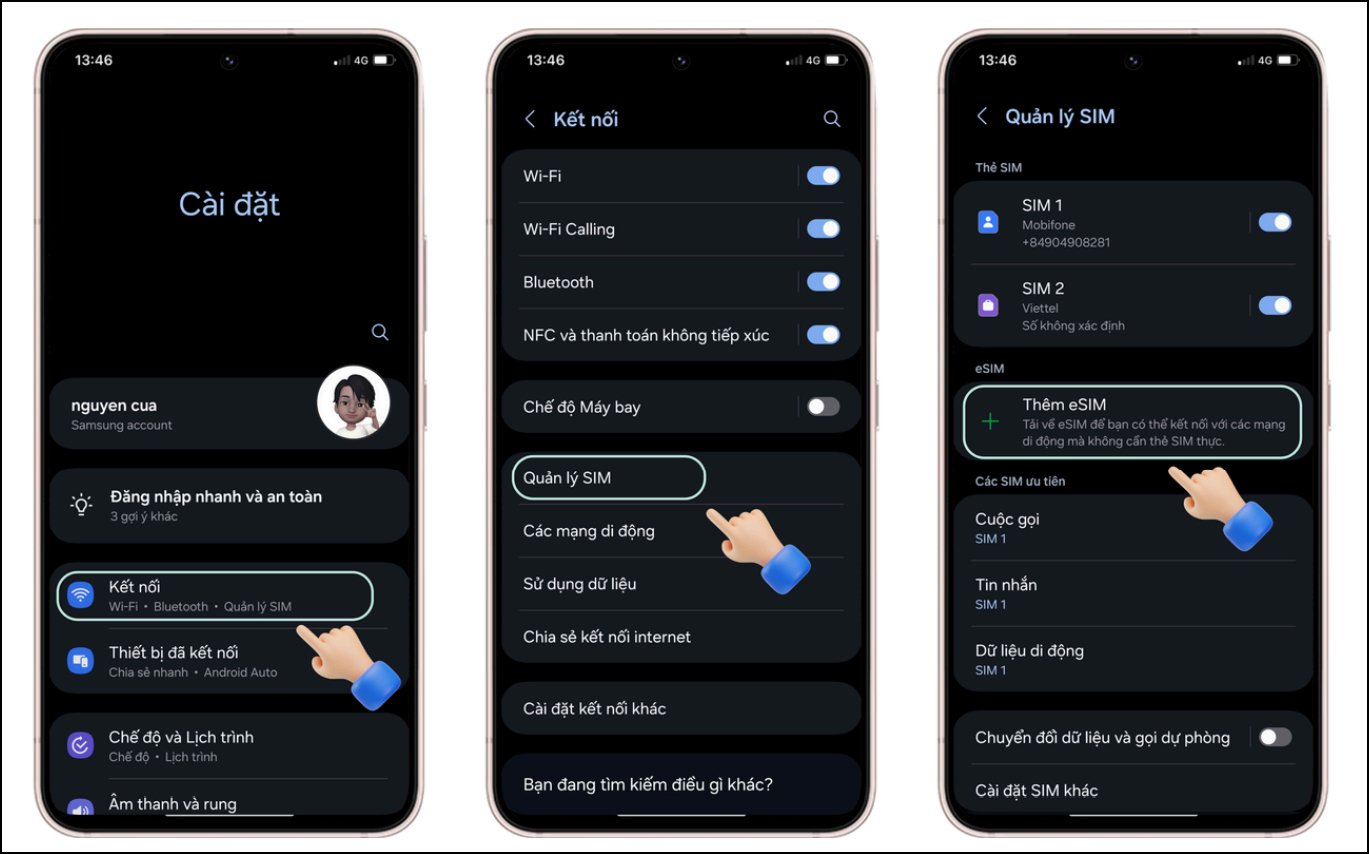
Step 1: Open the Settings app on your Android phone (Samsung, Pixel, Xiaomi…).
Step 2: Select Connections > SIM Manager or Mobile Networks.
Step 3: Select Add eSIM or Add mobile plan.
Step 4: Choose Scan QR code or Enter manually to input the information, similar to how to activate a travel eSIM on iPhone.
Step 5: Then, name your eSIM. SimPM suggests naming the eSIM by destination or purpose of use for easier management, for example: Thailand eSIM, Japan eSIM, travel eSIM,…
Thus, activating a travel eSIM on a phone can be done quickly with just a few basic steps. After 3-5 minutes, the user has successfully added the carrier profile to the eSIM chip on the device and is ready to use mobile services according to the registered travel eSIM plan. To connect to the Internet conveniently and maintain stable communication throughout the trip, regularly check to make sure the correct eSIM is selected as the primary data SIM in settings.
Common eSIM activation errors and how to fix them
Even after following the correct steps for activating a travel eSIM, users may still encounter some technical errors during setup. Understanding the cause will help you resolve them quickly and avoid interruptions when using the eSIM, especially while traveling. Below, let’s explore with SimPM the causes of common eSIM activation errors and how to fix them in each case.
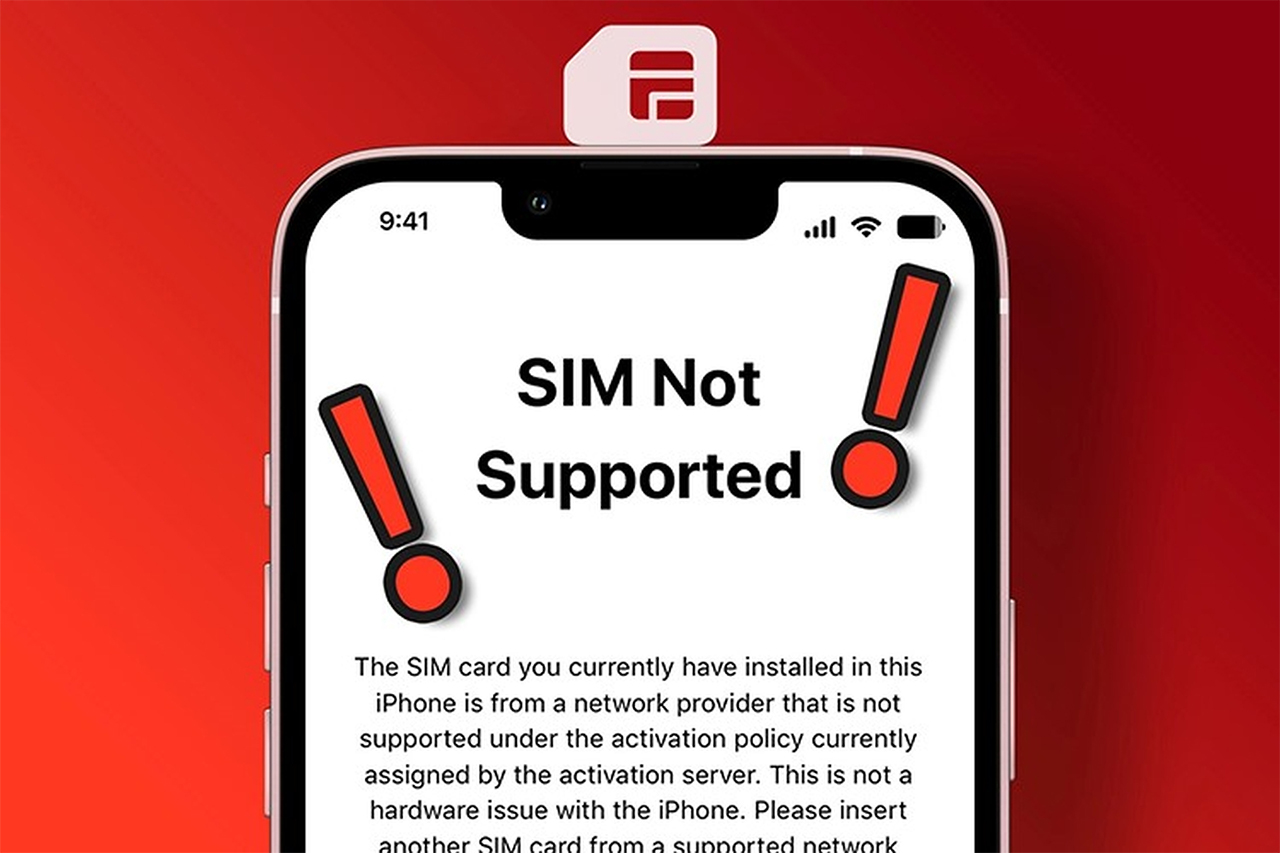
Cannot scan QR code error
This error usually occurs when the phone camera is blurry, the lighting is poor, or the QR code has become smudged or torn. In addition, some devices require scanning the QR code directly from another screen rather than from a photo. To fix it, make sure to scan the QR code in a well-lit environment and keep an appropriate distance. If it still does not work, try entering the activation code manually or contact the provider to request a new QR code.
eSIM gets stuck in “activating” or “activation error” status
This is a fairly common error when users activate the eSIM too early, especially an international travel eSIM. The main cause is usually that you have not yet reached the area covered by the local carrier. In this case, users do not need to worry; just wait until you arrive in the country where the eSIM will be used, then turn on mobile data and data roaming.
iPhone does not recognize the eSIM after activation
Some iPhone models require updating iOS to the latest version for stable eSIM support. In addition, not setting the eSIM as the primary data SIM can make users think the eSIM is not working. Users need to go to Settings > Cellular to check the eSIM status and reset the data preference.
See also: iPhone eSIM losing signal: Causes and fixes
Cannot install or add a new eSIM
The cause is often an expired or faulty QR code, or a weak network connection during configuration download. In addition, each device has a limit on the number of eSIMs that can be stored at once. To fix it, make sure Wi‑Fi or 4G/5G is stable during installation and check the remaining eSIM storage on the device. If needed, users can delete old eSIMs that are no longer in use to add a new eSIM.
Some notes when using a travel eSIM
To ensure smooth use of a travel eSIM, users need to understand a few important notes. These notes not only help the eSIM operate stably but also help avoid unexpected issues during the trip.
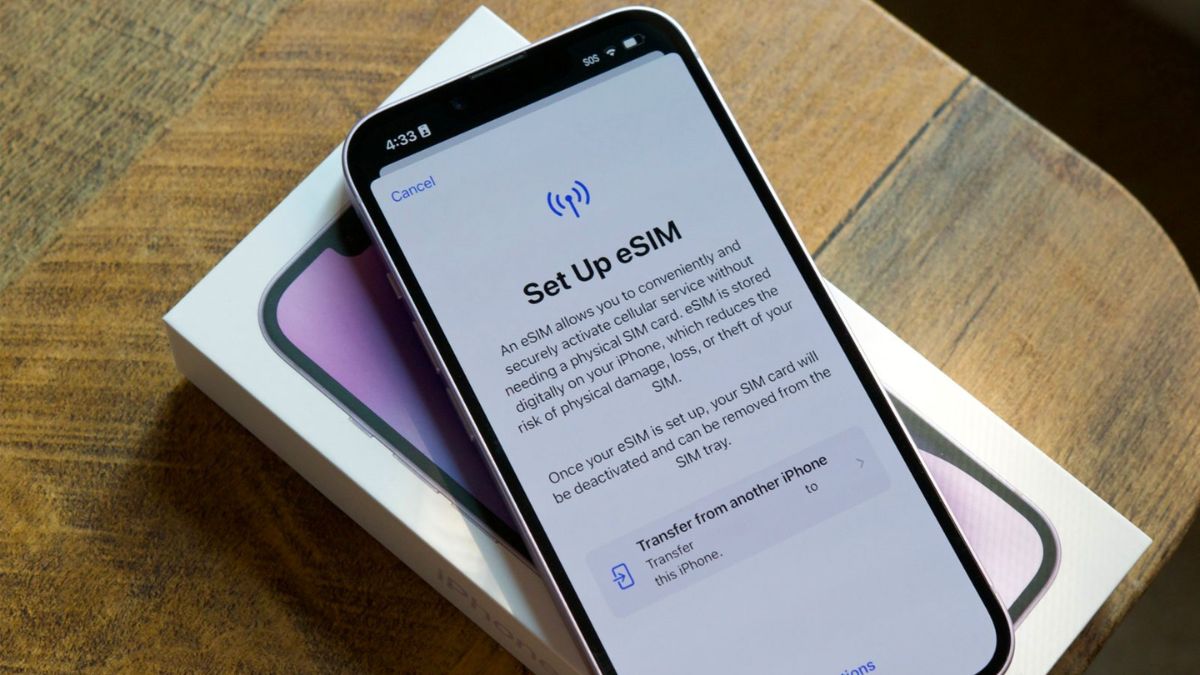
- Choose a reputable provider: A reputable provider will ensure broad coverage, stable speeds, and clear information, which is especially important for first-time users of travel eSIMs. In addition, reputable providers often have a technical support team ready to respond quickly when issues arise. Choosing the right provider will help users feel more at ease throughout the trip.
- Activate the eSIM at the right time: Do not activate the travel eSIM too early if the plan starts counting usage time as soon as it is activated. The ideal time to activate the eSIM is before departure or as soon as you arrive, helping optimize usage time and avoid wasting data.
- Turn on data roaming: For an international travel eSIM, turning on data roaming is a mandatory condition for the eSIM to work. Users should double-check this setting immediately after activating the eSIM. Turning on roaming does not incur additional charges if you are using an all-in-one travel eSIM.
- Do not delete the eSIM after successful installation: After the eSIM has been installed, users should not delete it if the plan has not been used up. Deleting the eSIM means losing the configuration and being unable to reinstall it because the QR code can only be used once. If you encounter an issue, contact technical support instead of deleting the eSIM yourself to avoid losing access to the data plan.
See also: Will resetting all settings delete the eSIM? Don’t reset until you know this
Where to buy a reputable travel eSIM?
A travel eSIM offers outstanding convenience because there is no need for a physical SIM card and it can be purchased and activated completely online. Users save time and do not need to queue to buy a SIM at the airport or at local stores. In addition, eSIM allows flexible network switching directly on the device, making it a popular solution for international trips.
Today, travel eSIMs are offered by many different providers; however, a reputable eSIM provider must not only ensure connection quality but also help users quickly resolve any issues that arise. When problems occur during activation or use, timely support helps users avoid communication interruptions. This is especially important for short trips or business travel abroad. Therefore, choosing the right provider is the key factor that determines the eSIM experience.

SimPM – reputable travel eSIM provider offers a wide range of travel eSIM plans designed for each trip, making it easy for users to choose the plan that best fits their actual needs. The plans are optimized to ensure stable speeds in more than 200 countries and territories at a reasonable cost, with no risk of hidden fees or unexpected extra charges.
In addition, SimPM provides clear instructions on how to activate a travel eSIM for each device line. The steps are presented simply, with illustrative images to make them easy to follow. Even first-time eSIM users can install it successfully themselves, helping minimize errors during activation.
SimPM’s support team is always ready to answer questions and handle issues throughout the eSIM usage process. If you encounter activation or connection problems, you can contact them for quick assistance. This is an important difference in the service SimPM provides compared with many other providers. As a result, your eSIM experience is always ensured.
If you are looking for a stable internet solution for your upcoming trip, SimPM’s travel eSIM is a reliable choice. SimPM’s travel eSIM helps you activate quickly, use it stably, and manage it easily directly on your device. With just a few simple steps, you’ll be ready to get online as soon as you arrive at your destination. Learn about and choose an eSIM plan that suits you at SimPM so your trip stays seamless and under your control.