
Answer: Can the iPhone 14 Pro Max Use 2 eSIMs?

Are you wondering “Can the iPhone 14 Pro Max use 2 eSIMs?” and whether eSIM technology is really as convenient as advertised? SimPM will help you understand everything from what eSIM is, how the iPhone 14 Pro Max supports it, to how to use 2 eSIMs effectively.
What is eSIM? How does the iPhone 14 Pro Max support eSIM?
eSIM is a type of electronic SIM built directly into the device hardware, instead of using a removable physical SIM card. Users do not need to swap SIMs manually; they only need to scan a QR code or enter the carrier’s information to activate a plan. This technology simplifies operations while also increasing flexibility in managing a mobile number.
In essence, eSIM still operates on the same mobile network infrastructure as a traditional SIM, so signal quality, data speed, and stability are equivalent. The difference lies in how it is activated and used: everything is done through the device’s software, without relying on physical hardware.
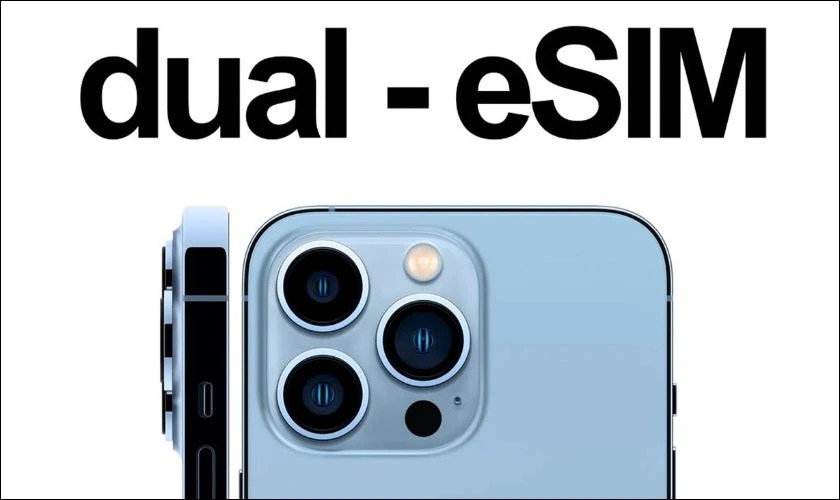
On the iPhone 14 Pro Max, Apple has greatly optimized eSIM support to meet the digitalization trend. The device allows:
- Storing multiple eSIM profiles from different carriers
- Quick activation via QR code or the carrier’s app
- Managing, enabling/disabling, and switching between eSIMs directly in Settings
In addition, the iPhone 14 Pro Max also integrates smart eSIM management features such as:
- Assigning labels to each eSIM (work, personal, travel…)
- Choosing a default eSIM for mobile data or calls
- Quickly switching between plans without swapping hardware
Thanks to these improvements, eSIM on the iPhone 14 Pro Max is not just a replacement for a physical SIM, but also opens up a modern connectivity experience. eSIM is especially useful for frequent travelers, flexible workers, or users of international travel eSIMs.
Can the iPhone 14 Pro Max use 2 eSIMs?
The answer is yes. If you are wondering Can the iPhone 14 Pro Max use 2 eSIMs, then this is one of the most valuable upgrades on this device. Apple has allowed the device to activate and use 2 eSIMs simultaneously, delivering an experience comparable to—if not more flexible than—a phone with 2 traditional SIMs.
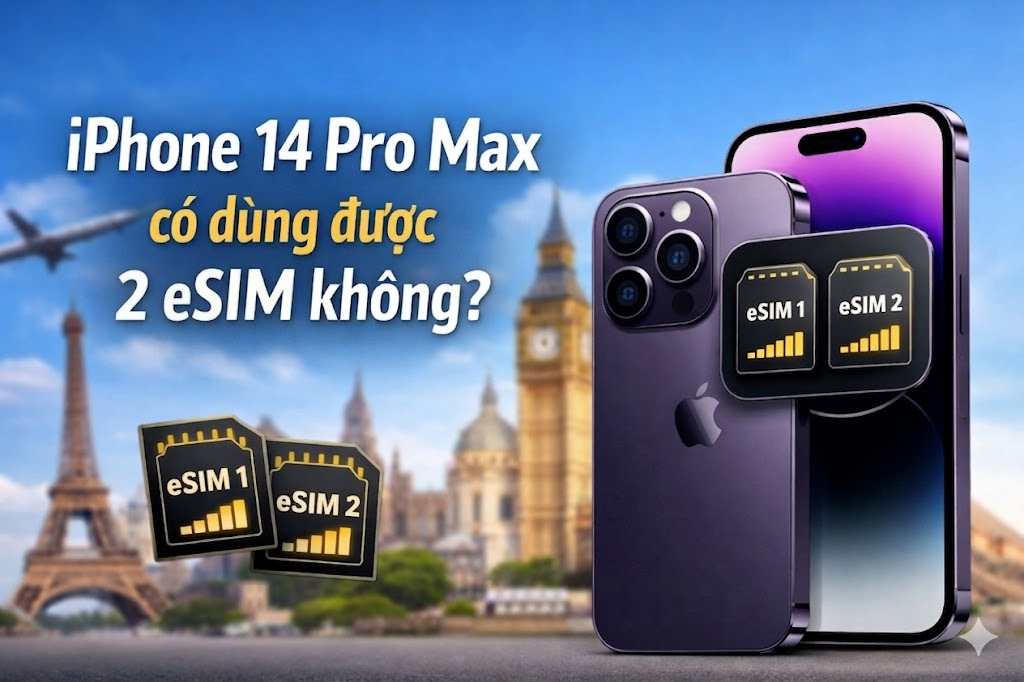
On the iPhone 14 Pro Max, users can store many different eSIM profiles and choose 2 active eSIMs at the same time. This allows you to:
- Use 2 phone numbers in parallel on the same device
- Combine calls and mobile data from two different carriers
- Easily switch between plans depending on your needs
However, this capability will depend on the device version and real-world usage conditions:
- On the US version: the device supports eSIM only and has no physical SIM slot, but it still allows 2 eSIMs to be used simultaneously
- On the international version: users can flexibly choose between 1 physical SIM + 1 eSIM or use 2 eSIMs at the same time
Conditions for using 2 eSIMs on the iPhone 14
Although the answer to the question Can the iPhone 14 Pro Max use 2 eSIMs is yes, to use it stably and correctly, users need to meet several important conditions related to the device and the carrier. Understanding these conditions will help avoid activation errors or connection interruptions during use.
Carrier supports eSIM
Not all carriers offer eSIM service. You need to check in advance whether your carrier supports eSIM, especially if you want to use two eSIMs from two different carriers at the same time. For international travel eSIMs, you should choose a reputable provider to ensure compatibility and stable speeds.
ESIM must be properly issued and activated
Each eSIM must be registered to the correct owner and activated through:
- A QR code from the carrier.
- Or electronic activation details.
If the eSIM has not been activated correctly, the device will not be able to recognize or use it. This is a fairly common issue for users who are new to switching from a physical SIM to eSIM.
The device is not carrier-locked
The iPhone 14 must be an international model or be fully unlocked. If the device is carrier-locked, you can only use eSIMs from the carrier that supplied the phone, and cannot use multiple different eSIMs at the same time.
Suitable device version
eSIM usage also depends on the iPhone version:
- US version: Supports eSIM only, no physical SIM, can use 2 eSIMs at the same time
- International version: More flexible, allowing 1 physical SIM + 1 eSIM or 2 eSIMs at the same time
Identifying the correct device version will help you be more proactive when choosing how to use it.
Advantages of using 2 eSIMs on the iPhone 14 Pro Max
When learning about Can the iPhone 14 Pro Max use 2 eSIMs, many people are not only interested in support capability but also want to know the practical benefits of using it. In fact, using 2 eSIMs at the same time brings many outstanding advantages, especially for modern users who frequently travel or work flexibly.
No need to remove or insert a physical SIM
The entire process of adding, deleting, or switching eSIMs is done directly in Settings. This helps reduce the risk of losing a SIM, damaging the SIM tray, and saves time compared with a traditional SIM.
Flexible use with multiple carriers
You can use two eSIMs from two different carriers at the same time. This helps:
- Optimize signal quality in each area.
- Take advantage of data or call plan offers from each carrier.
- Easily switch when one network has issues.
Optimized for international travel eSIMs

This is one of the biggest benefits. Users can:
- Buy eSIM travel online before the trip.
- Receive the QR code via email and activate it as soon as you arrive.
- Keep your primary SIM in place and stay connected normally.
Manage work and personal life efficiently
Using 2 eSIM helps you clearly separate:
- Work phone number.
- Personal phone number.
Everything in one device, helping you minimize carrying multiple phones.
Quick, convenient switching
The iPhone lets you choose the eSIM used for:
- Mobile data.
- Default calls.
- Messages.
With just a few steps in Settings, you can switch between eSIMs without any hardware changes.
Suitable for frequent travelers
For business travelers, freelancers, or digital nomads, using 2 eSIM helps:
- Maintain a stable connection at all times.
- Proactively choose the right plan for each country.
- Reduce international roaming costs.
See more: eSIM 12 Pro Max: Setup, usage, and quick purchase guide
How to use 2 eSIM on the iPhone 14 Pro Max
Setting up and using 2 eSIM on the iPhone 14 Pro Max is quite simple if you follow the correct process. However, to ensure successful activation and avoid errors during use, you should follow the specific steps below.
Preparation before installation
Before you begin, make sure that:
- The iPhone is connected to Wi-Fi or has a stable internet connection.
- You have an eSIM QR code or activation details from the carrier.
- The device is not carrier-locked.
Steps to add eSIM on the iPhone 14 Pro Max
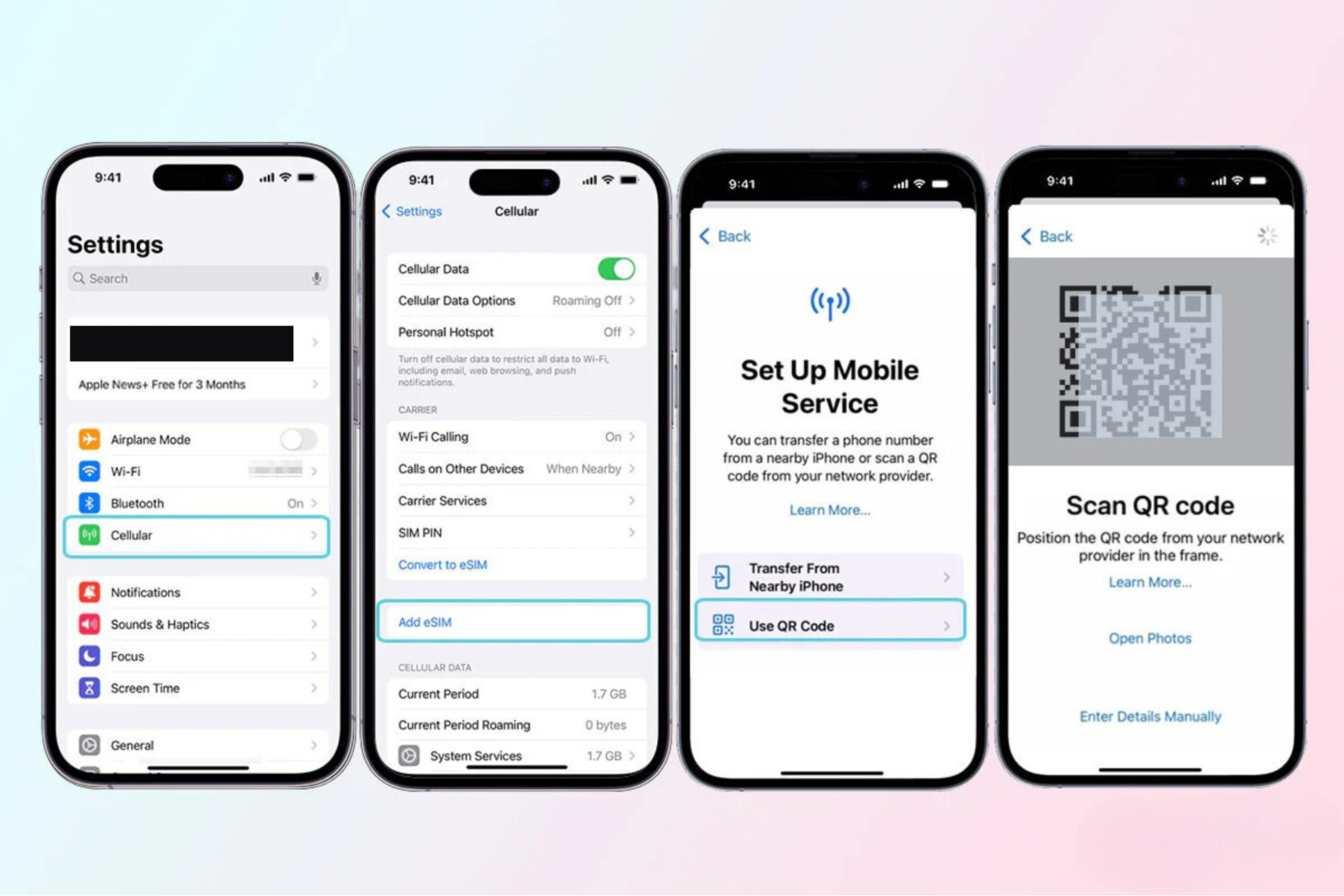
- Step 1: Open Settings → select Cellular → tap Add eSIM → choose Use QR Code
- Step 2: Use the Camera to scan the eSIM QR code provided by the carrier.
- Step 3: When the screen shows the message Cellular Plan Detected, tap it to continue.
- Step 4: Tap Continue → select Add Cellular Plan to complete the setup process.
- Step 5: If prompted, enter the confirmation code from the carrier to activate the eSIM.
After completion, the first eSIM will be added to the device. To use 2 eSIMs, simply repeat the process above with the second eSIM.
Setting up 2 eSIMs for simultaneous use
After adding 2 eSIMs, you can customize how they are used in Cellular:
- Name each eSIM (for example: personal, work, travel) to make them easier to distinguish.
- Choose the default eSIM for mobile data.
- Choose the default eSIM for calls and messages.
- Enable/disable each eSIM as needed.
The iPhone lets you use 2 eSIMs at the same time, in which:
- One eSIM can be used for data.
- The remaining eSIM can be used for calls or as a backup.
Limitations and notes when using 2 eSIMs
Although using 2 eSIMs on the iPhone 14 Pro Max brings many conveniences, users still need to understand some important limitations and notes to avoid errors or connection interruptions during use.
Not every carrier supports eSIM
Currently, eSIM has not been rolled out uniformly worldwide, so not every carrier provides this service. This may mean that you cannot activate eSIM or may encounter limitations in speed and stability when using it. In particular, for travel eSIMs, if you choose an unreliable provider or one that is not well compatible with the device, the connection experience may be significantly affected.
Not every eSIM can be reused
Some eSIMs, especially international travel eSIMs, usually provide a one-time activation code and do not support reissuing if deleted. Therefore, if you accidentally delete the eSIM before using up the plan, you may not be able to restore it and may have to buy a new one, causing unnecessary costs.
Simultaneous usage limit
Although the iPhone 14 Pro Max can store many different eSIMs, the device only allows a maximum of 2 eSIMs to be active at the same time. This requires users to proactively choose the appropriate eSIM to use, especially when they have multiple plans from different carriers.
Need to manage mobile data carefully
When using 2 eSIM, if you do not set the correct default eSIM for mobile data, you may accidentally use a network with high costs, especially in international roaming situations. Checking and resetting data options is very important to avoid unwanted charges.
See more: How to activate eSim on iPhone: A detailed step-by-step guide
Frequently Asked Questions (FAQ)
Where should I buy a reputable travel eSIM?

You should choose a reputable provider such as SimPM, which offers international travel eSIMs for many countries, sends the code quickly via email, is easy to buy on the website, and provides technical support when needed. Check out and buy now eSIM Thailand, eSIM Japan, eSIM France,… at SimM.
Can I use 1 physical SIM and 1 eSIM?
Yes. With the international version, you can fully use 1 physical SIM and 1 eSIM at the same time. The US version, however, only supports eSIM, so it cannot use a physical SIM.
Is ESIM as stable as a regular SIM?
Yes. eSIM uses the same network infrastructure as a physical SIM, so signal quality, speed, and stability are equivalent if the carrier provides good support.
Can I delete and add the eSIM again?
Yes, but you need to contact the carrier to get the QR activation code reissued. With travel eSIMs, reissue is usually not supported, so you should avoid deleting them.
Can I store multiple eSIMs in the device?
Yes. The iPhone allows you to store multiple eSIMs, but only up to 2 eSIMs can be used at the same time.
Do I need to remove my primary SIM to use a travel eSIM?
No. You can keep your primary SIM and use an additional travel eSIM in parallel, which is very convenient when you need to stay connected.
Making use of 2 eSIMs will help you communicate more flexibly, optimize costs, and be especially convenient when traveling for work or internationally. If you are looking for a fast, convenient connectivity solution, choose a travel eSIM from SimPM to receive the code immediately via email, use it easily, and always have support when needed.









