
Is Using eSIM on iPhone Good? Detailed Review

eSIM is gradually becoming a trend on modern iPhone models, but many people still wonder whether using eSIM on iPhone is good and whether they should use it. With fast activation, no swapping required, and flexible usage, eSIM offers a more convenient experience. So is eSIM actually suitable for you? Let’s find out in detail below.
What is eSIM on iPhone? How does it work?
eSIM is a type of embedded electronic SIM built into the device, rather than a removable physical SIM card.
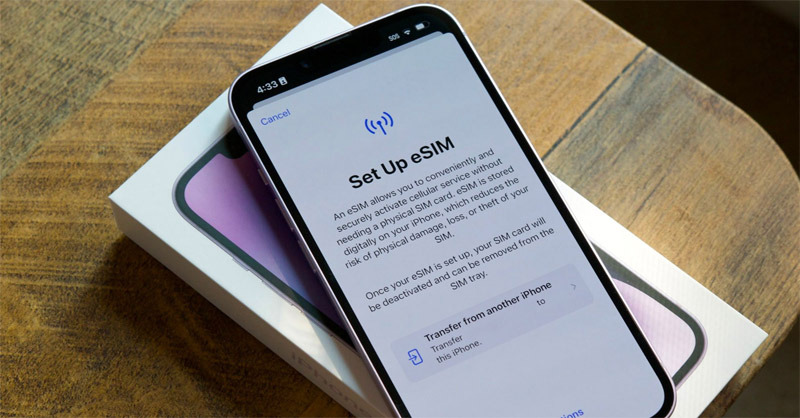
On iPhone, eSIM works by:
- Users scan the QR code provided by the carrier.
- Subscriber information is downloaded directly to the device.
- No physical SIM card needs to be installed, but all functions such as calls, texts, and mobile data are still fully available
Starting from iPhone XS and XR, Apple has supported eSIM and allowed dual use: 1 eSIM + 1 physical SIM. The biggest difference from traditional SIM cards is that everything is done through software, with no hardware intervention required.
Is using eSIM on iPhone good?
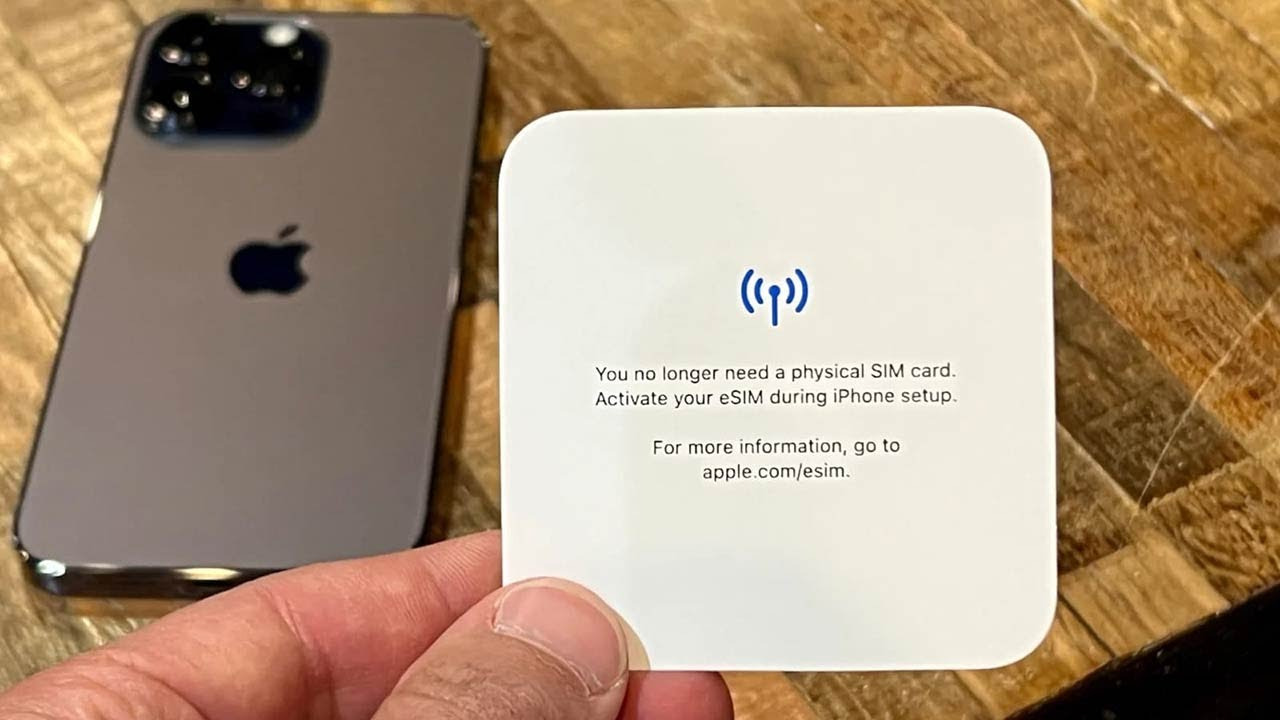
Is using eSIM on iPhone good? The answer is yes, but how “good” it is will depend on each person’s actual usage needs. Evaluating whether using eSIM on iPhone is good should not focus only on features, but also on the user experience, convenience, stability, and usage context such as domestic or international use.
eSIM on iPhone is a modern, convenient, and worthwhile solution, especially for active users who travel frequently or want to optimize their digital experience. If you fall into this group, eSIM is not only “good” but also a solution worth prioritizing in the long term.
Advantages of using eSIM on iPhone
When evaluating whether using eSIM on iPhone is good, most users notice that eSIM brings many clear benefits to the experience, especially as travel and connectivity needs continue to increase. Below are the standout advantages that are making eSIM an increasingly popular trend on modern iPhone models.
Convenient, no need to remove or install a SIM card
One of eSIM’s biggest strengths is that it completely removes dependence on a physical SIM card. Users do not need to use a SIM ejector tool or worry about losing or damaging the SIM during removal and installation.
With just one QR code scan, eSIM can be activated in a few minutes. This is especially useful when you need to switch carriers or set up a new SIM without wasting time going to a store.
Flexible use of 2 SIMs on the same device
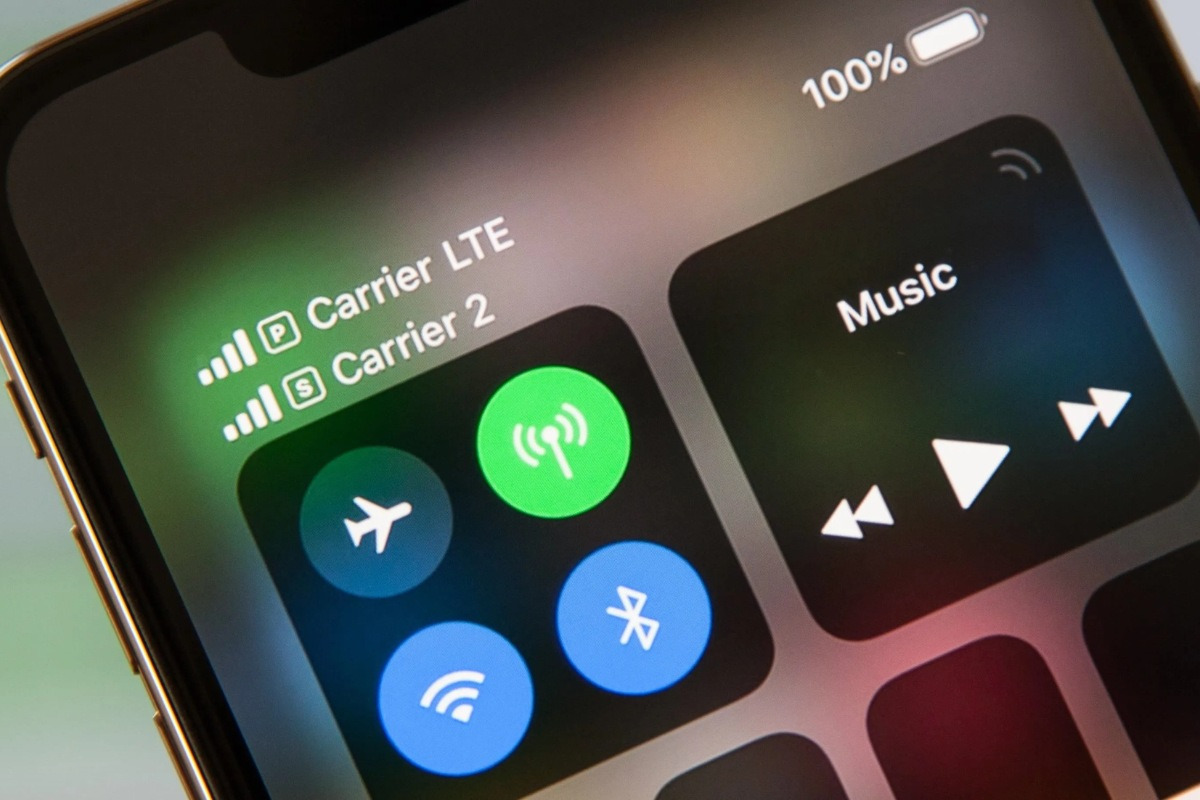
iPhone supports combining eSIM and physical SIM, allowing users to use two phone numbers at the same time.
You can:
- Use one number for work and one for personal use.
- Flexibly choose which SIM to use for calls, texts, or data.
- No need to carry multiple phones.
This feature helps optimize work efficiency and manage communication more effectively.
Suitable for international travel

For people who travel abroad often, eSIM is almost an optimal solution.
Instead of having to find and buy a local SIM at the airport or in a store, you can:
- Buy eSIM order online before your trip.
- Receive the QR code by email and install it in advance.
- Connect to the internet as soon as you land.
This not only saves time but also helps you be more proactive about costs and data usage planning. You can refer to some eSIM options for your upcoming trip such as: China eSIM, Thailand eSIM, Korea eSIM,…
Higher security than traditional SIM cards
eSIM is embedded directly into the iPhone’s hardware, so it cannot be removed like a physical SIM.
In case the phone is lost:
- Bad actors cannot easily take out the SIM to access accounts.
- Users can lock the device and manage it remotely
This is an important factor when considering personal information security.
Manage and switch flexibly right on iPhone
eSIM allows storing multiple SIM profiles on the same device (depending on the iPhone model), making it easy to switch between plans without changing SIM cards. You can add, delete, or switch eSIMs right in Settings, which is very convenient when your usage needs change over time.
Disadvantages of using eSIM on iPhone
Besides the benefits of convenience and flexibility, eSIM on iPhone still has some certain limitations. Understanding these points will help you have a more objective view when evaluating whether using eSIM on iPhone is good and whether it suits your usage needs.
- Not every carrier fully supports it: The popularity of eSIM is not the same across all countries and carriers. Some providers only support part of the features or have not fully implemented them yet, leading to unstable experiences in some cases. Users should check support in advance to avoid connection interruptions.
- Depends on internet access for activation: Installing eSIM requires an internet connection such as WiFi or mobile data. If you are in an environment without a network or with a weak connection, the activation process may be interrupted. This is a limitation compared with a physical SIM, which can be used immediately after being inserted into the phone.
- Can be difficult for people who are not tech-savvy: Although the steps are not too complicated, for beginners, scanning the QR code and setting it up in Settings can still be confusing. In addition, managing multiple eSIMs on the same device can also lead to confusion if you are not used to it. Older adults or people with little exposure to technology may need time to get familiar with it.
In short, these limitations are not too serious but are still factors to consider. When you understand both the advantages and disadvantages, you will more easily assess whether using eSIM on iPhone is good and make the right choice for your needs.
See also: Does iPhone 7 have eSIM? How to easily check whether your iPhone supports eSIM
Comparison between eSIM and physical SIM on iPhone
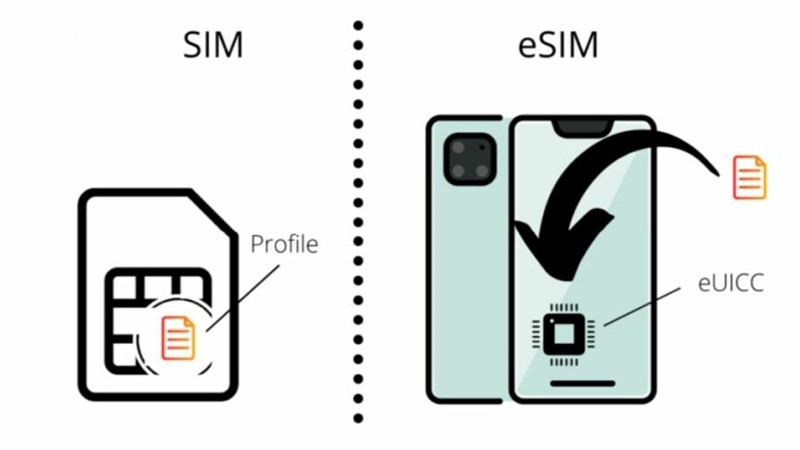
Each SIM type has its own strengths and limitations, making it suitable for different usage needs. Understanding the differences will help you choose the right solution instead of following trends without careful consideration. Below is a detailed comparison between eSIM and physical SIM on iPhone by important criteria:
| Criteria | eSIM | Physical SIM |
| Installation method | Activated by QR code or by entering carrier information, no hardware operation required | Inserted directly into the SIM slot on the iPhone |
| Convenience level | High, no removal or installation needed, can be activated remotely | Depends on manual removal and installation |
| Device switching ability | Needs to be set up again | Just remove the SIM and insert it into another device |
| Using multiple numbers | Can store multiple eSIMs and switch in Settings | Limited by the number of SIM slots on the device |
| Security | Higher because it cannot be removed, making SIM theft harder | The SIM can be removed if the phone is lost |
| Popularity | Still developing, not evenly available across all countries and carriers | Globally popular, widely compatible |
| International travel experience | Buy and activate online, use immediately upon arrival | Need to buy a local SIM or change SIM manually |
| Suitable for | Frequent travelers, tech lovers, people who need flexibility | Basic users who prioritize simplicity |
From the comparison table above, it can be seen that eSIM stands out for convenience, flexibility, and its ability to adapt to modern needs such as travel or multinational work. Meanwhile, physical SIM still has the advantage of being more common and easier to use.
Therefore, if you are wondering whether using eSIM on iPhone is good, the answer depends on your usage habits: eSIM is suitable for those who need flexibility and an optimized experience, while physical SIM is suitable for those who prioritize familiarity and stability.
Who should use eSIM on iPhone?
In practice, eSIM delivers maximum effectiveness when used for the right needs and the right audience. Below are the groups of people who should consider using eSIM on iPhone:
- People who frequently travel internationally or go abroad for work: eSIM helps you connect as soon as you arrive without having to search for a local SIM. Buying and activating it online before your trip saves time and also reduces risks related to cost and network quality.

- People who need to use 2 phone numbers on the same device: eSIM allows you to combine it with a physical SIM to use two numbers at the same time. This is very useful when you need to separate work and personal use while still using only one iPhone.
- Flexible workers, freelancers, or businesspeople: this group often moves around frequently and needs continuous communication. eSIM makes it easy to switch between plans or carriers without interrupting work.
- People who love new technology and a minimalist experience: if you want to minimize physical actions and move toward a digital experience, eSIM is a suitable choice. Managing SIMs entirely on iPhone brings a more modern and convenient feeling.
- People who need high security: eSIM cannot be removed like a physical SIM, reducing the risk of misuse when the phone is lost. This is an important factor for those concerned about personal data and account security.
See also: eSIM 14 Pro Max: How to install, use, and things to know
Frequently asked questions (FAQ)
After learning the overview, many people still have specific questions before deciding to use it. Below are common questions to help you better understand using eSIM on iPhone.
Where to buy a trustworthy international travel eSIM?
One of the important factors when using eSIM is choosing a reliable provider. Currently, SimPM is an international travel eSIM provider chosen by many users thanks to broad coverage and stable service.
SimPM provides eSIMs for most countries and regions around the world, suitable for many different needs. Users can buy directly on the website, receive the QR code by email in about 3 to 10, and proactively install it before the trip. In addition, the system also offers technical support when needed, along with a variety of eSIM plans in terms of data allowance and validity period.
Is eSIM as stable as a regular SIM?
In general, eSIM is as stable as a physical SIM if you use it from a reputable carrier. Signal quality, 4G/5G speed, or connection stability do not depend on the SIM type but on the network infrastructure. Therefore, the real-world experience is almost no different.
Does using eSIM consume more battery?
eSIM does not consume more battery than a physical SIM. Battery usage mainly depends on data usage intensity, signal quality, and background apps. Under normal usage conditions, the difference in battery life is negligible.
Can eSIM make calls, 4G/5G fully?
With a domestic eSIM, users still have full functions such as calling, texting, and using 4G/5G just like a physical SIM. However, with international travel eSIMs, most plans focus on mobile data and may not support traditional voice calls or SMS.
Will using eSIM on iPhone be network locked?
eSIM is not a factor that causes network locking. Whether an iPhone is network locked depends on the device version (international or carrier-locked). If you use an international iPhone model, eSIM will work normally with many different carriers.
Using eSIM on iPhone is a good and worthwhile option, especially for travel and business trips abroad. If you are looking for a stable, easy-to-use travel eSIM solution with fast support, SimPM is a reputable provider you can refer to, contact us now 0919.999.936 for detailed advice and an eSIM suitable for your trip.









