
Can You Use eSIM and a Physical SIM Together on iPhone?

Do you want to make the most of your iPhone while still keeping flexibility in communication and connectivity? Using an eSIM and a physical SIM together on iPhone is the optimal solution, helping you manage two phone numbers on one device, save on data costs, and stay especially convenient when traveling internationally. We’ll help you understand how it works, the benefits, and the most effective way to use it.
Can you use an eSIM and a physical SIM together on iPhone?
Can you use an eSIM and a physical SIM together on iPhone? The answer is yes, and this is one of the most valuable upgrades on iPhone in recent years.
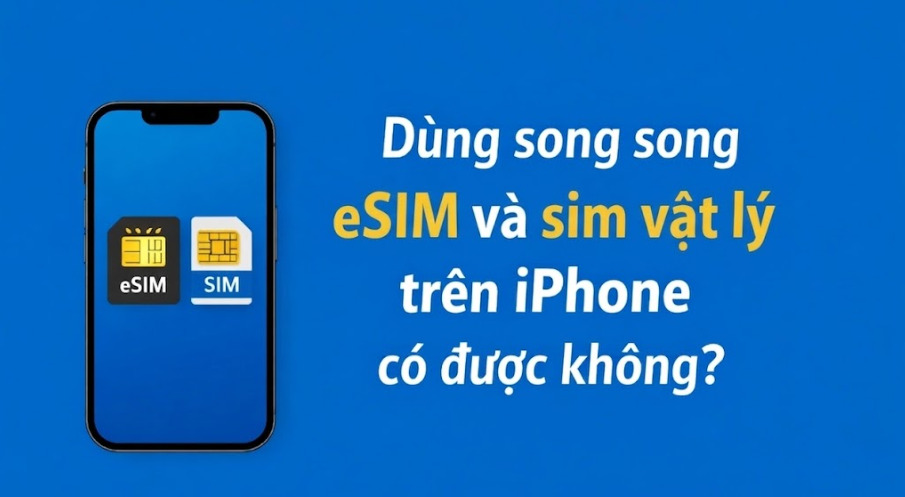
Apple has officially integrated dual SIM technology, allowing users to use an eSIM and a physical SIM together on iPhone in a stable and flexible way. This means you can keep two phone numbers active at the same time on one device for different purposes such as personal contact, work, or separate data usage.
In principle, iPhone lets you set up:
- One physical SIM as the primary number.
- One eSIM as the secondary number, or vice versa.
You can clearly customize each role, such as:
- The default number for calls.
- The number for messaging.
- The number for mobile data access.
The important point is that the two SIMs are not “mixed together” but are managed separately in the system, making it easy for users to stay in control without confusion during use.
Which iPhone models support using an eSIM and a physical SIM at the same time?
To use an eSIM and a physical SIM together on iPhone, the prerequisite is that the device must support dual SIM technology combined with eSIM. Apple introduced this feature from 2018 and has continued improving it through each generation to provide a more flexible experience for users.
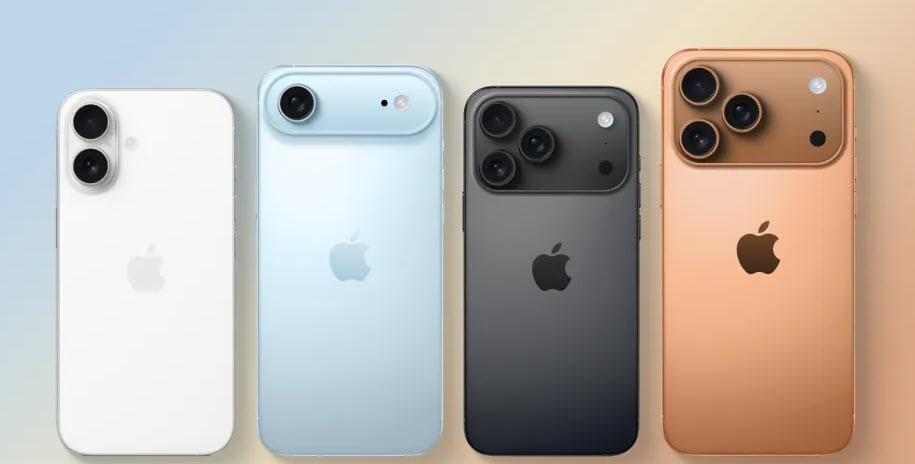
Specifically, supported iPhone models include:
- iPhone XS, XS Max, XR: these were the first models Apple integrated eSIM into, allowing the simultaneous use of 1 physical SIM and 1 eSIM on one device.
- iPhone 11 Series and iPhone 12 Series: continue to maintain the 1 physical SIM + 1 eSIM mechanism, while improving stability when switching between the two numbers and managing mobile data.
- iPhone 13 Series and later: offer more flexible support, allowing users to choose to use 2 eSIMs at the same time or combine 1 physical SIM and 1 eSIM, suitable for those who use multiple numbers or travel eSIMs.
A notable point is that on all supported models, users can clearly assign the role of each SIM, such as primary number, secondary number, or data SIM. This helps optimize the experience when you need to separate usage purposes without manually swapping SIM cards.
Which phone lines do not support eSIM
Not all iPhones are equipped with eSIM, so if you need to use an eSIM and a physical SIM together on iPhone, identifying the right device from the start is essential.
In fact, iPhone models released before iPhone XS (2018) do not support eSIM. These devices only use traditional physical SIM cards and do not have the hardware or software to activate eSIM.
Specifically, unsupported iPhone models include:
- iPhone X
- iPhone 8, 8 Plus
- iPhone 7, 7 Plus
- iPhone 6s, 6s Plus, and lower models.
The reason is that eSIM is a technology Apple introduced starting with the iPhone XS generation, so older devices cannot update or add this feature through software.
This also means that if you are using the iPhone models mentioned above, you will not be able to use an eSIM and a physical SIM together on iPhone, nor will you be able to experience conveniences such as quick carrier switching, using a travel eSIM, or optimizing data flexibly.
Benefits of using an eSIM and a physical SIM together on iPhone
Using an eSIM and a physical SIM together on iPhone is not only a technology feature, but also delivers clear practical value for modern users. When understood and used correctly, you can optimize costs, communication efficiency, and flexibility in many different situations.
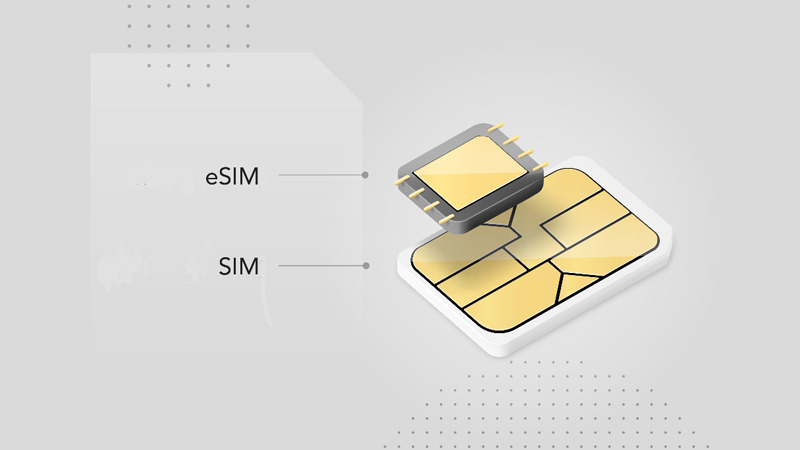
Clearly separate work and personal use
One of the biggest benefits is the ability to split two phone numbers on one device. You can use the physical SIM for personal communication and the eSIM for work, or vice versa. This helps you manage calls, messages, and related apps clearly, reduces confusion, and creates professionalism in daily communication.
Convenient travel eSIM use when going abroad
For people who travel internationally often, eSIM offers outstanding convenience. You can buy and activate an eSIM right before your trip without removing your primary SIM. When you arrive, the device is ready to connect to the internet while still keeping your main number to receive OTPs, calls, or important messages from Vietnam. You can refer to some travel eSIMs such as: Korea eSIM, Germany eSIM, France eSIM,…
Optimize communication and data costs
When using two SIMs together, you can flexibly choose the right SIM for each need. The primary SIM can be used for domestic calls and texts, while the eSIM takes on the role of providing data at a lower cost. This method is especially effective when traveling abroad, helping avoid high roaming charges and better control your budget.
Flexible switching between carriers
Another standout advantage is the ability to switch carriers quickly with eSIM. Users do not need to replace a physical SIM and can still register, change, or test different plans. This brings autonomy and flexibility, especially useful for those who frequently need stable connectivity or cost optimization.
Keep your primary number active while using a secondary data line
During use, you can completely keep your primary number active to receive calls and messages while using the eSIM as your mobile data source. This helps ensure communication is not interrupted, especially in important situations such as work or account verification.
Increase convenience in management and use
Integrating two SIMs on one device reduces reliance on multiple phones. You can manage all communication in a single device, easily switch between numbers in settings without complicated steps. This is an optimal solution for modern users who want simplicity while still ensuring efficient use.
See also: How to activate eSIM on iPhone: Detailed step-by-step guide
Notes on eSIM and physical SIM support on iPhone
To use an eSIM and a physical SIM together on iPhone in a stable way and as expected, users need to understand several important factors related to device version, distribution market, and device condition. Below are the things you should know before using it:
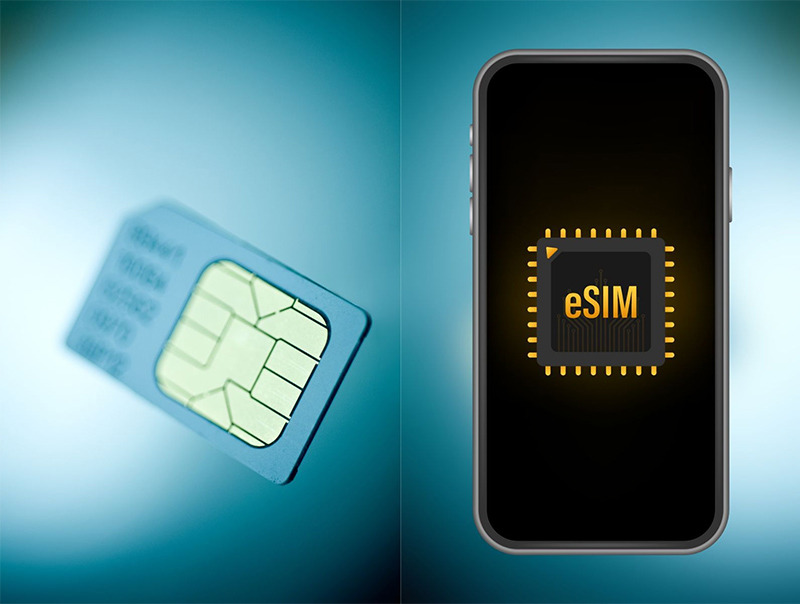
- The iPhone version by market directly affects compatibility. iPhone models from the iPhone 14 line and later in the US market have removed the physical SIM tray and only support eSIM, so they cannot combine both SIM types at the same time.
- Some iPhones produced for the China, Hong Kong, or Macau markets may not support eSIM, even though the model name is the same as the international version. This can easily cause confusion when buying a gray-market device if you do not check carefully.
- The device’s network lock status is another factor to pay special attention to. A locked iPhone that has not been internationally unlocked may not be able to add an eSIM from another carrier or may work unstably when used.
- Carrier compatibility also needs to be checked in advance. Not all carriers fully support eSIM, especially when using travel eSIMs or in international regions.
- Setting the role for each SIM is very important to avoid conflicts during use. Users should clearly determine which SIM is for calls and which SIM is for data to optimize the experience.
- Checking your device carefully before registering for eSIM is a necessary step. This helps ensure your iPhone is truly compatible and can use an eSIM and a physical SIM together on iPhone effectively.
Should you use an eSIM and a physical SIM together on iPhone?
The answer is yes, because this is a smart way to use your phone that optimizes both experience and cost.
When using an eSIM and a physical SIM together on iPhone, you can keep your primary number for stable communication while using the eSIM for data or separate purposes such as work or travel. This is useful when going abroad, because you do not need to remove your main SIM and can still use the internet at a reasonable cost.
In addition, combining two SIMs on one device also helps you manage communication more clearly, without needing two phones, and you can switch flexibly between carriers when needed.
In short, if your iPhone supports it, using an eSIM and a physical SIM together on iPhone is a choice worth adopting to increase convenience, savings, and flexibility in daily use.
How to check whether your iPhone supports eSIM?
Before using an eSIM and a physical SIM together on iPhone, you need to make sure your device supports eSIM. Checking is quite simple and can be done quickly using the methods below.
Check directly in iPhone Settings
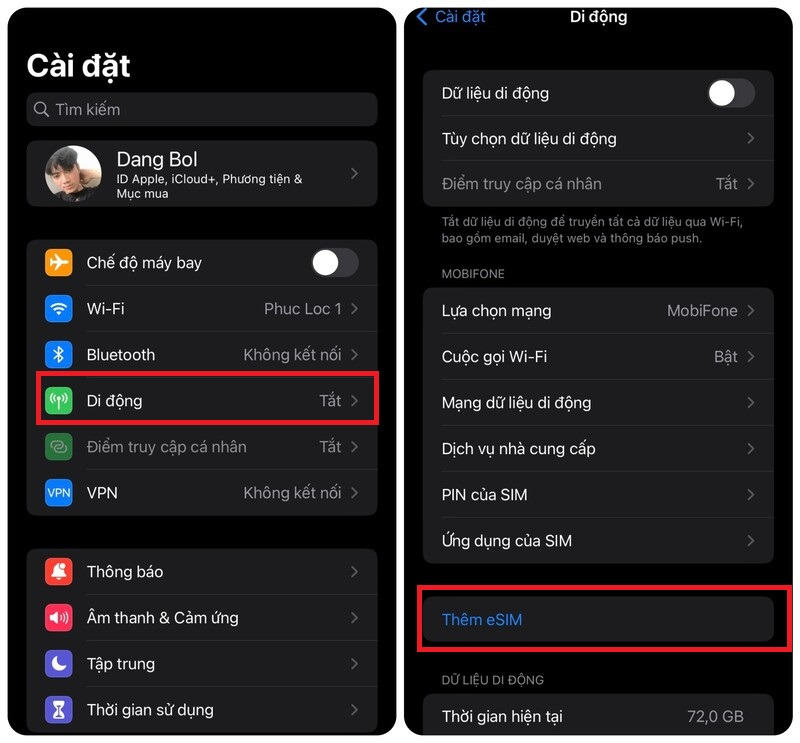
This is the fastest and most accurate way, with no outside lookup needed. Do it as follows:
- Open Settings on your iPhone
- Select Cellular or Mobile Data
- Look at the displayed options
If you see:
- “Add eSIM” or
- “Add Cellular Plan”
This shows that the device supports eSIM. Otherwise, if these options are not available, your iPhone only supports a physical SIM.
Check via the SimPM website
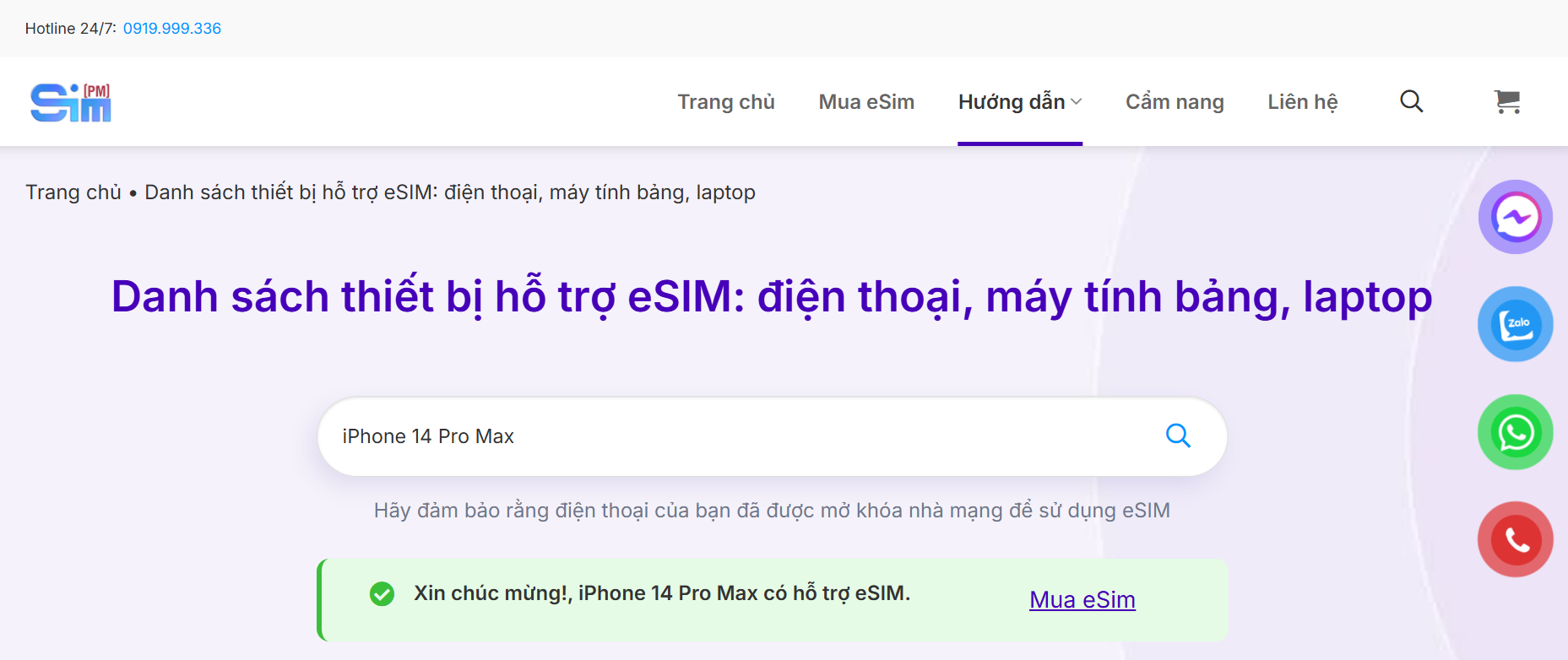
In addition to checking directly on the device, you can quickly look up device information through the support platform:
- Visit the official SimPM website
- Select Guide → Supported devices
- Enter the device name in the search bar
- View the displayed results
The system will tell you whether your iPhone is compatible with eSIM, which is very useful when you do not have the device in hand or want to check before buying.
See also: eSIM not compatible with iPhone: Causes and solutions
Frequently Asked Questions (FAQ)
Below are common questions that users often care about when learning about and using an eSIM and a physical SIM together on iPhone. The content is compiled based on real-world experience and common situations.
Is eSIM as stable as a physical SIM?
Yes. In essence, eSIM works similarly to a physical SIM because both use the carrier’s infrastructure. In many cases, eSIM is even more stable because it is not affected by physical contact errors like a traditional SIM.
Can you use 2 eSIMs at the same time?
Yes, but this only applies from iPhone 13 onward. On lower models, you can only use 1 eSIM combined with 1 physical SIM.
When using a travel eSIM, do you need to remove your primary SIM?
No need. You can keep your primary SIM in the phone to receive calls, messages, or OTPs while using a travel eSIM to access the internet. Choosing the right eSIM will help save costs and keep your connection much more stable. You can refer to and buy eSIM international travel at SimPM for quick support.
Can an eSIM be transferred to another phone?
Yes, but the activation process needs to be done again. Depending on the carrier or eSIM provider, users may need to scan the QR code again or contact support to reissue the eSIM.
Can eSIM be used in Vietnam?
Yes. Currently, major carriers such as Viettel, VinaPhone, and MobiFone all support eSIM, making it easy for users to register and use.
Does using two SIMs at the same time affect battery life?
Battery consumption may increase slightly because the device has to maintain connections to two networks, but it is not significant if you set it up properly and use it correctly.
If you are looking for a stable, easy-to-activate, and well-priced eSIM solution, check out international travel eSIMs at SimPM. Fast support, a wide range of plans suitable for many countries and usage needs. Contact us now 0919.999.936 for detailed advice and to choose the most suitable eSIM plan for your trip.









