Can eSIM Be Moved to a New Phone? Guide to Transferring eSIM to a New Device

When switching to a new phone, many people wonder whether an eSIM can be moved to another device and whether transferring the eSIM will cause them to lose data or any remaining validity. In reality, an eSIM can still be moved to another device in certain cases, but not always. In this article, SimPM will help you understand the required conditions and how to transfer an eSIM to a new phone correctly, safely, and easily.
Can an eSIM be moved to another phone?
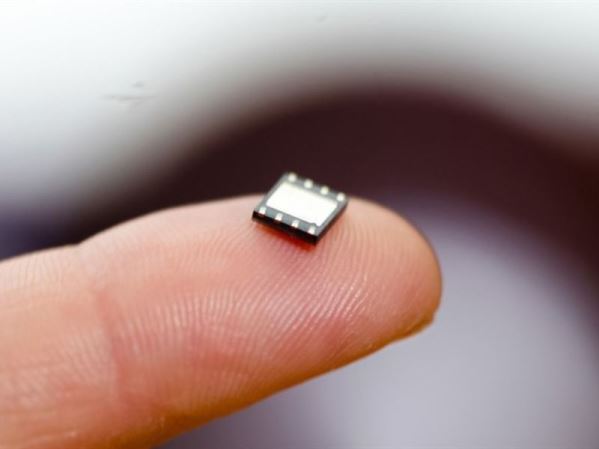
Before learning whether an eSIM can be moved to another phone, you need to clearly understand what an eSIM is and how it differs from a traditional SIM. eSIM (Embedded SIM) is an electronic SIM built into the device, allowing users to register and manage a subscription through software without using a physical SIM. Because it cannot be removed like a traditional SIM, an eSIM operates entirely based on the configuration and policies provided by the carrier.
So, can an eSIM be moved to another phone? The answer is yes — you can completely transfer an eSIM to another device in certain cases. However, the transfer must be carried out through the carrier’s support system and usually involves a service fee. In Vietnam, major carriers such as Viettel, VinaPhone, and MobiFone have already implemented services to support transferring eSIMs to new devices.
Cases where an eSIM can and cannot be moved to another phone
Unlike a physical SIM that can be removed and inserted into another device, an eSIM depends on device compatibility, the software version in use, and the carrier’s policy. Therefore, whether an eSIM can be moved to another phone depends on each specific case:
| Case | Can an eSIM be moved to another phone? | Explanation |
| The carrier allows eSIM transfer | Yes | Some carriers support transferring an eSIM to a new device through a verification process or by reissuing an activation code. This is controlled at the system level to ensure subscriber security. |
| Both the old device and the new device support eSIM | Yes | An eSIM only works on devices with compatible hardware. If the new device does not support eSIM, the transfer cannot be completed. |
| The device has been updated to a newer software version | Yes | Newer iOS and Android versions improve eSIM management, making the transfer process more stable and reducing errors. |
| The carrier or provider does not support transfer | No | Some eSIMs are limited to activation on only one device and do not have a mechanism for moving to another phone. |
| Travel eSIMs and one-time activation eSIMs | No | This type of eSIM is usually locked to the original device to prevent sharing or reuse on multiple phones. |
| The new device is not compatible with eSIM | No | Lack of eSIM-supporting hardware means the eSIM cannot be installed or reactivated on the new device. |
| The operating system is too old | No | An older software version may not support eSIM management or may not be compatible with the carrier’s system. |
From the table above, it can be seen that not every eSIM is designed to move flexibly between devices. This is why many people wonder why some eSIMs can only be used on one phone, even though their validity period has not expired.
The fact that some eSIMs only work on one device is not an arbitrary limitation, but comes from technical design and security requirements. When an eSIM is activated, the subscriber identity information is directly linked to the device hardware through the carrier’s or eSIM provider’s system. This mechanism helps prevent eSIM copying, unauthorized use, or simultaneous activation on multiple devices.
For travel eSIMs and one-time activation eSIMs, locking the eSIM to the original device also helps the provider better control usage time, data allowance, and network access coverage. Therefore, even if the eSIM is still valid, users usually cannot move it to another phone if the provider does not support reissuing a new configuration.
See more: Does a factory reset remove the eSIM? Guide to checking & handling
Requirements for transferring an eSIM to another phone
To transfer an eSIM to another phone, users must meet several conditions at the same time. Missing just one of the factors below may prevent the transfer from being completed.
- Carrier or eSIM provider supports transfer: Not every eSIM allows transfer to another device. The ability to move an eSIM depends directly on the carrier’s or eSIM provider’s policy at the time of use.
- The new device supports eSIM: The phone receiving the eSIM must have hardware that supports eSIM and is compatible with the eSIM standard used by the carrier.
- The device is running a suitable software version: Both the old device and the new device need to be updated to a sufficiently new version of iOS or Android to support stable eSIM management and transfer.
- The eSIM is still active: The eSIM must still be valid and must not have been canceled or locked by the carrier in order for the transfer to be carried out.
- Subscriber ownership can be verified: Users need to meet the carrier’s verification requirements, such as login accounts, subscriber information, or other verification steps as required.
Important notes before moving an eSIM to a new phone
Before transferring an eSIM from an old phone to a new one, you should understand the important notes below to avoid misunderstandings about how eSIM works and to reduce unnecessary risks.
- Each eSIM only works on one device at a time: An eSIM cannot be used on two phones at the same time like a physical SIM. Once you move the eSIM to a new device, the eSIM on the old phone will stop working. If you need to use it on multiple devices, you must register an additional eSIM.
- Transferring an eSIM usually involves a service fee: In Vietnam, carriers currently apply a common fee of around 25.000 VND for each transfer, for both online and in-store methods. The exact fee may vary by carrier and by time.
- Transferring an eSIM does not lose your phone number or current plan: After completing the transfer correctly, the phone number, data plan, and related services remain unchanged and continue to work normally on the new device.
- Not every device actually supports eSIM: Although eSIM is becoming more common, users should still check whether their device is on the eSIM-supported list before transferring to avoid wasting time.
Popular devices that currently support eSIM
| Device type | Brand | Supported models |
| Mobile phones | iPhone | From iPhone Xs onward |
| Samsung | Galaxy S20 and above, Galaxy Z Fold / Z Flip | |
| Huawei | P series from 40 onward | |
| Google Pixel | From Pixel 3 onward | |
| Smartwatches | Apple Watch | Apple Watch Series 7 LTE and above |
| Samsung Watch | Galaxy Watch 3 LTE and above | |
| Tablets | iPad | iPad Pro from 2018 onward |
- You should check the specific device before proceeding with eSIM transfer: Even within the same product line, some versions or distribution markets may differ in eSIM support. Checking in advance helps the transfer process go faster and more accurately.
How to transfer an eSIM from one phone to another
Below is a step-by-step guide to help you transfer an eSIM from one phone to another without interrupting your work.
Transfer eSIM between 2 iPhones (iPhone 16 and later)
Apple supports direct eSIM transfer between two iPhones running iOS 16 or later. In this case, you can move the eSIM conveniently without needing a new QR code from the carrier.
Basic steps:
- Step 1: Make sure both the old iPhone and the new iPhone are updated to the latest iOS and Bluetooth is turned on.
- Step 2: Place the two iPhones close together during the transfer.
- Step 3: On the new iPhone, go to Settings → Cellular → Add eSIM → Transfer From Nearby iPhone.
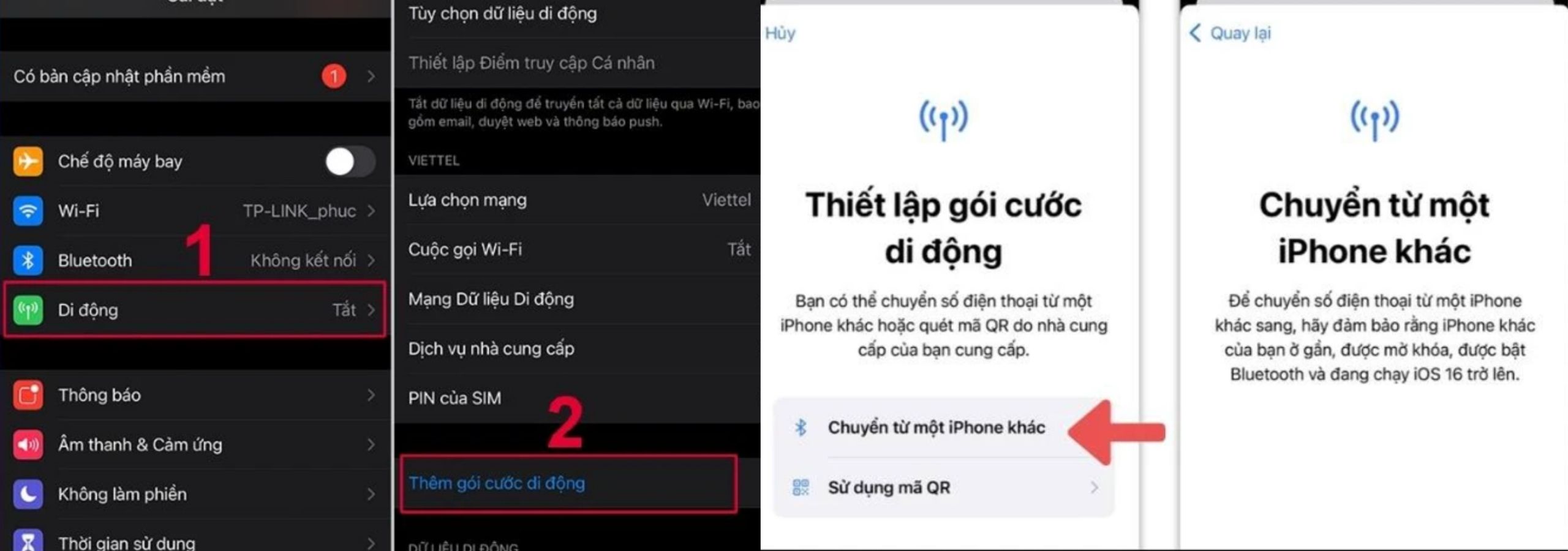
- Step 4: Follow the on-screen instructions to confirm the transfer.
- Step 5: Once completed, check the mobile connection on the new phone to make sure the eSIM has been activated successfully.
Note:
- This feature requires an iPhone running a compatible iOS version.
- Some carriers may require additional verification or may not fully support this feature.
Transfer eSIM from Android to iPhone (or vice versa)
With iOS 26 and Android 16 or later, Apple and some Android manufacturers have started supporting eSIM transfer between the two different operating systems, but this still depends on carrier support and the specific device.
Basic steps (Android → iPhone):
- Step 1: Place the two devices next to each other and make sure both are connected to Wi-Fi and Bluetooth is on.
- Step 2: On the new iPhone, open Settings → Cellular Setup → Transfer from Android.
- Step 3: A QR code will be generated on the iPhone. Use the Android camera to scan this code.
- Step 4: Select the phone number to transfer on the Android device and choose Transfer.
- Step 5: Once completed, confirm on the iPhone and check the mobile connection.
If the QR code cannot be scanned, the devices may use the pairing option or the “Transfer eSIM” feature in the settings to complete the process.
Note: If the device or carrier does not support this feature, you will need to contact the carrier to reissue the eSIM QR code and then scan it on the new device.
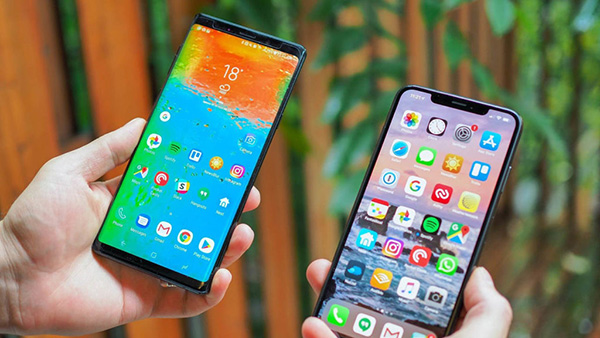
Can an eSIM be transferred from Android to Android?
The answer is yes — users can completely transfer an eSIM from an old Android phone to a new Android phone. However, this feature has not yet been rolled out uniformly across all Android phone brands and also depends on the carrier’s support policy.
In recent Android versions, especially on Google Pixel and some Samsung Galaxy models, Google has started supporting direct eSIM transfer between two Android devices through the new phone setup process. Users can transfer the eSIM during the initial setup by confirming on the old phone and scanning the QR code shown on the new phone.
However, this feature only works when both devices support eSIM, are running a compatible Android version, and are allowed to transfer by the carrier.
In Vietnam, in most real-world cases, the most stable and common option is still to request the carrier to reissue a new eSIM for installation on the new Android phone. This helps ensure the eSIM is activated correctly in the system and avoids errors caused by device or software limitations.
The eSIM transfer process on Android today usually falls into one of the following two approaches:
- Case 1: Android supports eSIM transfer
Step 1: Place the two Android phones next to each other, making sure both are connected to Wi-Fi and Bluetooth is on.
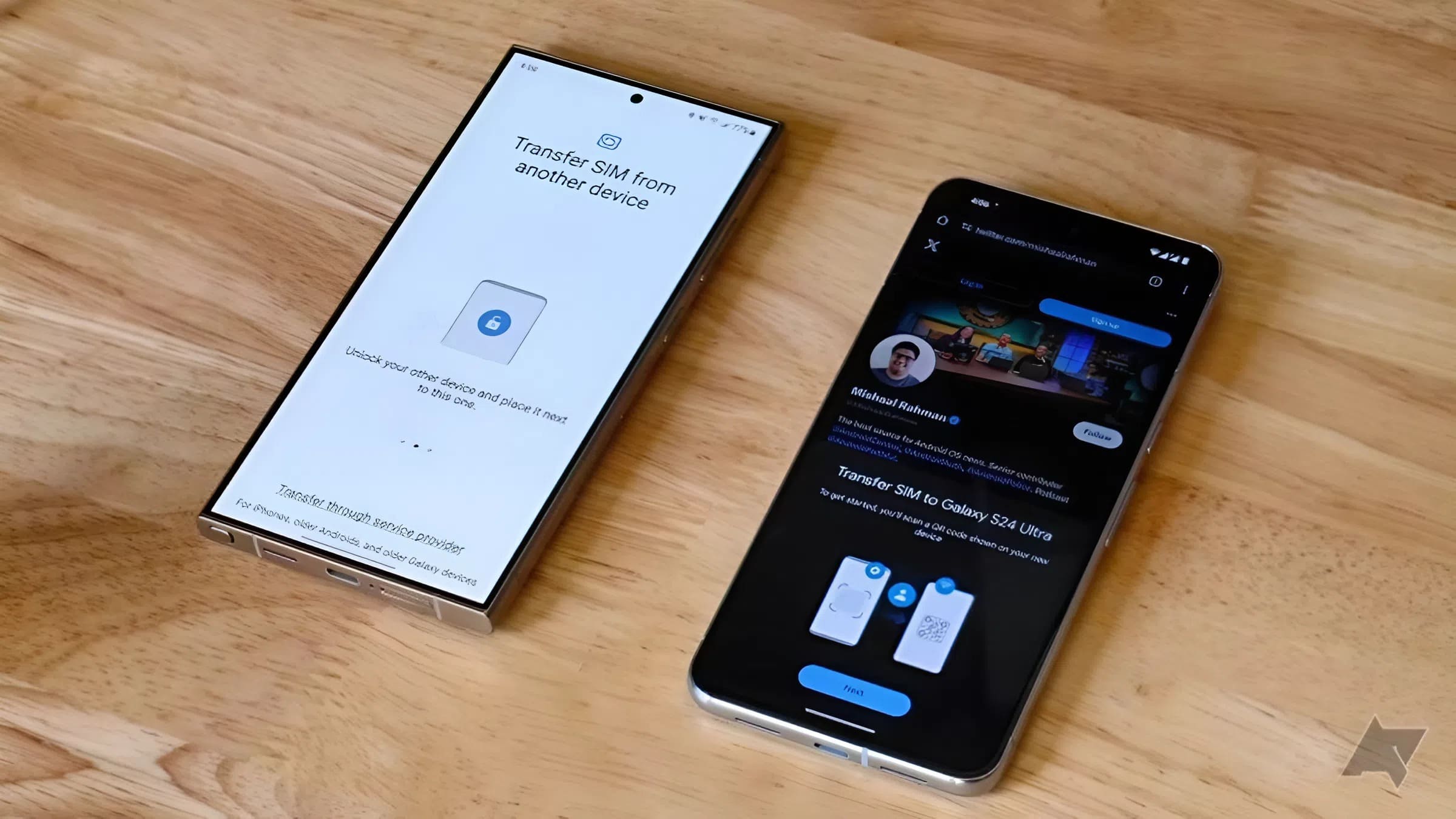
Step 2: On the new Android phone, complete the initial setup until the Mobile network connection screen appears, then select Transfer SIM from another device.
Step 3: On the old Android phone, when the confirmation window appears, select Next to agree to transfer the eSIM.
Step 4: Use the old Android phone to scan the QR code shown on the new phone’s screen to verify the transfer process.
Step 5: On the new Android phone, select Connect & transfer, wait for the process to complete, and then check the mobile connection again.
- Case 2: Android does not support direct eSIM transfer
Step 1: Check that both the old and new Android devices support eSIM
Step 2: Contact the carrier to request a reissued eSIM (new QR code) for the new device
Step 3: On the new Android phone, go to Settings → Connections → eSIM / SIM to scan the QR code
Step 4: Complete activation and check the mobile connection again
If the carrier or device does not support direct eSIM transfer, reissuing the eSIM is still the safest and most commonly used option today.
Add eSIM using a QR code from the carrier
If the device does not support direct transfer, or if the current eSIM cannot be transferred via Bluetooth/internal system, you can use a new QR code provided by the carrier:
- Contact the carrier (via app, website, or service point) to reissue the eSIM QR code for the new device.
- On the new device, go to Settings → Cellular (or Connections) → Add eSIM.
- Choose Scan QR code to load the eSIM profile onto the device.
Transfer eSIM at the carrier service center
This is the safest way if the device or carrier does not support direct transfer:
- Visit an official carrier service center (Viettel, VinaPhone, MobiFone) with identification documents.
- Ask the staff to help reissue the eSIM for the new device.
- Scan the QR code or follow the instructions to activate the eSIM on the new phone.
- Each carrier may have different procedures and service fees, but in most cases the process is similar and takes about 15-30 minutes at the service center.

If you can’t move the eSIM, is there any other solution?
In some cases, an eSIM cannot be moved to a new device due to carrier limitations, the type of eSIM in use, or device incompatibility. When that happens, users can consider the following alternatives:
- Request a new eSIM from the carrier: Instead of transferring the old eSIM, the carrier will deactivate the eSIM profile on the old device and issue a new eSIM QR code to install on the new phone. This solution keeps the phone number, plan, and currently used services unchanged while ensuring subscriber security.
- Buy a new eSIM for the new device: For travel eSIMs or one-time activation eSIMs, moving to another phone is often not supported. In that case, the most feasible solution is to register a new eSIM that is suitable for the device in use.
- Contact the carrier’s or eSIM provider’s support team: In some special cases, the carrier may be able to reissue the eSIM if the user fully meets the subscriber verification requirements under the regulations.
- Use the old device temporarily until the transfer is completed: If you cannot resolve it right away, you can continue using the old device to avoid communication interruptions while waiting for support or a reissued eSIM.
In short, when you cannot move an eSIM to a new phone, there are still several possible solutions. The right choice depends on the type of eSIM you are using, the new device, and the carrier’s support policy at the time.
Buy travel eSIM on SimPM
If you cannot transfer an eSIM to a new device, using a new eSIM installed directly on the phone you are using is often a faster and more practical solution. Especially for temporary internet needs such as travel, business trips, or using data on multiple devices at the same time, an online eSIM helps users avoid depending on the carrier’s complicated transfer process.
SimPM is a platform providing travel eSIMs for many countries and regions, allowing users to buy, install, and activate an eSIM completely online. Instead of waiting for a reissued old eSIM or going to a service center, you can choose an eSIM plan suitable for your device and usage needs, then install it immediately via QR code.

With an eSIM purchased on SimPM, users can actively use data on the new device without affecting the old eSIM, while also avoiding the limitations that often occur when moving eSIMs between phones. This is a suitable option in situations where you need fast, flexible connectivity and do not want your experience to be interrupted.
See more: How to activate a travel eSIM: A detailed guide for beginners
Frequently asked questions about eSIM when changing phones
Below is a list of frequently asked questions about using an eSIM when switching to another phone that many people care about:
How many times can an eSIM be moved to another phone?
An eSIM does not have a fixed limit on the number of times it can be moved to another phone; it depends on the carrier’s or eSIM provider’s policy. Carrier eSIMs usually allow multiple transfers, while travel eSIMs may only be usable on one device.
Does changing phones delete the eSIM?
No. Changing phones does not delete the eSIM, but the eSIM will stop working on the old phone after it is removed or after the transfer to the new device is completed.
Will data be lost when moving an eSIM to another phone?
No. The data allowance, phone number, and plan remain unchanged if the eSIM is still valid and the transfer is done correctly. Personal data on the phone must be backed up separately.
Can the same eSIM be used on 2 phones?
No. An eSIM can only work on one device at a time and will be deactivated on the old phone when it is activated on the new one.
Can an eSIM be transferred when switching between iPhone and Android?
An eSIM cannot be transferred directly between iPhone and Android. Users need to delete the eSIM on the old device and request that the carrier or provider reissue the eSIM for installation on the new device.
If you accidentally delete the eSIM on the old device, can it be reinstalled?
It depends on the type of eSIM. Carrier eSIMs can usually be reissued, while many travel eSIMs or one-time activation eSIMs cannot be reinstalled once deleted.
We hope this article has helped clarify whether an eSIM can be moved to a new phone and how to handle each case properly when switching to a new device. If you still have any questions or need support with eSIMs, please contact the hotline 0919.999.336, the SimPM team is always ready to answer all your questions.