
How to Quickly and Accurately Check Whether a Samsung Phone Supports eSIM

eSIM is gradually becoming a popular choice on Samsung phones, especially for people who travel frequently or go abroad. However, not every device supports this technology. Therefore, knowing how to check whether a Samsung phone supports eSIM will help you be more proactive when choosing an eSIM, avoid buying the wrong one, and be ready to connect quickly whenever needed.
Why check whether a Samsung phone supports eSIM?
Before deciding to use an eSIM, especially a travel eSIM or an international eSIM, users need to clearly understand whether their Samsung phone supports eSIM. This check brings many practical benefits, not only helping avoid technical risks but also optimizing the user experience in the long run.
- Be proactive for future usage needs: Checking early helps you understand your Samsung phone’s capabilities, making it easier to switch to eSIM when you need an extra number, change carriers, or replace a physical SIM without changing devices or incurring unnecessary costs.
- Be proactive when using travel eSIMs and international eSIMs: Once you confirm that your Samsung phone supports eSIM, you can buy and install a travel eSIM before your trip, avoiding the situation where buy eSIM but you cannot use it or have to urgently look for a physical SIM at the airport.
- Avoid buying an incompatible eSIM by mistake: Not every Samsung model supports eSIM, and support also depends on the device’s market. Checking in advance helps you choose the right eSIM type, avoiding wasted money and time on plans you cannot use.
- Optimize cost and time: Knowing whether your phone supports eSIM helps you choose the right connectivity solution from the start, reducing the need to change devices, buy a backup SIM, or handle issues during use.
- Ensure a stable user experience: When you understand your Samsung phone’s eSIM capability correctly, you can set up and manage eSIMs more easily, reduce technical errors, and maintain a stable connection for work, study, or while on the move.
- Use technology proactively: Checking eSIM is part of smart technology use, helping you make the most of the Samsung device you own and be ready for modern forms of connectivity.
Detailed guide on how to check whether a Samsung phone supports eSIM
To accurately determine how to check whether a Samsung phone supports eSIM, users should follow clear step-by-step methods and verify from multiple sources. This is especially important for those planning to use a travel eSIM or an international eSIM, because eSIM only works when the device truly supports it in both hardware and software. Below are simple, easy-to-apply methods that are highly reliable.
Check eSIM on the SimPM website
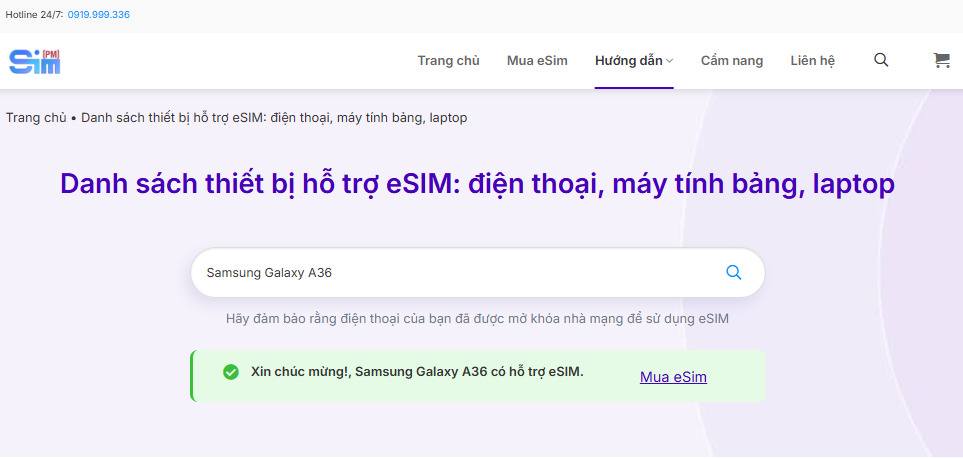
This is a quick check method, suitable whether you are already using the phone or are only researching the device before buying.
How to do it:
- Visit the SimPM website.
- Select the Guide section, then go to Supported devices.
- In the device search bar, enter the Samsung phone model name you want to check.
- The system will instantly return the result indicating whether that device supports eSIM.
The advantage of this method is that the data is compiled from an actual device list, helping reduce confusion between different Samsung versions across distribution markets.
Method 1: Check eSIM in Samsung phone settings
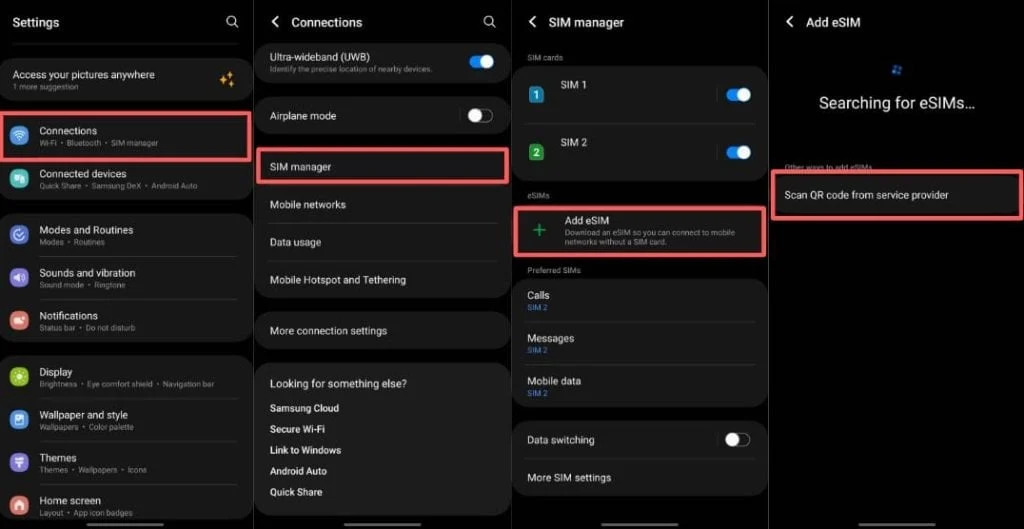
This is the most common and easiest way to check whether a Samsung phone supports eSIM when you are directly using the device.
Steps to check:
- Open Settings on the Samsung phone.
- Select Connections.
- Select SIM manager.
If the interface shows the Add mobile plan or Add eSIM option, that means your Samsung phone supports eSIM and is ready to be activated. If you do not see these options, you should check the operating system version or update the software before drawing a conclusion.
Dial the code *#06# and press the call button to check eSIM
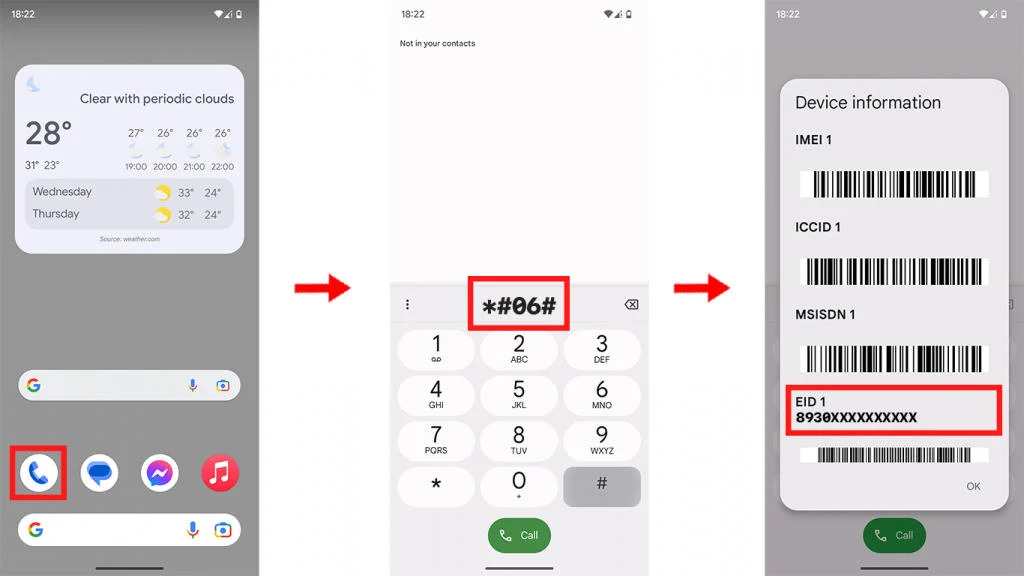
This way of checking whether a Samsung phone supports eSIM is based on the device’s hardware information and gives fairly accurate results.
How to do it:
- Open the phone dialer app on the Samsung phone.
- Enter the code *#06# and press the Call button.
- Observe the information displayed on the screen.
If you see the EID number, this is a sign that your phone is equipped with eSIM. EID is the unique identifier of the eSIM and only appears on devices that support this technology.
Important notes when checking eSIM on Samsung phones
In reality, Samsung phone eSIM support is also affected by various factors. Below are important notes to help you check accurately and avoid unnecessary mistakes.
Not every Samsung version of the same model supports eSIM
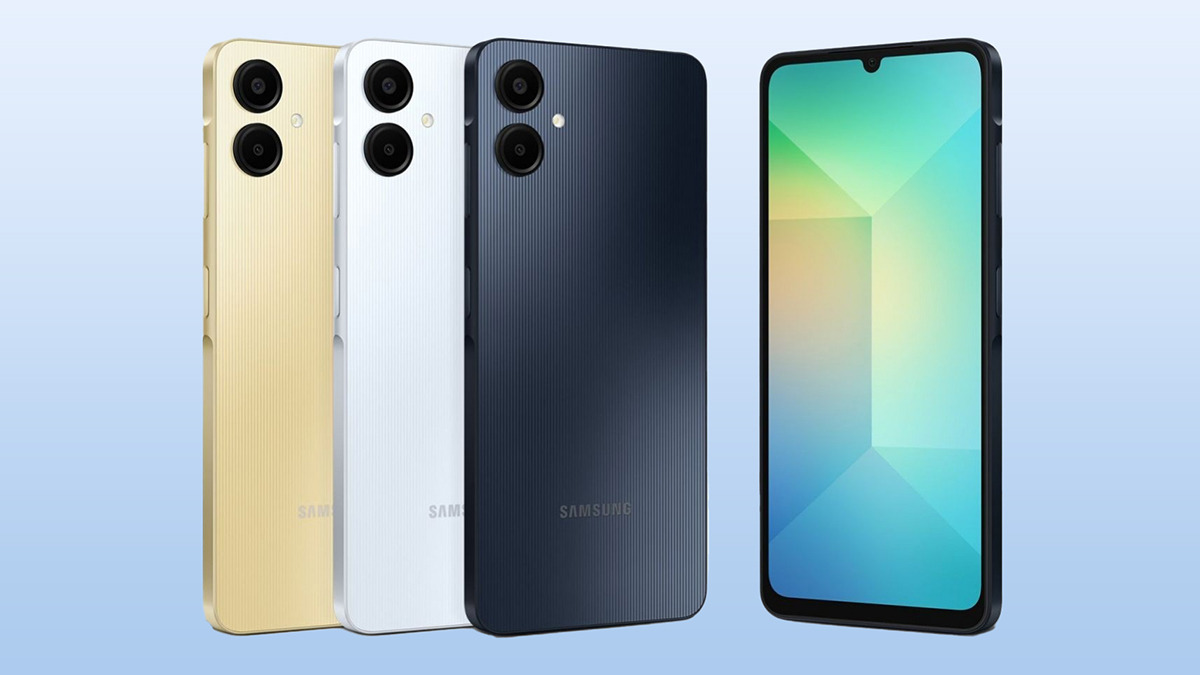
Even with the same model name, Samsung phones may be distributed to different markets. Some versions only support physical SIMs even though the hardware is similar, so the check must be based on the exact model and release region, not just the phone name.
Software and region can affect eSIM
Some Samsung phones have hardware that supports eSIM, but the feature is hidden or disabled due to software restrictions by region. In this case, updating the operating system or changing the usage region may affect the result when applying how to check whether a Samsung phone supports eSIM.
Imported and carrier-locked phones need more careful checking
For imported Samsung phones or carrier-locked phones, eSIM support may be unstable or limited. Users should check directly in Settings and also verify with the *#06# code to avoid confusion.
Clearly distinguish eSIM from dual physical SIM
Many people confuse phones that support two physical SIMs with phones that have eSIM. Checking correctly helps you understand whether your device supports eSIM or is simply a traditional dual SIM phone.
Check before buying an eSIM or planning a trip
Before buying a travel eSIM or an international eSIM, you should complete the device check to avoid buying an eSIM that cannot be activated. This is especially important for urgent trips or short business travels.
Experience selecting the right eSIM for Samsung phones
After determining how to check whether a Samsung phone supports eSIM, the next equally important step is choosing the right eSIM to ensure a stable connection and effective use. Below are practical tips to help Samsung users avoid mistakes and optimize their eSIM experience.
Choose the correct eSIM for the country and region of use
Each eSIM plan is designed for a specific country or region, so you need to clearly identify your destination and travel range. Choosing the right eSIM by country or region helps ensure network speed and stability and avoids unnecessary costs when using it outside the supported area.
Check compatibility with Samsung phones before buying
Even if the phone supports eSIM, not every eSIM plan is fully compatible with every Samsung model. Before buying, you should match your device model with the supported list and reconfirm after you have checked whether your Samsung phone supports eSIM to avoid a situation where the eSIM cannot be activated.
Prioritize reputable and transparent eSIM providers
A reputable eSIM provider must clearly disclose information about supported devices, coverage, and usage conditions. SimPM is an international eSIM provider for more than 200 countries, allowing you to buy eSIMs directly on the website, receive the QR code by email, and activate easily without a physical SIM, making it suitable for Samsung users who travel frequently.
You can refer to some standout eSIMs such as: China eSIM, Korea eSIM, France eSIM, Germany eSIM,… provided by SimPM.
Pay attention to technical support policies
During eSIM use, activation or connection issues may arise. Therefore, you should choose a provider with a clear technical support team, fast responses, and detailed guidance to help resolve issues promptly when needed.
Consider data needs and usage duration
Depending on your purpose of use, you should choose an eSIM plan with the right data allowance and validity period. Choosing correctly from the start helps avoid wasting data or having to buy additional top-up plans during use.
Check the eSIM activation and management method
Prioritize eSIMs that can be activated simply by QR code and managed directly on the Samsung phone. This makes it easy to install, switch, or delete the eSIM when you no longer need it.
Frequently asked questions about eSIM on Samsung phones
When learning about and using eSIM, Samsung phone users often have many questions related to compatibility, usage, and issues that arise in practice. Below are common questions with short, easy-to-understand answers based on real-world experience.
Can Samsung phones use eSIM and a physical SIM at the same time?
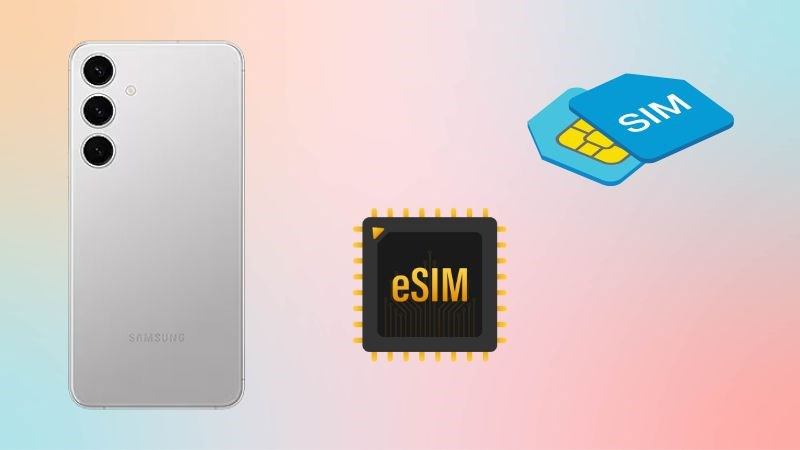
Most Samsung models that support eSIM allow using eSIM and a physical SIM at the same time. This is very convenient when you want to separate personal and work numbers or use a travel eSIM together with your main SIM.
Will resetting or updating software remove the eSIM?
A normal software update does not remove the eSIM. However, if you reset the phone and choose to erase eSIM data, the eSIM plan will be deleted and you will need to scan the QR code again to reactivate it.
Does using eSIM on Samsung affect signal and battery life?
eSIM signal quality depends on the carrier and the area of use and is not significantly different from a physical SIM. Battery consumption when using eSIM is almost equivalent to a traditional SIM.
Can imported Samsung phones use eSIM?
Some imported Samsung phones still support eSIM, but this depends on the device version and original market. Users should check carefully in Settings or with the *#06# code to confirm before buying an eSIM.
Do you need an Internet connection to activate eSIM
Yes. The eSIM activation process on Samsung phones requires a stable Internet connection, via WiFi or mobile data from another SIM.
Knowing how to check whether a Samsung phone supports eSIM is an important step that helps you be more proactive in choosing the right connectivity solution. If you are looking for an international eSIM for an upcoming trip or business travel, visit SimPM to choose a suitable eSIM plan.









