
How to Quickly Check Whether Your Phone Supports eSIM

eSIM is gradually becoming a popular connectivity choice for travel and business trips abroad thanks to its convenience and flexibility. However, not every phone supports eSIM, and many people only find this out after buying a plan. We will show you how to check whether your phone supports eSIM, identify the factors that affect compatibility, and prepare properly before using a travel eSIM.
Factors that determine whether a phone supports eSIM
Before learning the detailed way to check whether a phone supports eSIM, users need to clearly understand the underlying factors that determine whether a device supports eSIM. In real-world use of travel eSIMs, many premium phones still cannot use eSIM because of differences in hardware, distribution market, or software.
Device line and hardware version
eSIM is not a feature that can be added by software; it is a chip integrated directly into the phone’s hardware. Therefore, only device lines that the manufacturer has equipped with an eSIM chip from the design stage can use it. In practice, even the same product line but a different production year or hardware version can lead to differences in eSIM support, which causes confusion when people look up information.
Device distribution market

The distribution market is a very important but often overlooked factor when checking eSIM support. International versions of devices usually retain full connectivity features, including eSIM, while some domestic versions or carrier-locked versions may have eSIM restricted or removed according to each region’s policy.
In particular, devices commonly not compatible with eSIM include iPhone models distributed in mainland China, Hong Kong, and Macao, except for certain models such as iPhone 13 mini, iPhone 12 mini, iPhone SE 2020 and iPhone XS, which still support eSIM. This is why, when applying the method to check whether a phone supports eSIM, users need to clearly identify the device’s origin and market.
Operating system and software version
Even if a phone has eSIM hardware, the operating system still plays a decisive role in whether eSIM can be activated and used. A device running an outdated software version may not show the eSIM option in network settings, or may encounter errors when adding an eSIM. Updating the operating system to the correct version recommended by the manufacturer not only helps activate eSIM but also ensures stable connectivity when using a travel eSIM or international eSIM.
Manufacturer technical policies and usage limits
Each manufacturer manages eSIM differently, including the number of eSIMs that can be stored, the ability to switch between eSIM and physical SIM, and the conditions for adding a new eSIM. These limits do not affect the initial check, but they do directly impact the long-term usage experience, especially for people who frequently change eSIMs when traveling to multiple countries.
How to check whether your phone supports eSIM simply
To accurately determine whether your device supports eSIM, users should prioritize visual checks that are easy to perform and highly reliable. Below are the most common methods used in practice when advising on and deploying travel eSIMs, helping minimize confusion between different device versions.
Quick check on SimPM
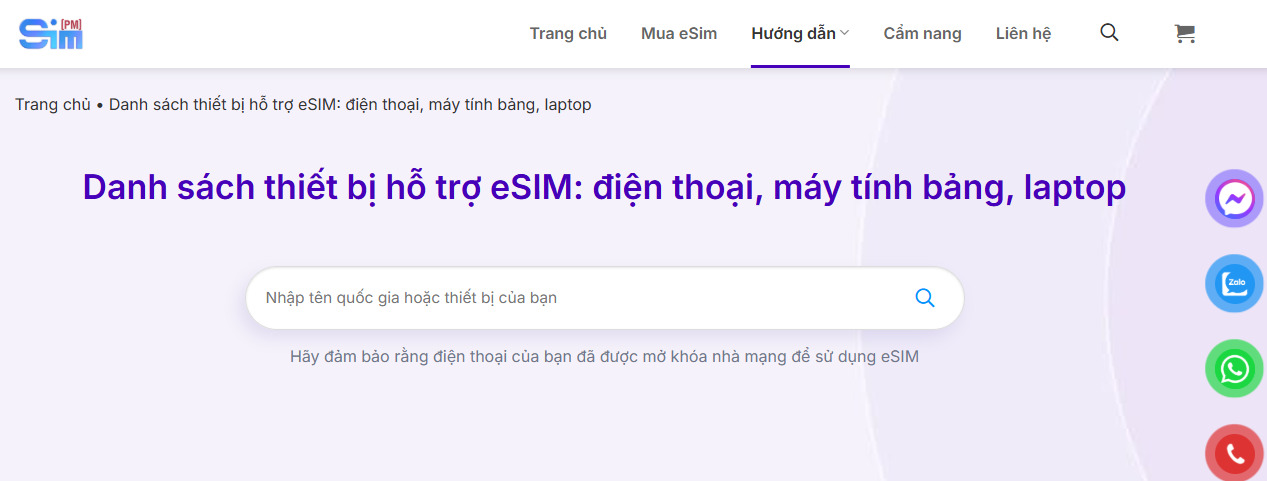
One of the fastest ways is to look up the list of eSIM-supported devices directly on the website of SimPM. Users go to the eSIM-supported devices page, then enter the name of the phone model they are using in the search box. The system will instantly return the compatibility result, helping you quickly know whether your device can use eSIM without complicated technical steps.
Check directly in your phone settings
In addition to online lookup, checking in settings is a way to check whether your phone supports eSIM that many people use because of its high accuracy.
- On iPhone, open Settings, then go to General and select Cellular. If the list shows an option to add eSIM or add a cellular plan, that means the device is equipped with eSIM. If you do not see these options, the phone only supports physical SIM.
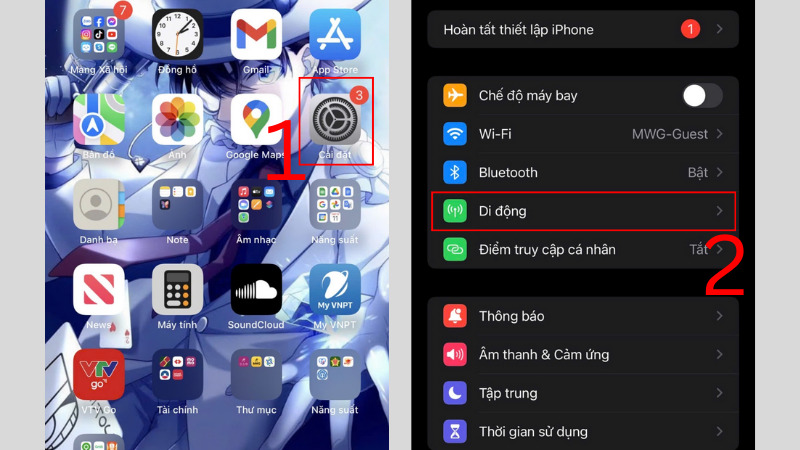
- For Samsung phones, go to Settings, select Connections then go to SIM Manager. If you see the option to add eSIM or add a mobile plan, the device is eSIM-compatible.
- For Huawei, because the number of eSIM-supported models is still limited, users need to go to Settings, select Mobile network and continue to SIM management. If the option to add SIM or eSIM appears, the device can use eSIM.
- On Google Pixel, go to Settings, select Internet & Network, then tap the “+” sign next to SIMs. If the system shows an option to download a replacement SIM, your phone supports eSIM.
- For Xiaomi, users can check in Settings to see whether there is an option to add eSIM, since not all Xiaomi lines are equipped with eSIM.
- For Oppo, a quick way to check is to go to Settings, select About, then continue to Status. If an EID code appears here, the device has eSIM integrated.
Check using the device IMEI

Another more technical method is to check using the IMEI. Open the Phone app and enter *#06# to display the IMEI. For phones that support dual SIM, there will be two different IMEI numbers, one of which corresponds to the eSIM if the device supports it. After noting the IMEI, visit imei.info and enter this number to check. The returned result will show in detail which SIM type the device supports.
Check the model information and SIM tray
In addition to the methods above, users can check the model code in the device information section or on the SIM tray. By comparing this model code with official information from the manufacturer, you can determine whether the version you are using is equipped with eSIM. This is especially useful for devices with the same name but different distribution markets.
See also: New users should know: how many times can eSIM be scanned?
Cases where the phone has eSIM but still cannot be used
In real-world travel eSIM deployments, many users encounter situations where their phone is confirmed to have eSIM but still cannot be activated or used stably. This is why, after applying the method to check whether a phone supports eSIM, users still need to consider the device’s practical operating factors. Below are the common cases that cause eSIM not to work even though the phone is equipped with eSIM.
Carrier-locked or carrier-restricted phone
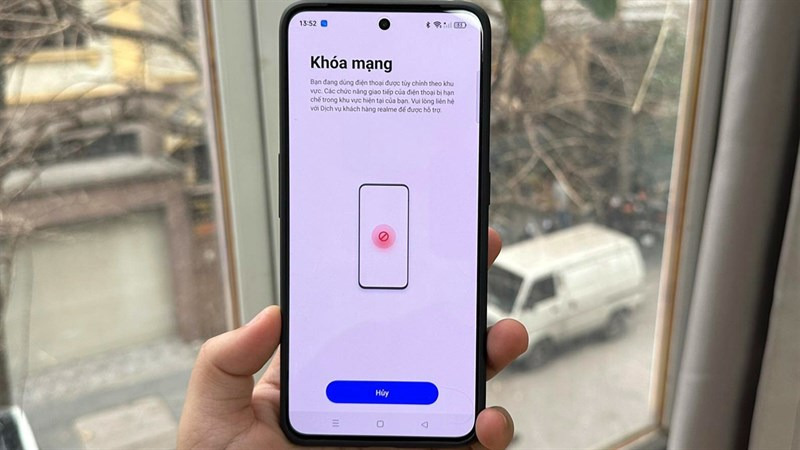
One of the most common reasons is that the device is carrier-locked or bound by its original distributor. In this case, the phone only allows SIM or eSIM from a specific carrier, while blocking third-party eSIMs, including travel eSIMs and international eSIMs. Therefore, even if the method for checking whether a phone supports eSIM returns positive, users still cannot add a new eSIM if the device has not been fully unlocked.
The operating system or software version is not compatible
eSIM depends heavily on the operating system for activation and management. If the phone is using an outdated software version, has not been updated, or encounters an error during the upgrade process, eSIM may not appear or may not connect to the mobile network. In many real cases, eSIM only works normally after updating the operating system to the version recommended by the manufacturer.
Network configuration errors or system conflicts
Some devices that have changed network settings, switched SIMs many times, or previously encountered errors during eSIM installation may develop system conflicts. When this happens, the eSIM is still present on the device but cannot be activated or receive a signal. Resetting network settings or reconfiguring the system is often a necessary step to fix it.
Errors occurring during eSIM activation
The eSIM activation process requires a stable internet connection and correct steps in order. If the process is interrupted, the code is scanned incorrectly, or it is done in an unstable network environment, the eSIM may fail and cannot be used. In this case, confirming the device again by checking whether the phone supports eSIM is not enough; you need to contact the eSIM provider for reactivation support.
See also: eSIM not compatible with iPhone: Causes and solutions
Practical experience when buying and using a travel eSIM
From experience deploying travel eSIMs for many different customer groups, it can be seen that eSIM offers clear convenience, but it only works effectively when users prepare correctly from the start. Therefore, besides knowing how to check whether your phone supports eSIM, users should refer to the practical tips below to avoid issues and ensure stable connectivity throughout the trip.
Check your device carefully before buying an eSIM
Before deciding to buy eSIM travel, users need to confirm exactly whether their device is compatible. The check should be done in several ways, such as looking up the phone model, checking in settings, and comparing the distribution market. This helps minimize the risk of buying an eSIM that cannot be used, especially with imported devices or phones purchased from overseas markets.
Buy eSIM from a reputable provider

Choosing a reputable eSIM provider plays an important role in the real-world experience. A trustworthy provider usually offers clear information about supported devices, detailed activation instructions, and technical support when issues arise.
If you are looking for a stable international travel eSIM solution, SimPM is a suitable choice. SimPM provides international travel eSIMs in more than 200 countries and territories, with a wide variety of plans in terms of validity period and data allowance, meeting needs from short trips to long business trips. You can refer to some popular travel eSIMs such as: Korea eSIM, Japan eSIM, France eSIM, Thailand eSIM,…
Activate the eSIM at the right time and according to the instructions
One important tip is not to activate the eSIM when the network is weak or when rushing through the steps. Users should install the eSIM when they have a stable Wi-Fi connection and follow the provider’s instructions exactly. Activating it correctly helps the eSIM connect faster upon arrival and reduces errors during use.
Do not delete the eSIM during use
After the eSIM has been installed successfully, users should not delete it from the device, even if it is temporarily not in use or if there is a connection issue. With many travel eSIM plans, deleting the eSIM may prevent the plan from being reinstalled. If problems occur, check the network settings again or contact support for timely assistance.
In general, to use eSIM effectively, users not only need to choose the right plan but also understand clearly whether their device is compatible. Applying the correct method to check whether your phone supports eSIM from the start will help avoid buying the wrong eSIM, reduce issues, and ensure stable connectivity when traveling or on international business trips. Once properly prepared, a travel eSIM will become a flexible, convenient, and reliable connectivity solution for every trip.









