
Which Devices Support eSIM? The Most Detailed Compatible Device List

Not every phone can use eSIM, even though this technology is becoming more and more popular. If you want to check whether your device supports eSIM, this article will help you quickly find out which devices use eSIM by brand. The list is updated with the latest device lines available today, along with important notes about version and market. Read the article below by simPM to avoid buying the wrong eSIM for a device that isn’t compatible.
Learn about eSIM. What are the pros and cons of eSIM?
eSIM stands for embedded SIM, meaning an electronic SIM that is built into the phone from the time of manufacture. Instead of using a small plastic SIM card that must be removed and inserted, with eSIM, all carrier information is installed via software.
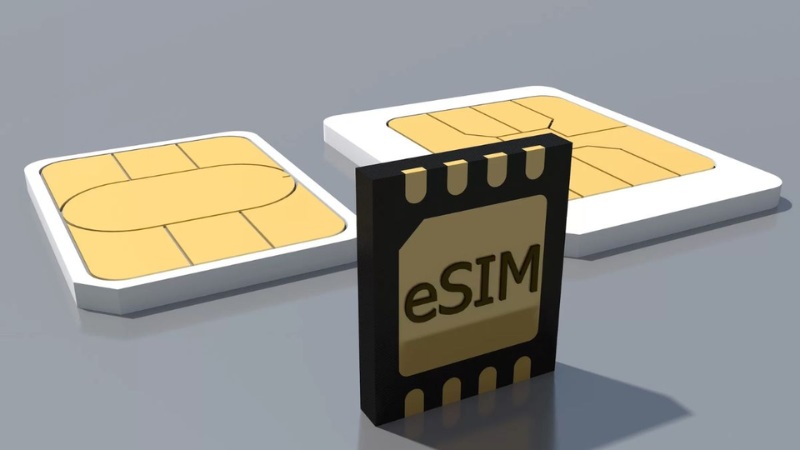
Whether a device can use eSIM depends on:
- The device is equipped with an eSIM chip from the manufacturer
- The operating system supports eSIM activation
- Some market-specific versions are eSIM-limited (China, Hong Kong…)
- Carrier-locked devices usually cannot use international eSIM
Before checking whether your device supports eSIM, let’s look at the standout benefits that make electronic SIM technology increasingly popular as a replacement for traditional physical SIM cards:
- No need to remove or insert a SIM card, reducing the risk of damaging the SIM tray
- Quick online activation with a QR code
- Use your primary SIM and eSIM together conveniently while traveling
- Store multiple eSIM profiles on one device
- Suitable for small devices such as smartwatches and tablets
Although it offers many conveniences, eSIM still has some limitations. Not every device supports eSIM, especially older models or versions sold specifically for certain markets such as China and Hong Kong. In addition, when switching to a new phone, you cannot simply remove the eSIM and move it to the new device immediately like a physical SIM; you need to scan the code again or contact the provider for reissue.
Also, if the phone has a software error or must be factory reset, the eSIM may be deleted and need to be set up again from the beginning. For users who are less tech-savvy, the first-time eSIM installation process can sometimes also feel more confusing than inserting a traditional SIM.
Which devices support eSIM? Detailed list of eSIM-compatible devices
Below are the most common device lines that currently support eSIM, helping you quickly check whether your device is compatible. The list includes iPhone, Samsung Galaxy, Google Pixel, and some other Android brands. Besides phones, what other devices use eSIM? Many smartwatch and Cellular tablet models have also integrated eSIM.
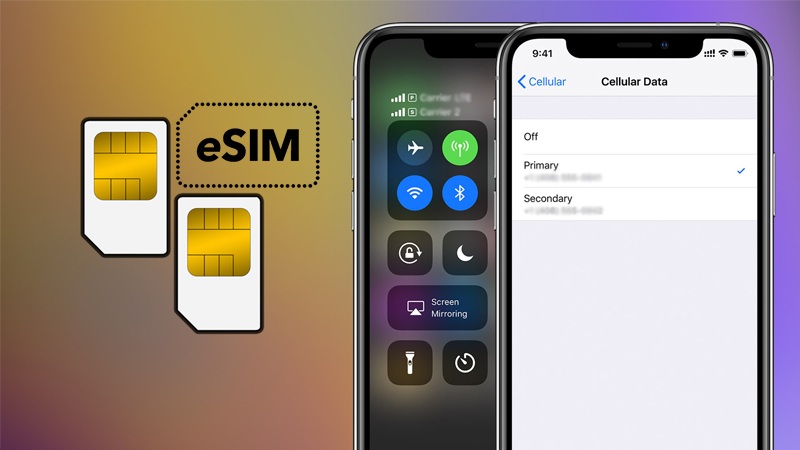
Important note: the same device name but different distribution markets may have eSIM restrictions. In particular, domestic China, Hong Kong, or carrier-locked versions usually cannot use international eSIM. Therefore, you should check the exact model number and device origin before buying or installing an eSIM.
Which iPhones support eSIM?
Apple is one of the pioneers of bringing eSIM to smartphones, so iPhone has the most stable and easiest eSIM compatibility to use today. Starting with the iPhone XR, Apple began integrating eSIM alongside the physical SIM, and newer generations are becoming increasingly dependent on eSIM.
Below is the list of iPhone lines that support eSIM:
| iPhone line | Notes |
| iPhone XR / XS / XS Max | 1 nano SIM + 1 eSIM |
| iPhone 11 / 11 Pro / 11 Pro Max | 1 nano SIM + 1 eSIM |
| iPhone SE 2020 / SE 2022 | eSIM support |
| iPhone 12 / 12 mini / 12 Pro / 12 Pro Max | Supports 2 eSIM (from iOS 16 onward) |
| iPhone 13 / 13 mini / 13 Pro / 13 Pro Max | Can use 2 eSIMs at the same time |
| iPhone 14 / 14 Plus / 14 Pro / 14 Pro Max | US version only has eSIM, no physical SIM |
| iPhone 15 series | eSIM is the main method in many markets |
| iPhone 16 series and later | Many versions have completely removed the physical SIM slot |
Important notes when using eSIM on iPhone:
- Mainland China, Hong Kong, and Macau iPhone versions are usually not equipped with eSIM, even if they have the same device name.
- iPhone carrier-locked devices are almost impossible to use with international eSIM, even if the phone has an option to add eSIM in settings.
- It is recommended to update to the latest iOS to ensure the device supports activating and managing multiple eSIMs at once.
Which Samsung phones support eSIM?
Samsung first equipped eSIM on flagship and foldable phones, then expanded it to some mid-range models in certain markets. However, Samsung eSIM availability depends heavily on the market version and carrier distribution, not just the model name.
Below are popular Samsung lines that support eSIM:
| Samsung line | Notes |
| Galaxy S20 / S21 / S22 / S23 / S24 / S25 series | Most international versions support eSIM |
| Galaxy Note20 / Note20 Ultra | International version supports it, some US versions do not |
| Galaxy Z Fold 2 → Z Fold 6 | Premium foldable line, stable eSIM support |
| Galaxy Z Flip → Z Flip 6 | eSIM supported in most markets |
| Galaxy A54 / A55 | Only some countries & carriers support it |
Important notes when using eSIM on Samsung:
- Mainland China Samsung devices almost never have eSIM
- Many US Samsung devices (carrier locked) have eSIM disabled by the carrier
- Some Korean devices are also eSIM-limited, except for a few newer flagship models
- International (Global/Exynos) versions have the highest eSIM support rate
- The same device name (for example Galaxy S23) but different model numbers may or may not have eSIM
Therefore, when using travel eSIM, you should check the exact model number in Settings -> About phone instead of relying only on the device name.
Does Google Pixel support eSIM?
Google Pixel is also one of the earliest and most stable Android lines to support eSIM, since Google is also the developer of the Android eSIM platform. Most Pixel generations from 2017 onward have already integrated eSIM, making them very suitable for international travel eSIM use.
List of Google Pixel models that support eSIM:
- Pixel 2 / Pixel 2 XL (Pixel 2 only supports eSIM when using Google Fi in some markets)
- Pixel 3 / Pixel 3 XL / Pixel 3a / Pixel 3a XL
- Pixel 4 / Pixel 4 XL / Pixel 4a / Pixel 4a 5G
- Pixel 5 / Pixel 5a
- Pixel 6 / 6a / 6 Pro
- Pixel 7 / 7a / 7 Pro
- Pixel 8 / 8a / 8 Pro
- Pixel Fold
- The newer Pixel lines (Pixel 9 and later) also continue to support eSIM
Important notes when using eSIM on Pixel:
- Some Verizon-locked Pixel phones (US) may have limited eSIM use with international carriers
- Pixel sold in Mainland China or Hong Kong usually does not support eSIM
- On Pixel 2, eSIM mainly works through Google Fi and is not common for travel eSIM
It is best to use an international (unlocked) Pixel to ensure smooth eSIM setup and activation for travel.
Other phone brands that support eSIM
Besides Apple, Samsung, and Google Pixel, some other Android brands have also integrated eSIM into a few high-end models. However, availability is uneven and compatibility depends heavily on the distribution market, carrier, and specific model number.
| Brand | Typical eSIM-supported models | Information to know |
| Oppo | Find X3 Pro, Find X5, Find X5 Pro | Mainly supported on international versions; many phones sold in China do not have eSIM |
| Huawei | P40, P40 Pro, Mate 40 Pro (some markets) | Not all versions have eSIM; P40 Pro+ and many newer domestic China models do not support it |
| Sony | Xperia 1 IV, Xperia 5 IV, Xperia 1 V (depending on region) | eSIM is usually only available on the European version; Japanese or carrier-specific versions may be limited |
| Xiaomi | Xiaomi 13T Pro, 14 series (international version), some EU models | Most domestic China Xiaomi phones do not have eSIM; you need the Global/EU version |
| Motorola | Razr 2019, Razr 40/40 Ultra, premium Edge series | Foldables and flagships support eSIM better than mid-range models |
| Honor | Magic 4 Pro, Magic 5 Pro | eSIM supported on international versions, not common in every market |
Most domestic China Android phones are usually stripped of the eSIM feature by the manufacturer, even though the international version has it. In addition, even if two devices have the same retail name, just a different model number can make eSIM support completely different. Some devices are also eSIM-limited by the issuing carrier, meaning they can only be used on domestic networks and are not compatible with international travel eSIM.
Therefore, before buying or installing an eSIM, you should carefully check the device’s model number and distribution market to avoid confusion.
Besides phones, what other devices use eSIM?
Not only smartphones, eSIM is also integrated into many other mobile devices such as smartwatches and cellular-connected tablets (Cellular/LTE). Thanks to eSIM, these devices can connect to the internet independently without sharing a connection from a phone.
Smartwatches that support eSIM
Many LTE/Cellular smartwatch models come equipped with eSIM, allowing calls, text messages, and mobile data use directly on the watch.
Popular models include:
- Apple Watch LTE (Series 3 and later)
- Including Apple Watch Series 3, 4, 5, 6, 7, 8, 9, SE (LTE) and Ultra.
Only the GPS + Cellular version has eSIM; the regular GPS version does not support it.
- Samsung Galaxy Watch LTE:
- Galaxy Watch 3, Watch 4 LTE, Watch 5 LTE, Watch 6 LTE…
You need the LTE version, not the Bluetooth version.
Smartwatches with eSIM do not work completely independently like phones. Most LTE watches must be paired with a smartphone in the same ecosystem to activate the mobile plan.
For example, Apple Watch only activates eSIM through iPhone, and Samsung Galaxy Watch LTE needs a Samsung Galaxy phone to fully set up network features.
In addition, eSIM on watches usually works through Number Sharing/One Number with the SIM on the phone, so you need to register this service with your carrier. Not every international travel eSIM supports smartwatches. Another important point is that the GPS (Bluetooth) version does not have eSIM, even though it looks identical to the LTE version. Therefore, you need to clearly check whether the device is the LTE/Cellular version in the settings or on the product box before buying an eSIM.
Tablets that support eSIM
Not only phones, many WiFi + Cellular tablets today also integrate eSIM, allowing direct access to mobile networks without inserting a physical SIM card. This is a convenient solution when traveling for work, going on vacation, or needing an independent connection from WiFi.
Popular iPad lines that support eSIM. Apple is the earliest and most stable tablet brand to deploy eSIM. Typical models include:
- iPad Pro (from 2018 onward) – Most Cellular Pro models have eSIM
- iPad Air (from iPad Air 3 onward) – Cellular version supports eSIM alongside nano SIM
- iPad mini (from mini 5 onward) – Compact but still has eSIM on the Cellular version
- iPad gen (some recent generations) – Some newer Cellular versions also integrate eSIM
Note: Only the WiFi + Cellular version has a mobile modem and eSIM. The WiFi-only version does not have mobile network hardware, so it cannot install eSIM even though it has the same product name.
Windows tablets that support eSIM. Besides Apple, some Windows devices also have built-in eSIM, mainly hybrid laptop-tablets (2-in-1):
- Microsoft Surface Pro LTE
- Microsoft Surface Pro X (LTE/5G)
These devices come with a mobile modem (WWAN) and an eSIM slot, allowing them to use 4G/5G networks independently like a phone. They are very suitable for mobile workers who need internet connectivity at all times. Not every Surface device has eSIM – the standard WiFi version does not support it.
How to check whether your phone supports eSIM
To know exactly whether your device can use eSIM, you should check in 2 steps: in the device settings and by the product model number. This helps avoid confusion between different versions of the device for each market.
Method 1: Check directly on the phone
This is the fastest and most accurate method.
On iPhone: Go to Settings → Cellular (Cellular/Mobile Data). Look for the option “Add Cellular Plan” (Add eSIM / Add Cellular Plan)
- If this option is available → the iPhone supports eSIM
- If not → the device does not have eSIM or is restricted by market/carrier
Also, you can do it this way: Go to Settings → General → About. If you see Available SIM / eSIM, then the phone has eSIM.
On Samsung: Go to Settings → Connections → SIM Manager
- Look for “Add eSIM” (Add eSIM)
- If there is an Add eSIM button → the device supports eSIM
- If not → the device does not support it or is a limited version
On Google Pixel: Go to Settings → Network & Internet → SIM. If there is an option “Download a SIM” (Download a SIM / Add eSIM) → the device supports eSIM
Method 2: Check by model number (important for unlocked/imported phones)
The same device name but different model numbers by market can have completely different eSIM support. Check using the steps below:
Step 1: Find the model number
Go to Settings → About phone → Model Number
Example: A2890, A3102 (iPhone) or SM-S918B (Samsung)
Step 2: Look up the model
Enter the model number on:
- The brand’s official website
- A reliable technical specifications page
Check the SIM / eSIM / Dual SIM section.
Cases where a phone has eSIM but still cannot use it
Having eSIM does not mean you can install every international eSIM. Below are common issues:
Carrier-locked device (SIM Lock): A device bought with a foreign carrier contract may only work with that carrier’s SIM/eSIM. It cannot install international travel eSIM. Check at: Settings → General → About → Carrier Lock. If it shows SIM Locked → the device is locked.
Device limited by sales region: Some markets have eSIM disabled by the manufacturer via software, even though the hardware supports it. Common cases: domestic China devices, some Korean / US carrier versions
The operating system has not been updated: An older iOS/Android version may prevent the phone from showing the add eSIM option or scanning the eSIM QR code. Please update to the latest operating system version before installation.
Reached the stored eSIM limit: Phones can only store a certain number of eSIMs (usually 5 – 10 eSIMs). If eSIM memory is full, you will not be able to add a new eSIM. The solution is to go to SIM/eSIM Management and delete old eSIMs you no longer use.
An old eSIM has not been removed from the device: If you have used an eSIM before but have not deleted the old eSIM profile, or the eSIM activation failed. The device may show an error when adding a new eSIM. Please delete the old eSIM and restart the device before installing again.
Fast and convenient connectivity with SimPM eSIM
If your phone is on the list of eSIM-supported devices above, you are ready to use a more modern, convenient, and flexible connectivity solution than a physical SIM. Instead of having to remove and insert a SIM, find a shop to buy a SIM when you arrive, or worry about losing that tiny SIM, buy eSIM at simPM you only need to scan a QR code to get connected within minutes.
SimPM eSIMs are designed to optimize travel, business trips, and international data use:
- 100% online activation, no need to wait for SIM delivery
- Keep your primary SIM in the phone to receive OTPs and important calls
- Multiple data packages – flexible validity according to each country/region
- Supports high speed 4G/5G, prioritizing major local networks
- Vietnamese-speaking support team, easy to get help when needed
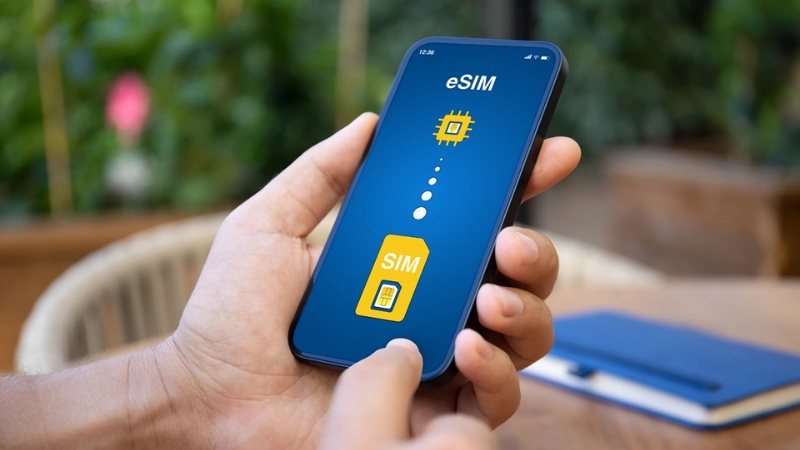
simPM offers a wide variety of destination-based eSIMs, helping you choose the right plan instead of buying more data than you need:
- Country-specific eSIMs – such as Japan eSIM, Korea, Thailand, China eSIM… suitable for trips to 1 destination
- Regional eSIMs – for example Europe eSIM used for multiple countries in the same trip
- Short-trip travel eSIM – enough data, cost-saving
- High-data eSIM – suitable for remote work, online meetings, and continuous map use
As long as your device supports eSIM, you can stay connected the moment you land – no waiting in line to buy a SIM, no swapping SIM cards, no interruption to your communication. This is the smarter way to travel and work in the digital age.









